19
GasAlertMicroClip
Detector Identification
Detector Identification
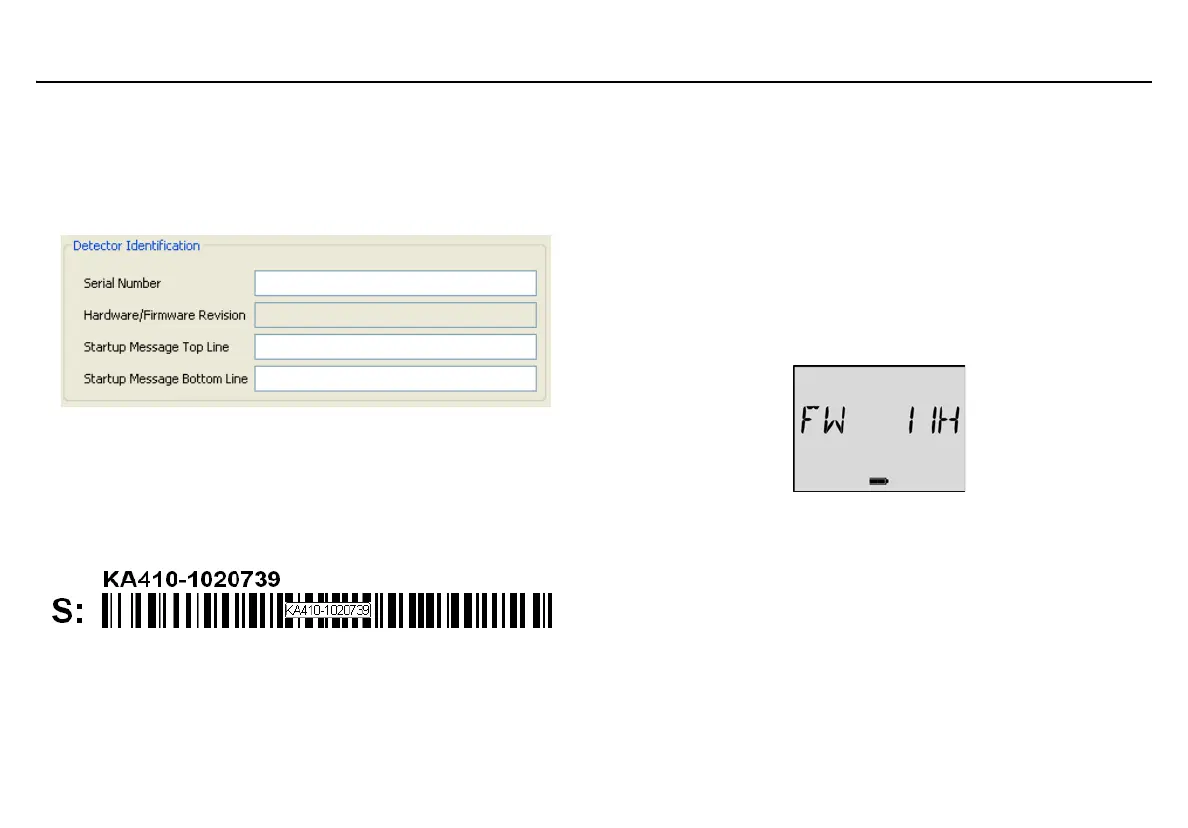
The Detector Identification section provides information about the
detector, current firmware revision, and hardware revision. Data can also
be entered (25 characters per line) to display as a startup message on
the detector LCD each time it is activated.
Figure 3. Detector Identification
Serial Number
Enter the serial number of the detector. The serial number is located on
the back of the detector. The serial number is listed above the S: bar
code. This cannot be altered.
Note
GasAlertMicroClip serial numbers use the KA serial number
prefix.
Hardware/Firmware Revision
Hardware/Firmware Revision cannot be altered. The field
automatically populates when data is retrieved from the detector. If new
firmware is downloaded to the detector, the field automatically updates
when data is retrieved.
The firmware version displays on the detector LCD during the startup
self-tests.
Startup Message
Enter text (25 characters per line) to display on the detector LCD during
startup. Enter information such as employee name, plant, area,
emergency numbers, etc.
Depending upon the length of the message, it will either
a) display on the LCD for 3 seconds (shorter message), or
b) scroll twice on the LCD (longer message).



 To Next Page