29
GasAlertMicroClip
Alarms
Alarms
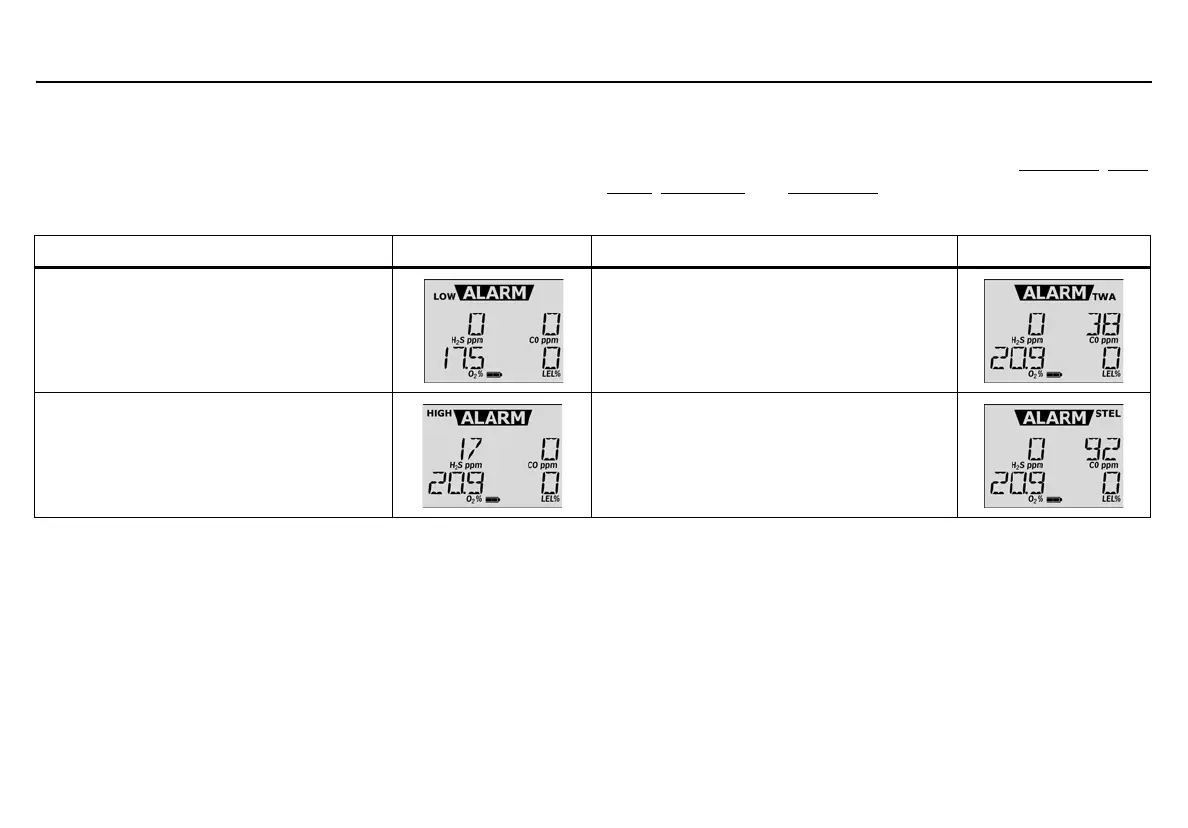
Table 7. describes the detector alarms and corresponding screens.
During an alarm condition, the detector activates the backlight, audible/
visual/vibrator alarms, and displays the current ambient readings. If
more than one type or level of alarm occurs simultaneously, a multi-gas
alarm results. If Stealth is enabled, the audible and visual alarms are
disabled, and only the vibrator alarm activates.
To change the factory-defined alarm setpoints, refer to Low Alarm
, High
Alarm, TWA Alarm, and STEL Alarm.
Table 7. Alarms
Note
If Low Alarm Acknowledge is enabled, the audible alarm can
be disabled during a low alarm condition. The vibrator and visual
alarm indicators remain active until the alarm condition changes
or the detector deactivates. Press
C to acknowledge the low
alarm and deactivate the audible alarm. If the alarm escalates to
a high, TWA, or STEL alarm, the audible alarm reactivates.
If enabled, Latched Alarms causes the low and high gas alarms
(audible, visual, and vibrator) to persist until the alarm is
acknowledged (by pressing
C) and the gas concentration is
below the low alarm setpoint. The LCD displays the peak
concentration and the audible, visual, and vibrator indicators
persist until the alarm condition no longer exists. Enable/disable
Latching Alarms in Fleet Manager II. Local regulations may
require Latching Alarms be enabled.
Alarm Screen Alarm Screen
Low Alarm
•Slow siren
• Slow alternating flash
• L and gas bar flash
• Vibrator alarm activates
TWA Alarm
•Slow siren
• Slow alternating flash
• L and gas bar flash
• Vibrator alarm activates
High Alarm
•Fast siren
• Fast alternating flash
• L and gas bar flash
• Vibrator alarm activates
STEL Alarm
•Fast siren
• Fast alternating flash
• L and gas bar flash
• Vibrator alarm activates



 To Next Page