45
GasAlertMicroClip
Maintenance
Charging the Battery
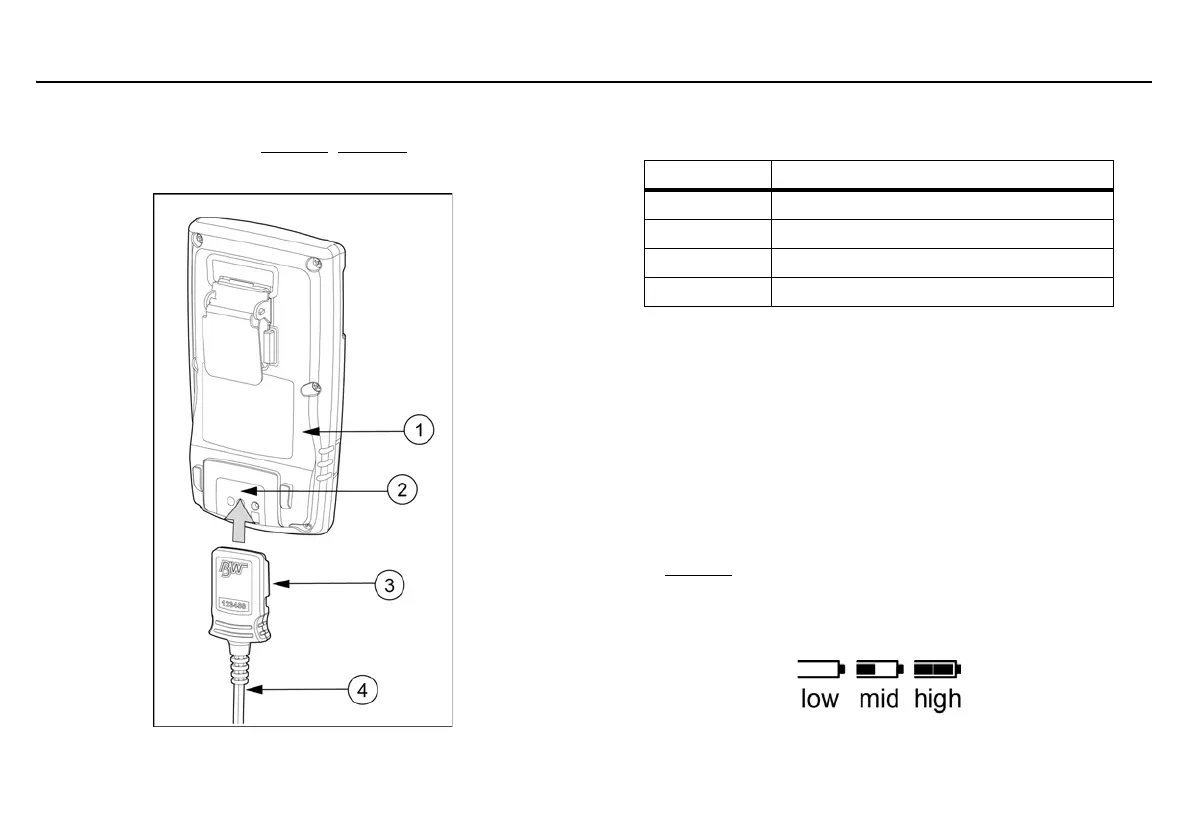
To charge the battery, refer to Figure 8., Table 13., and the following
procedures (1-8).
Figure 8. Connecting the Charging Adapter
Table 13. Connecting the Charging Adapter
a Warning
The detector must be charged in a safe area that is free of
hazardous gas in temperatures of 32°F to 113°F (0°C to 45°C).
1. Deactivate the detector.
2. Plug the charging adapter into an AC outlet.
a Caution
The charging adapter is voltage specific to your region. Use of
the charging adapter outside your region will damage the
charger and the detector.
3. Attach the charging adapter to the charger interface. Refer to
Figure 8.
4. Allow the battery to charge per battery specifications. The
charging indicator flashes on the LCD while the detector is being
charged.
Item Description
1 Detector
2 IR and charger interface
3 Charging adapter
4 Charging cable



 To Next Page