30
Section 3 MC-III™ Panel Mount Flow Analyzer
Conguring the Rate Display
The Rate display comprises two parts: a volume unit and a time-base unit. The volume portion of the Rate
display can be congured in one of ve preprogrammed engineering units or in a user-dened unit (for
use with a calculated divisor). To display the volume portion in multiples of 1,000 units, continue scrolling
through the volume unit options until the ×1000 entry is displayed, along with the appropriate unit of
measure.
The time-base portion of the Rate display can be congured in one of four preprogrammed engineering units:
per day, per hour, per minute, or per second.
Users can specify a decimal point position, ranging from no decimal up to 0.001 of a unit.
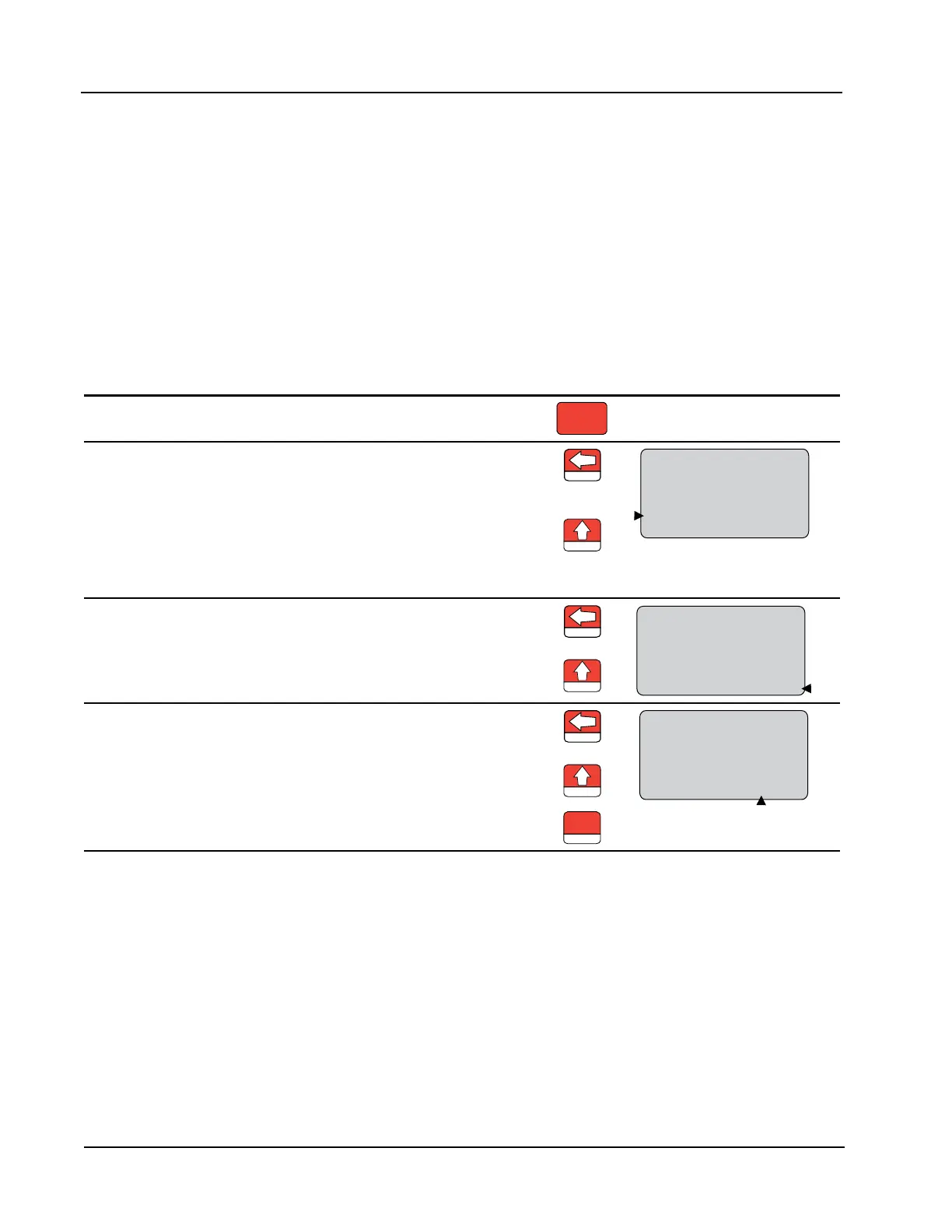
To Congure the Rate Display:
Enter the Display menu. Press DISPLAY MENU.
DISPLAY
MENU
Enter the volume factor used to
express ow rate (Ex.: bbl in bbl/day).
Press LEFT ARROW. The volume
unit of measure in the bottom portion
of the LCD window should begin
blinking.
LOG
M
3
BBL
GAL
LIT
M
3
BBL
GAL
LIT
/SEC
/MIN
/HR
/DAY
CF
CF
X1000
X1000
STANDARD
Press UP ARROW until the desired
volume unit of measure is displayed.
Note—If a calculated divisor was
entered, select user-dened (no units
visible).
TEST
Enter the time-base factor used to
express ow rate (Ex. /day in bbl/day).
Press LEFT ARROW. The time-base
factor in the bottom portion of the
LCD window should begin blinking.
LOG
M
3
BBL
GAL
LIT
M
3
BBL
GAL
LIT
/SEC
/MIN
/HR
/DAY
CF
CF
X1000
X1000
STANDARD
Press UP ARROW until the desired
time-base factor is displayed.
TEST
Enter the decimal point position. Press LEFT ARROW twice, or until
the decimal point in the Rate display
begins blinking.
LOG
00000000
000000
M
3
BBL
GAL
LIT
M
3
BBL
GAL
LIT
/SEC
/MIN
/HR
/DAY
CF
CF
X1000
X1000
STANDARD
.
Press UP ARROW to change the
position of the decimal point.
TEST
Press ENTER. ”SAVING” will appear
in the bottom display.
SAVE
ENTER













 To Next Page