A-5
MC-III™ Panel Mount Flow Analyzer Appendix A
setting is recommended when the software is connecting directly to the instrument. The xed timeout type is
recommended when data is being transmitted through a radio or other network device (serial to TCP/IP) and
there are recognizable delays in the communication system.
Timeout Period
When a xed timeout period type is selected, the user enters the timeout period value (in milliseconds) in the
Timeout Period eld. When an “optimal” timeout period type is selected, the user can use this eld to enter
a percentage by which the “optimal” timeout period is extended. This extension can be advantageous when
connecting to a slow computer.
Downloading Options
The MC-III Panel Mount automatically saves daily ow logs on the contract hour, and hourly ow logs
around the clock. The instrument also automatically saves an event log each time a user change is made. By
default, the logs are saved as .csv les.
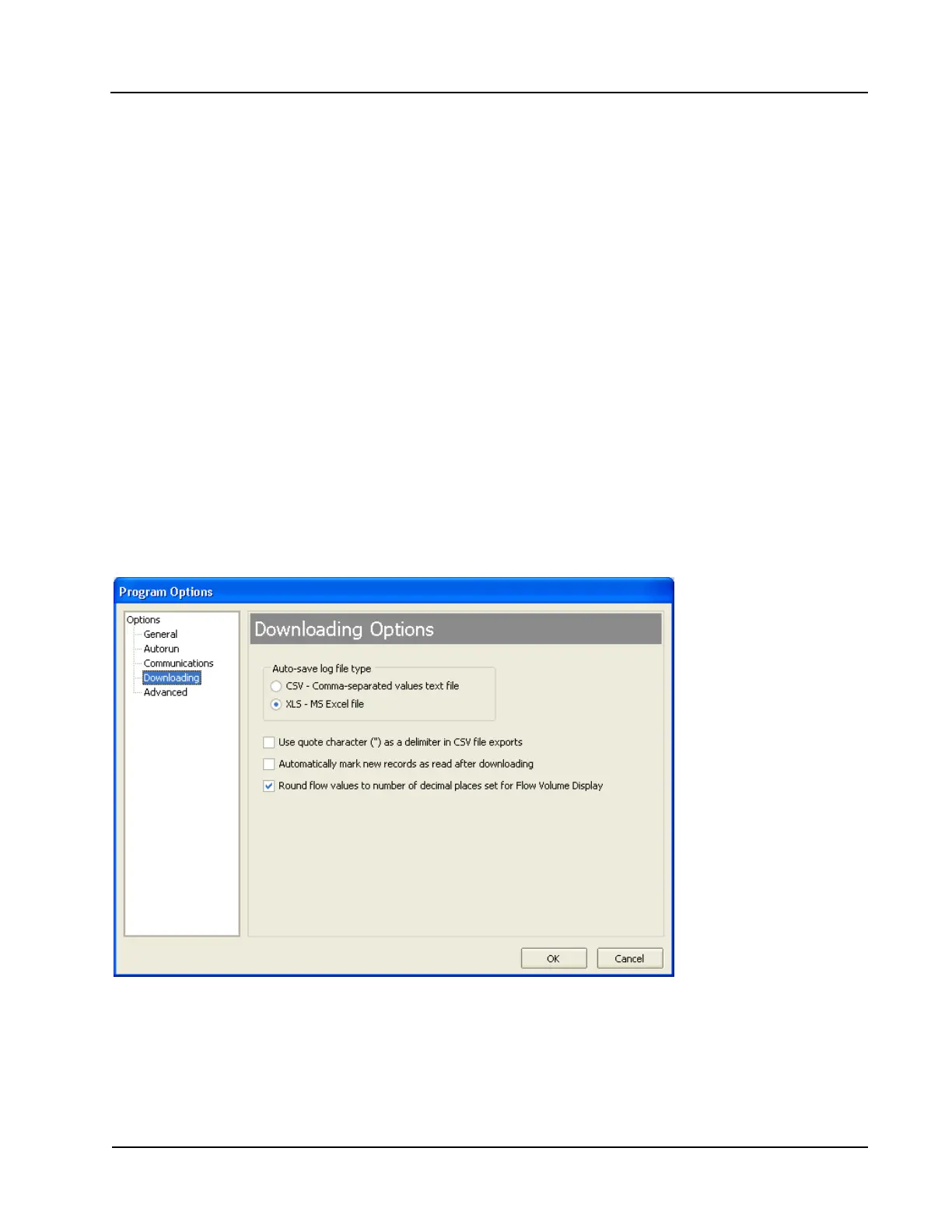
The Downloading Options screen allows a user to change the format of the auto-save ow logs and event logs
to Excel (.xls) les. To save the logs in .xls format, check the “XLS-MS Excel File” checkbox (Figure A.5).
Additional checkboxes allow for changes in the appearance of downloaded log data.
Users can also export ow data to a .csv or .xls le as needed. For complete information, see Exporting Flow
Logs, page 81.
Figure A.5—Menu for changing the auto-save log le format













 To Next Page