59
MC-III™ Panel Mount Flow Analyzer Section 4
K-Factor Entry
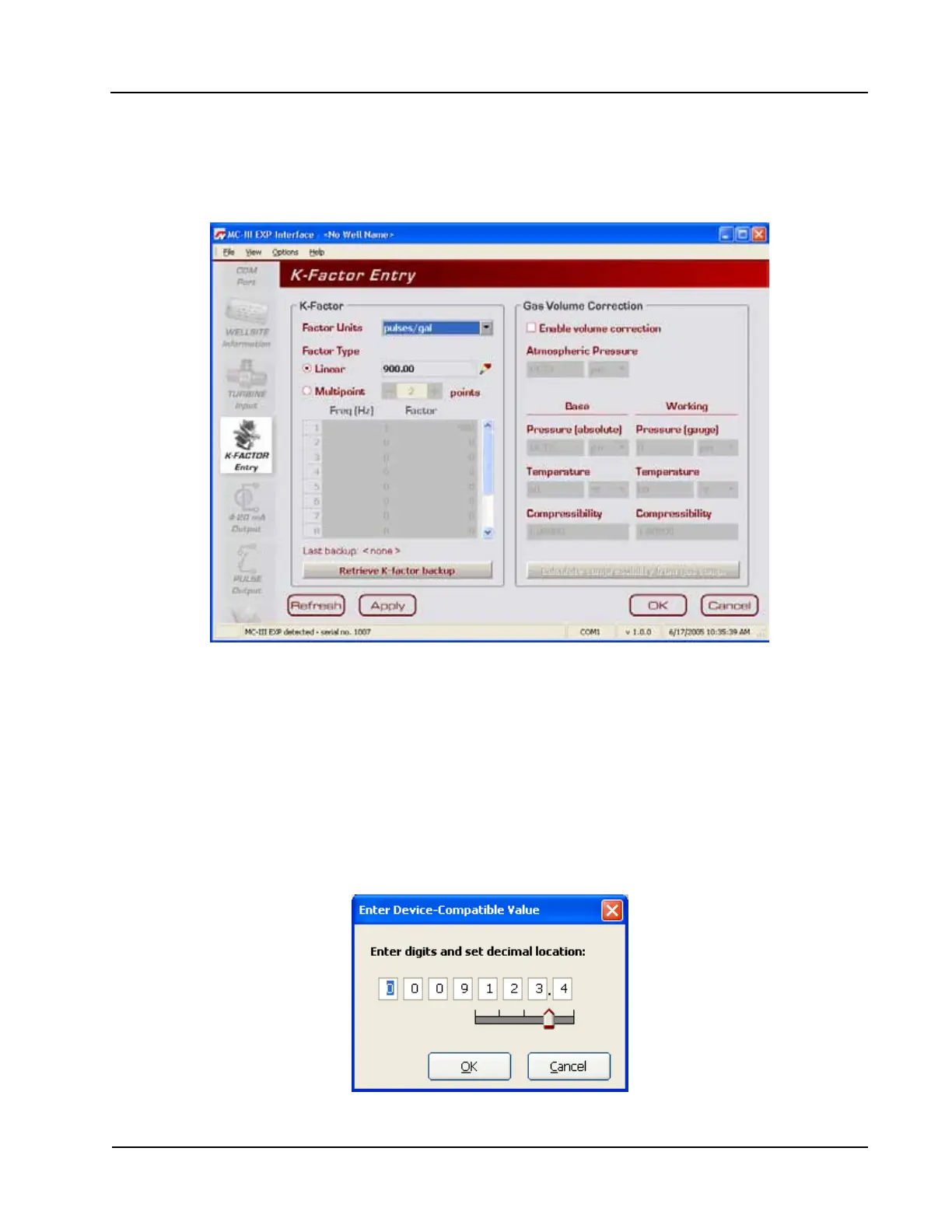
The K-Factor Entry screen (Figure 4.22) allows users to calibrate the MC-III Panel Mount using a single
calibration factor from a turbine ow meter or multipoint linearization. Users can also congure the MC-III
Panel Mount to compensate for the effect of pressure, temperature, and compressibility on gas volume.
Figure 4.22—K-Factor Entry screen
K-Factor Units
K-Factor entry consists of selecting the K-Factor unit and type (linear or multipoint). In selecting the unit,
users can choose from ve preprogrammed units (pulses per gallon, barrel, cubic meter, cubic foot, or liter). If
a calculated divisor is to be used, “pulses per unit” should be selected.
K-Factor Type
For linear calibration, the user need only select the Linear checkbox and enter the K-factor of the turbine
meter. To enter the K-factor value, click on the pencil icon to open a data-entry window (Figure 4.23). Enter
the digits, left to right, and adjust the slide bar to move the decimal point to the proper position.
Figure 4.23—Data-entry screen for linear K-factor













 To Next Page