72
Section 4 MC-III™ Panel Mount Flow Analyzer
Advanced Access
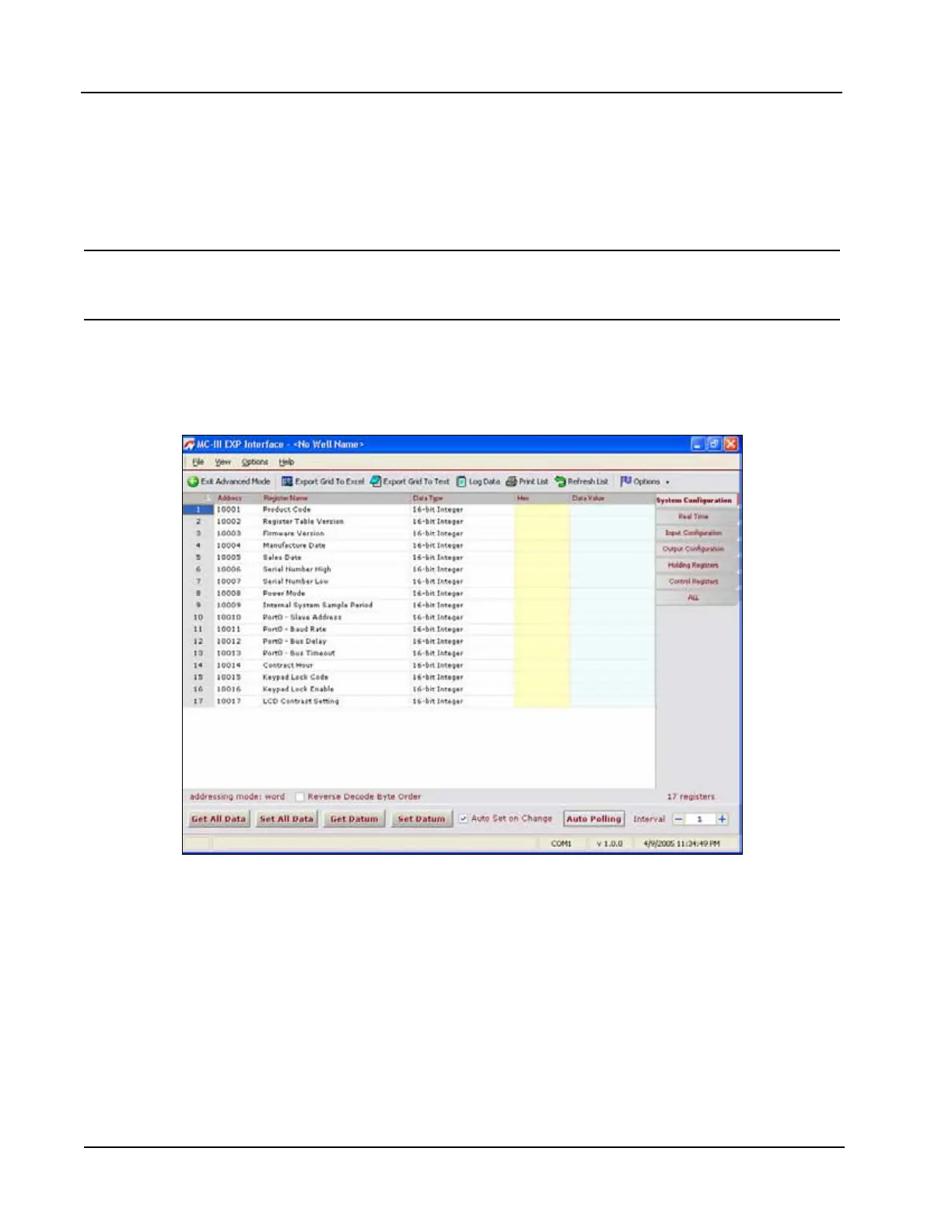
System congurators and host programmers can also access the software through the Advanced Access menu
(Figure 4.39). This option provides access to the Modbus
®
registers for the MC-III Panel Mount. A series of
tabs on the right side of the screen (real time, input conguration, output conguration...) allows the user to
view a specic group of registers, or to view all registers in one list.
Important: The Advanced Access option is not required for the routine operation of the MC-III Panel
Mount, and novice users should not access this portion of the software unless instructed
to do so by Cameron technical support personnel.
Data retrieved from the MC-III Panel Mount while in Advanced access mode can be logged to a le by
enabling the “Automatically log data polls” checkbox on the Advanced Options screen. The le will include
values that are retrieved from the instrument when the user clicks the “Get All Data” button or enables “Auto
Polling” on the Advanced Access screen. See also Automatic Data Logging, page A-6.
Figure 4.39—Advanced Access screen













 To Next Page