74
Section 5 MC-III™ Panel Mount Flow Analyzer
Auto-Save Log Formats
The MC-III Panel Mount automatically saves daily ow logs on the contract hour, and saves hourly ow logs
around the clock. The instrument also automatically saves an event log each time a user change is made. After
downloading these logs from the instrument, the software saves the data in a le. By default, the logs are
saved as .csv les.
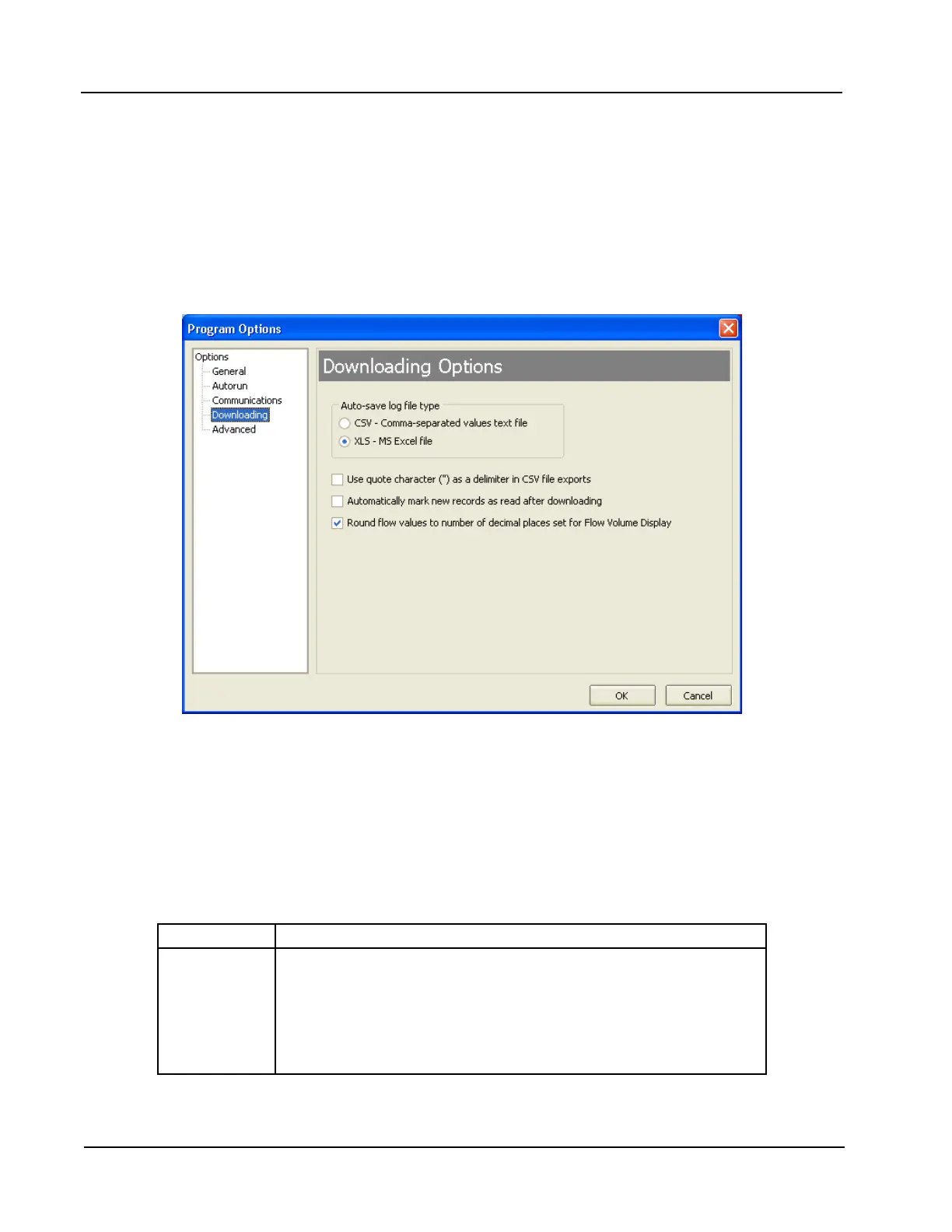
The le format of the auto-save ow log and event log les is user-congurable. To save logs in Excel (.xls)
format, click Options>Program Options in the task bar, select Downloading from the dropdown options list,
and check the “XLS-MS Excel File” checkbox (Figure 5.2).
Figure 5.2—Log download options
Log Directory and Filenames
Auto-save log les are saved in C:\NuFlo log data\MC-III\<WELL NAME>. The “wellname” folder will bear
the well name that appears on the Wellsite Information screen. If no well name is entered on this screen, the
folder will be named “NO_WELLNAME.”
Log lenames incorporate the serial number of the MC-III Panel Mount, the date, the time, and a capital letter
indicating the log type, as shown below.
File Format Filename Structure
.xls or .csv <Serial number>_<date (YYYYMMDD)>_<time (hhmmss)>_<log
type indicator> where the log type indicator is
“H” for hourly, “D” for daily, or “E” for event
Example: 16_20050302_102031_H.xls is an hourly log le from the
MC-III Panel Mount serial number 16 that was downloaded on March
2, 2005 at 10:20:31 AM.













 To Next Page