55
MC-III™ Panel Mount Flow Analyzer Section 4
fastest baud rate during device connection. This “negotiated” baud rate does not replace the congured baud
rate, but rather provides a temporary boost of baud rate while the computer is connected to the device for
faster downloads. After the software disconnects, the device reverts to the congured baud rate.
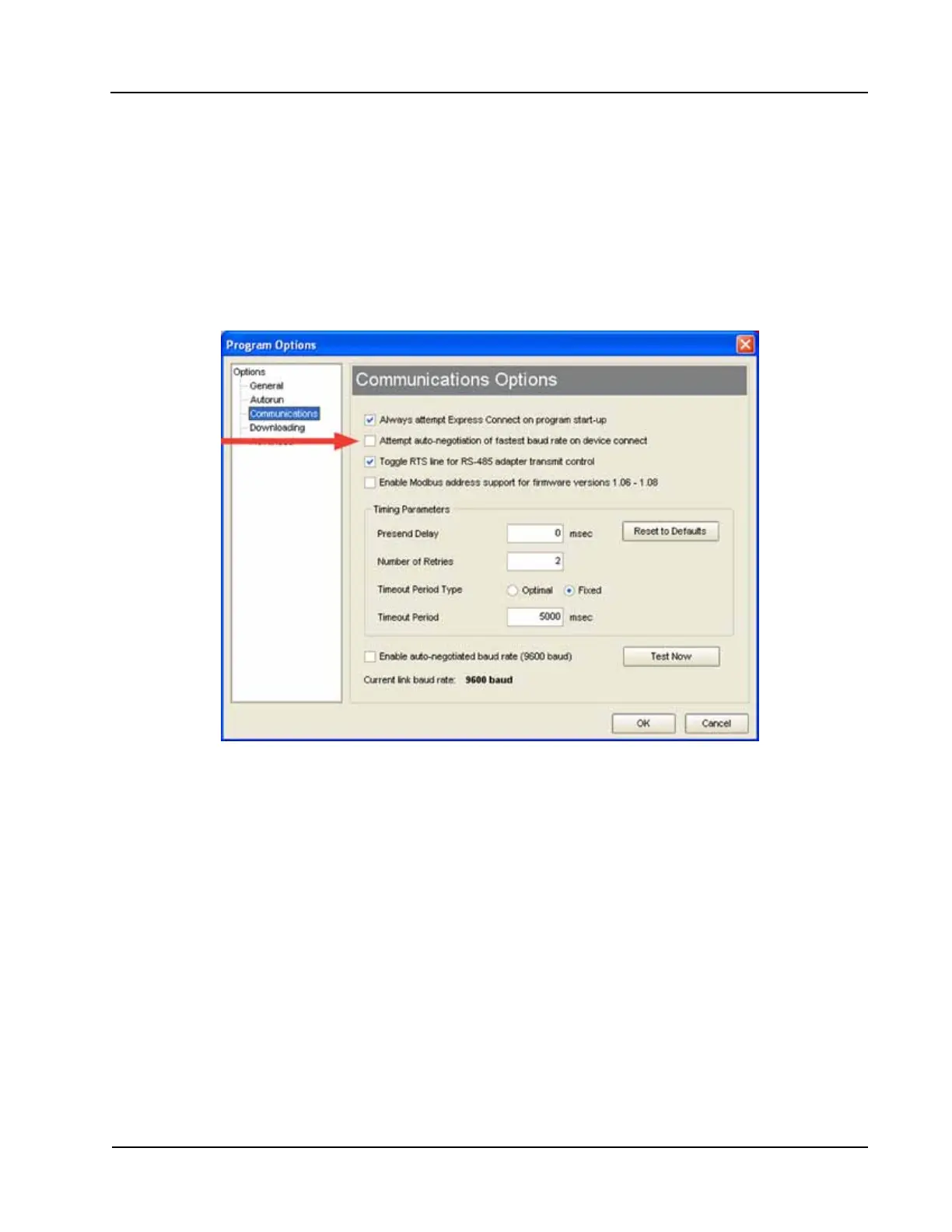
By default, this function is disabled. To enable automatic baud rate negotiation on device connect, choose
Options/Program Options from the menu bar, select Communications from the dropdown options list, check
the “Attempt auto-negotiation...” checkbox, and click “OK” (Figure 4.19). To initiate an immediate search
for the fastest baud rate without exiting tto the Welcome screen, check the “Enable auto-negotiated baud
rate” checkbox, click the “Test Now” button to the right of the checkbox, and click “Yes” at the prompt in the
Conrm dialog box. See also Auto-Negotiate Option, page A-4.
Figure 4.19—Communications Options screen
Bus Delay
Bus delay is the amount of time (in milliseconds) that passes before the MC-III Panel Mount attempts to
take control of the RS-485 bus and transmit a message back to the requesting device. The MC-III Panel
Mount responds very quickly to incoming Modbus
®
requests—in some cases, too quickly. A congurable
delay allows the user to control this response time. A setting of 10 ms is normally sufcient, but may require
adjustment when the device is communicating with a radio or other end device that responds more slowly.
Bus Timeout
Bus timeout is the amount of time (in milliseconds) that must pass to cause the MC-III Panel Mount to reset
its internal Modbus
®
message handler. The default value of 50 ms is normally sufcient.
Software Communication Options
The default timing parameters in the MC-III Panel Mount support communication with most radios and
Modbus
®
devices. However, if the MC-III Panel Mount is used with a device that has a very slow response
time, it may be necessary to adjust the timing parameters to enhance performance. For information about
these parameters, see Appendix A, Software Program Options.













 To Next Page