A-6
Appendix A MC-III™ Panel Mount Flow Analyzer
Advanced Options
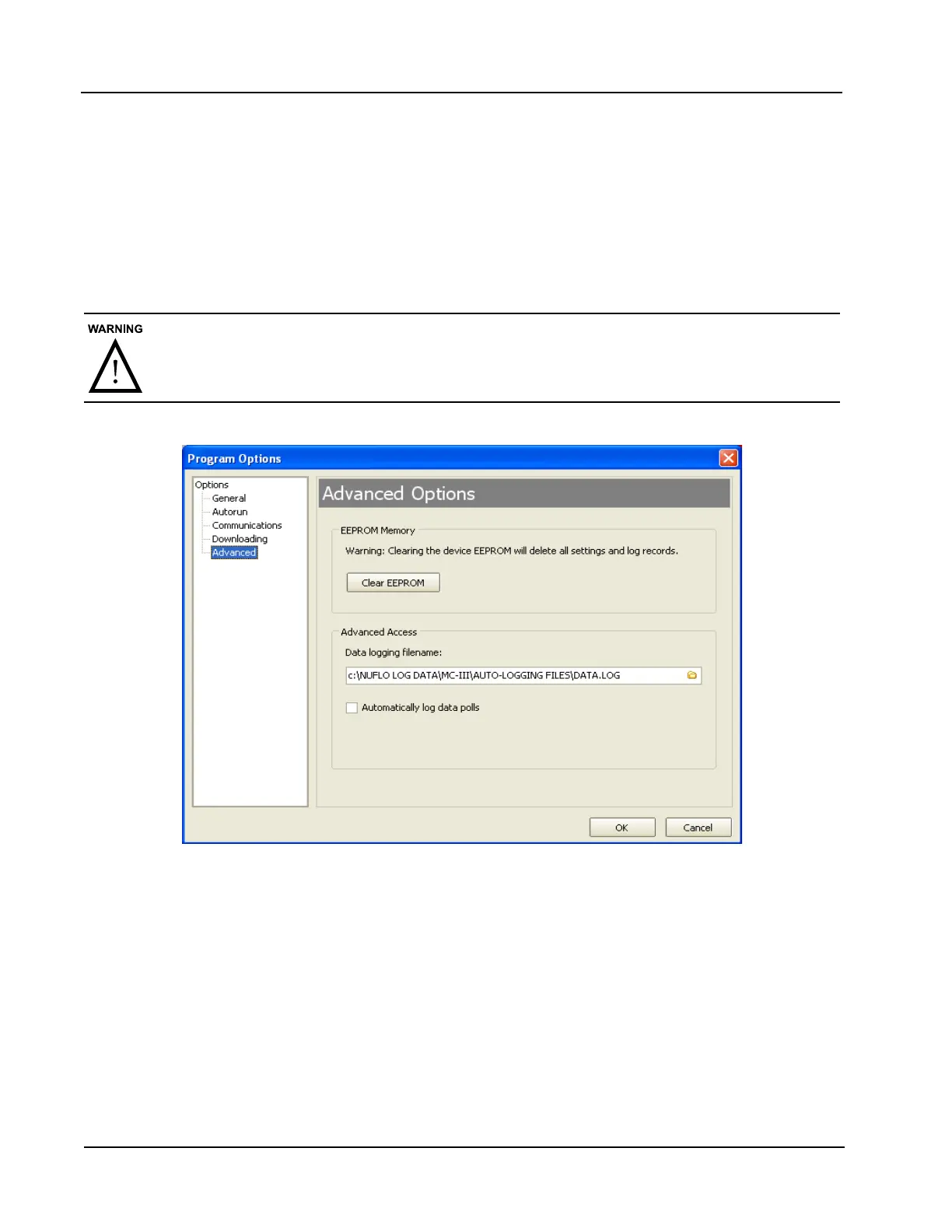
Clear EEPROM
The Clear EEPROM function will erase all conguration settings and log data. This task is typically
performed when updating to a new rmware version or before moving the instrument to a new site. To clear
the memory, click on the “Clear EEPROM” button (Figure A.6).
Technical assistance is typically required for upgrading rmware. Contact Cameron’s Measurement Systems
Division to arrange for an upgrade.
Clicking the “Clear EEPROM” button will delete all conguration settings and log records
in the MC-III Panel Mount memory.
Figure A.6—Menu for clearing EEPROMs and enabling automatic data logs
Automatic Data Logging
Data retrieved from the MC-III Panel Mount while in Advanced access mode can be logged to a le by
enabling the “Automatically log data polls” checkbox on the Advanced Options screen. To specify the
lename and location of the le, click the folder icon on the right of the Data logging lename eld. The le
will include values that are retrieved from the instrument when the user clicks the “Get All Data” button or
enables “Auto Polling” on the Advanced Access screen. See also Advanced Access, page 72.













 To Next Page