91
MC-III™ Panel Mount Flow Analyzer Section 6
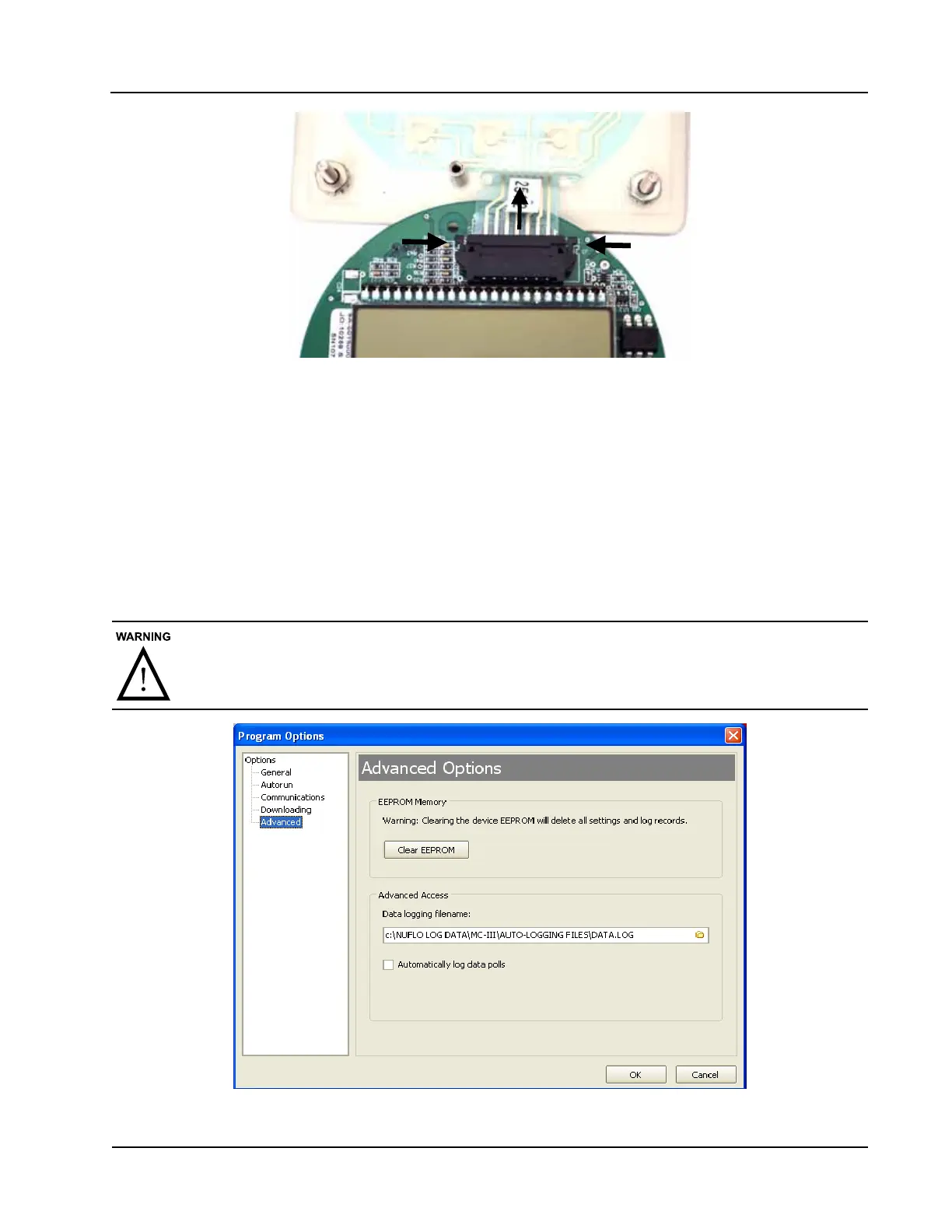
Figure 6.4—To release the ribbon cable from the connector, press in on the side tabs of the connector and
gently pull forward (top arrow).
Firmware Update
Before installing new rmware or moving the instrument to a new site, it is recommended that the user
clear the EEPROM, which will erase all conguration settings and log data. To clear the EEPROM, choose
Options/Program Options from the menu bar, select Advanced from the dropdown options list, and click on
the “Clear EEPROM” button (Figure 6.5).
Technical assistance is typically required for upgrading rmware. Contact Cameron’s Measurement Systems
Division to arrange for an upgrade.
Clicking the “Clear EEPROM” button will delete all conguration settings and log records
in the MC-III Panel Mount memory.
Figure 6.5—EEPROM clearing and automatic data log option













 To Next Page