68
Section 4 MC-III™ Panel Mount Flow Analyzer
In applications where high ow rates may occur for extended periods, pulses can be lost due to the
instrument’s inability to register the ow rate at the maximum output frequency. To avoid the loss of pulses,
users can raise the scale factor or shorten the pulse duration. The software calculates the maximum ow
rate that can be reached before pulse caching is likely to occur, and displays the information on the Pulse
Output screen. In applications where short bursts of high ow rates are common (separators, tank loading,
dump cycles, etc.), the displayed ow rate can exceed the maximum ow rate for short periods without
compromising the accuracy of the total represented by the pulse output.
Pulse Output Testing
The MC-III software allows users to test the pulse output by writing a value to the pulse accumulator. Such
tests can aid in troubleshooting problems with hardware compatibility, threshold settings, and pulse duration
settings.
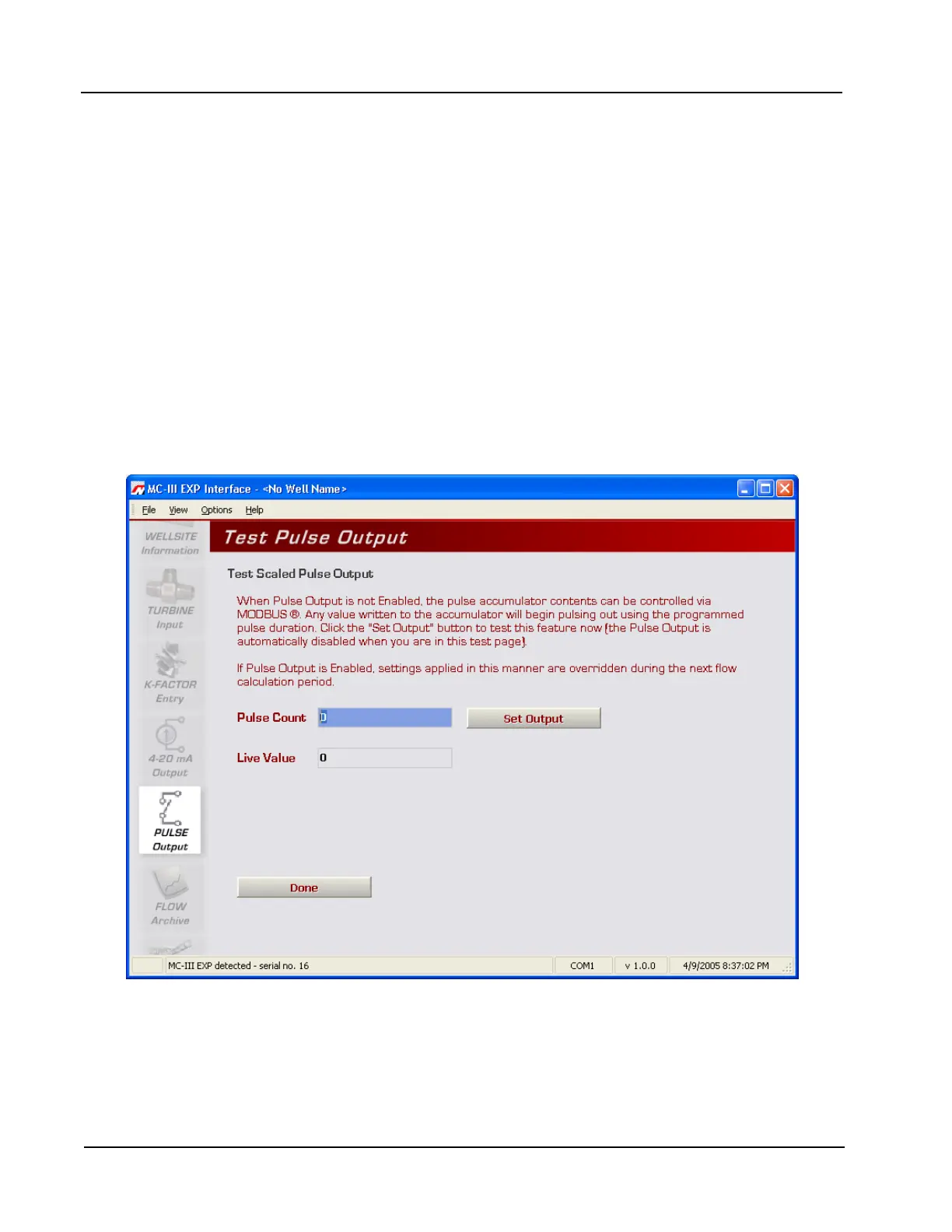
To use the test mode, press the “Test Pulse Output” button at the bottom of the Pulse Output screen. The test
page will appear (Figure 4.33), and the Pulse Output option will be temporarily disabled.
To test the output, enter a value in the Pulse Count eld, and press “Set Output.” The value in the Live Value
eld will decrement to zero in accordance with the programmed pulse duration.
Figure 4.33—Pulse output test screen













 To Next Page