6
6
6-11
6-11
Installation > Installation Procedure
Installation > Installation Procedure
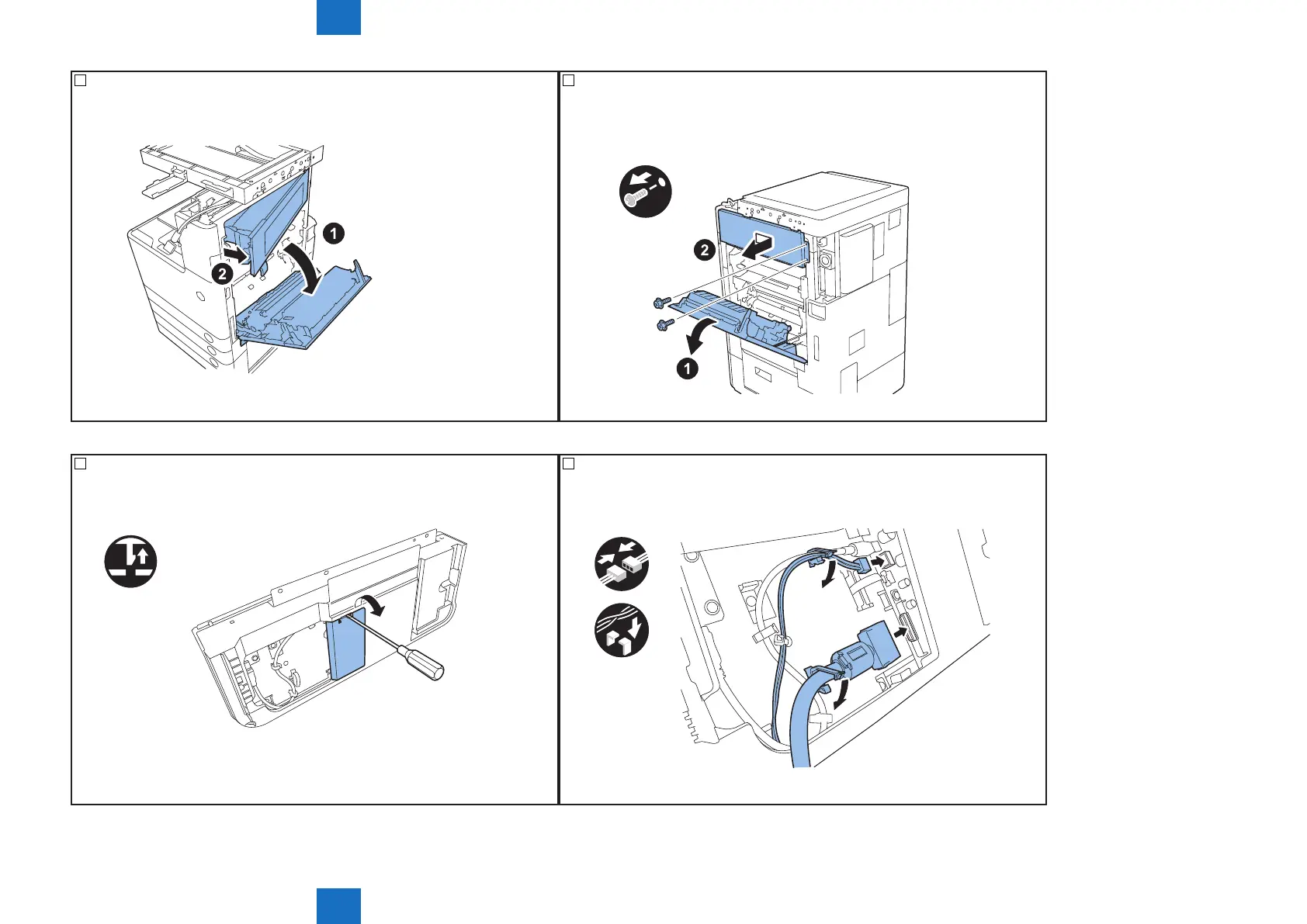
18) <When 3 Way Unit has been installed>
Open the right lower cover, then open the right upper cover.
F-6-18
18) <When 3 Way Unit has been not installed>
Open the right lower cover, then remove 2 screws to remove the right upper cover of
the host machine.
x2
F-6-19
19) Remove the cover from back side of the operation panel with the at head
screwdriver.
F-6-20
20) Connect 2 connectors extended from the host machine to the back side of the
operation panel, then secure them with wire saddles.
x2
x2
F-6-21



 To Next Page