6
6
6-13
6-13
Installation > Installation Procedure
Installation > Installation Procedure
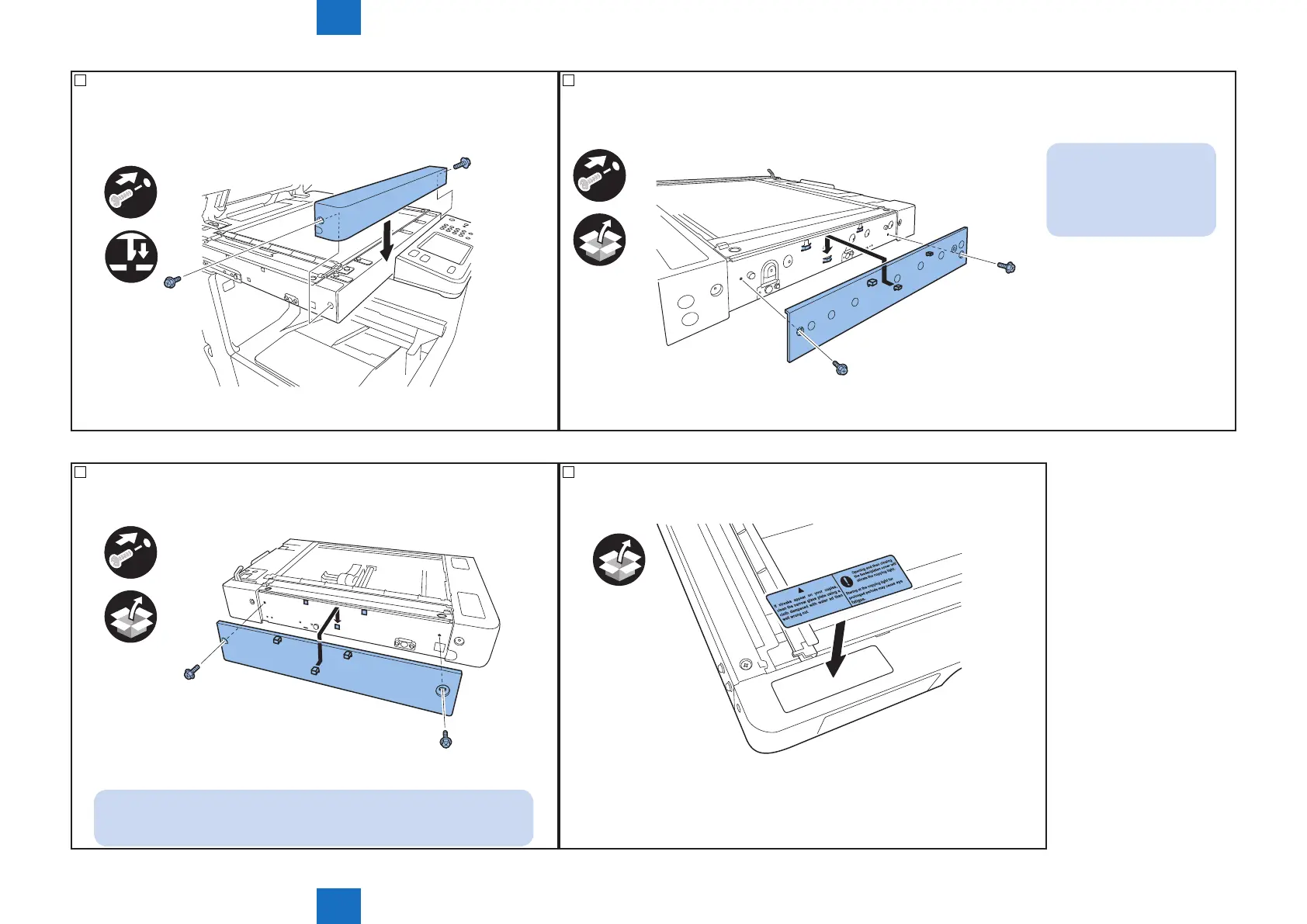
23) Attach the reader front cover removed in step 15).
• 2 screws
• 1 hook
x2
F-6-24
24) Attach the reader right cover.
• 2 screws (RS-tight, M3X8).
x2
NOTE:
Put three claws of the
cover on hooks of the
reader unit.
F-6-25
25) Attach the reader left cover.
• 2 screws (RS-tight, M3X8).
x2
NOTE:
Put three claws of the cover on hooks of the reader unit.
F-6-26
26) Afx the included glass cleaning/lamp caution label (written in your language).
F-6-27



 To Next Page