6
6
6-14
6-14
Installation > Installation Procedure
Installation > Installation Procedure
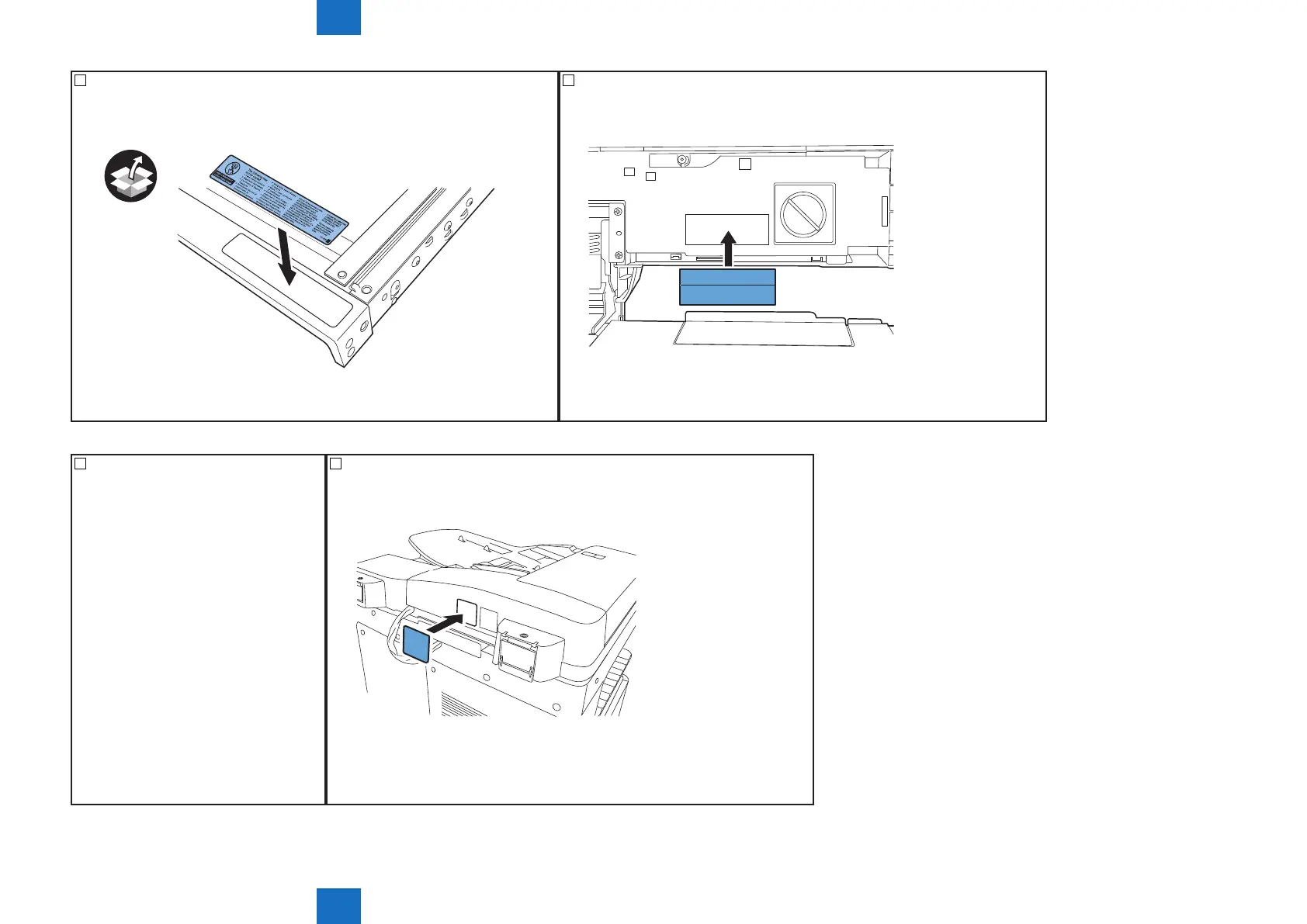
27) Afx the included copy inhibition label (written in your language) on the same label
already pasted, as needed.
F-6-28
28) <D1 Only>
Afx the included nger pinch caution label 2 (written in your language).
CAUTION
To avoid injury, do not place your hands
or fingers in this space.
F-6-29
29) Close the ADF or platen cover. 30) <D1 Only>
Afx the included nger pinch caution label 1 (written in your language).
F-6-30



 To Next Page