--------------------
••••
Menu Options Lists
L-.I
A_D_D_TO_P_LA_~_L1_ST
1
(CD
63)
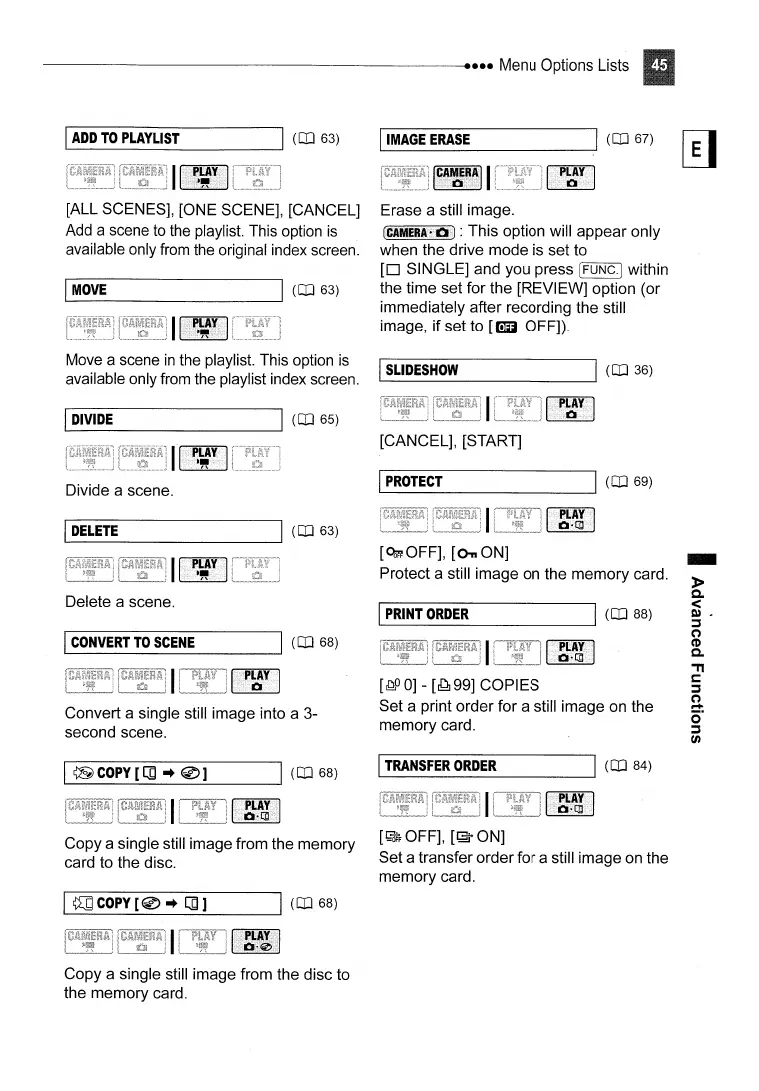
[ALL SCENES], [ONE SCENE], [CANCEL]
Add a scene
to
the playlist. This option
is
available only from the original index screen.
I'--M_OV_E
-J
1
(CD
63)
Move a scene
in
the playlist. This option
is
available only from the playlist index screen.
I_IM_A_GE_E_RA_S_E
----'I
(CD
67)
~
Erase a still image.
(CAMERA"
II]
: This option will appear only
when the drive mode is set to
[0
SINGLE] and you press [FUNC.] within
the time set for the [REVIEW] option (or
immediately after recording the still
image, if set to
[Em
OFF]).
IL...-
S
_L1_DE_S_HO_W
------l1
(CD
36)
Convert a single still image into a 3-
second scene.
I
~COPY[[]
~
@]
Copy a single still image from the memory
card to the disc.
1'--~_C_O_py_[_@_~_[]_]
__
-J1
(CD
68)
Copy a single still image from the disc to
the memory card.
[J~PO]
-
[~99]
COPIES
Set a print order for a still image on the
memory card.
IL...-T_RA_N_S_FE_R_O_RD_E_R
----'I
(CD
84)
[~OFF],
[1;3'
ON]
Set a transfer order for a still image on the
memory card.
-
»
c.
<
~,
:::s
(")
(1)
C.
."
c:
:::s
(")
~
o·
:::s
en



 To Next Page