Saving Toner
19Y4-029
You can set the printer driver to print documents using less toner.
● When the toner save setting is enabled, ne lines and portions with lighter print density may become
blurred.
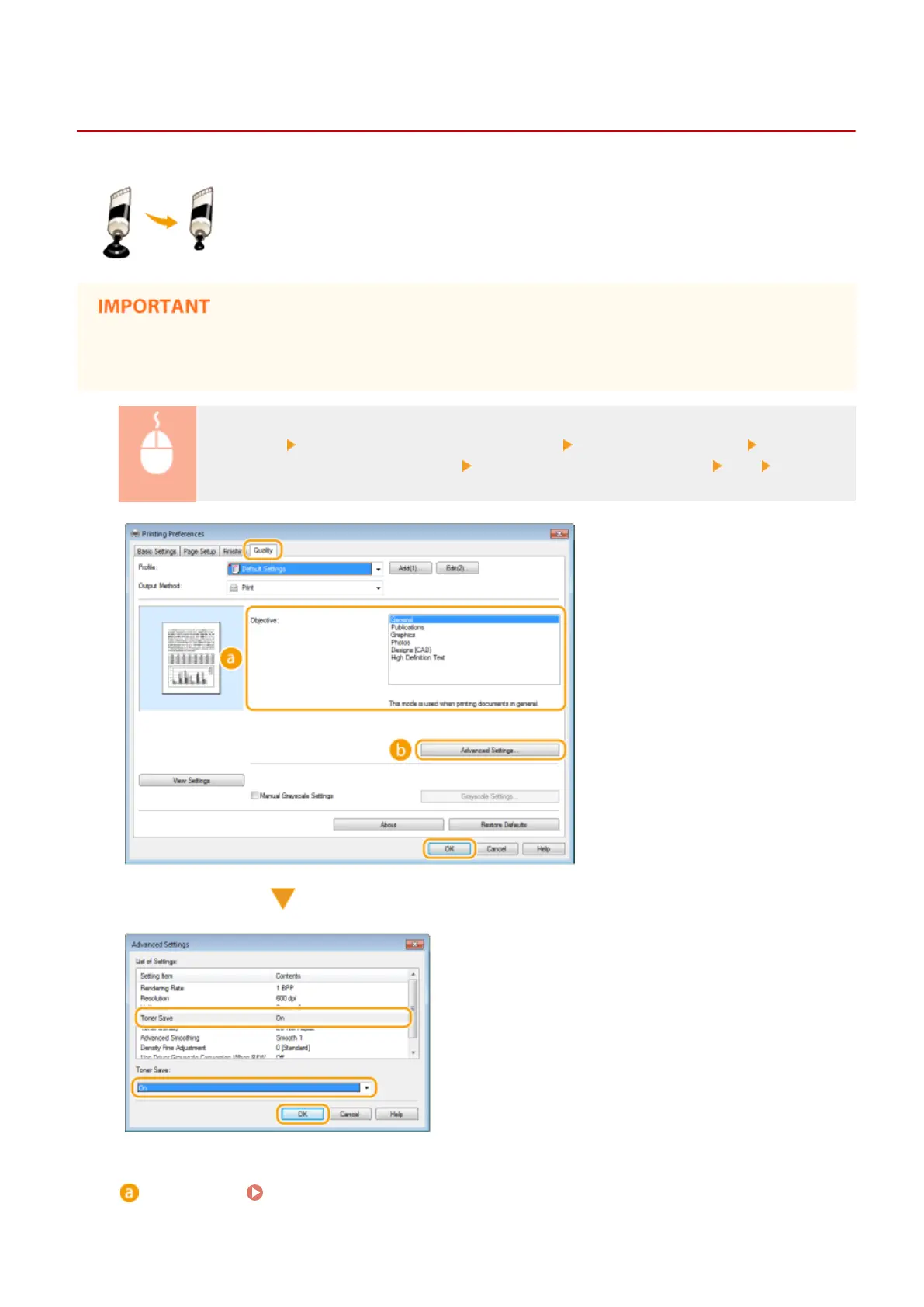
[Quality] tab Select the document type in [Objective] Click [Advanced Settings] Select [Toner
Save] in the [Advanced Settings] screen Select [On] from the drop-down list [OK] [OK]
[Objective] Selecting Document Type(P. 107)
Select the document type for which you want to enable the toner save setting.
Using the Machine as a Printer
109












 To Next Page