How to Replace Toner Cartridges
19Y4-06R
Read the precautions in Maintenance and Inspections(P. 8) and Consumables(P. 9) before replacing the toner
cartridges.
1
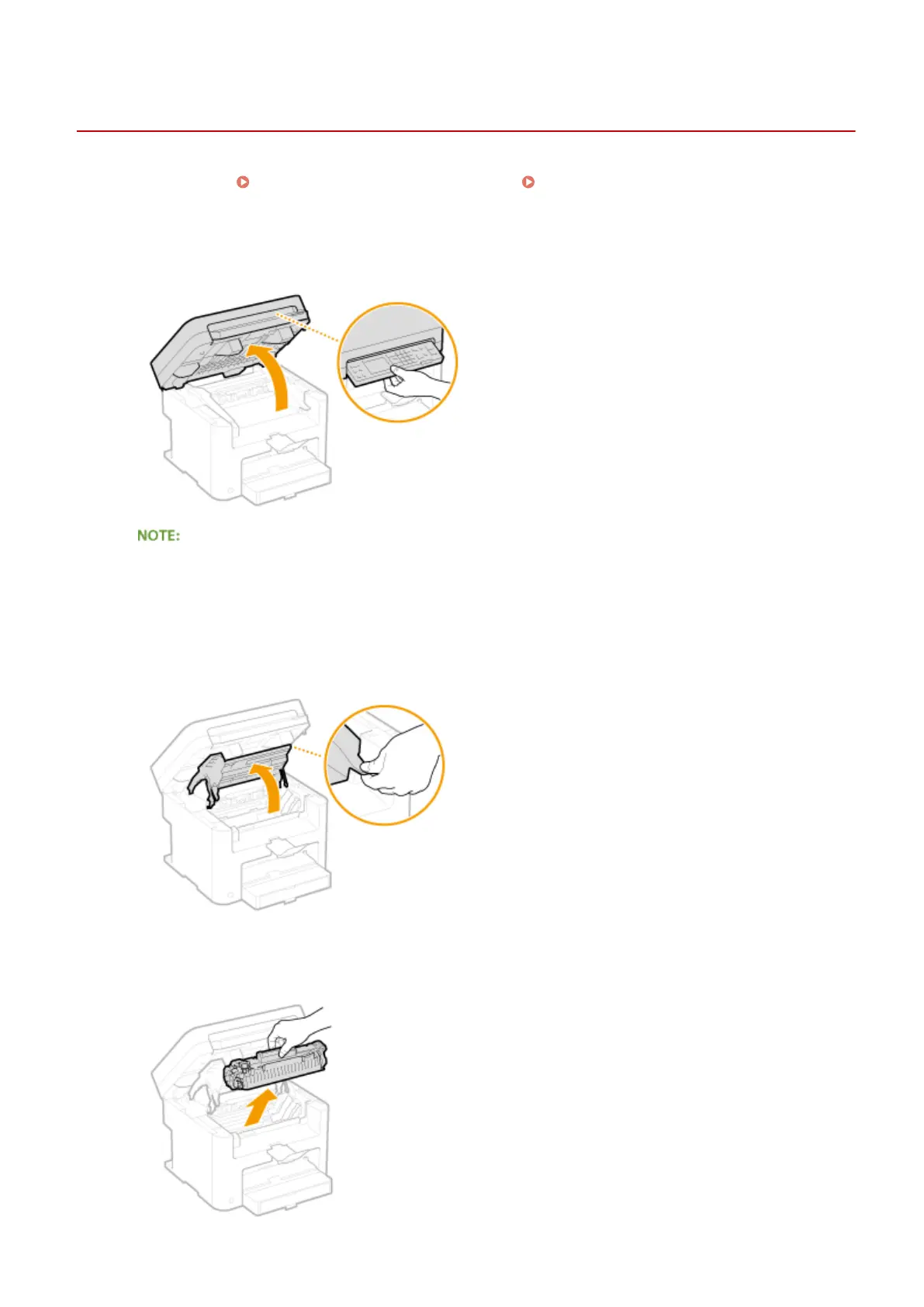
Lift the operation panel.
If you cannot lift the operation panel
Make sure the platen glass cover is completely closed. If a thick original such as a book is placed on the
platen glass, remove the original. Forcing the operation panel up may cause damage.
2
Open the toner cover by the grip at the front right of the toner cover.
3
Pull the toner cartridge out of the machine.
Maintenance
379












 To Next Page