Setting IPv4 Address
19Y4-03R
The machine's IPv4 address can be either assigned automatically by a dynamic IP
addressing protocol, such as DHCP, or entered manually. When connecting the
machine to a wired LAN, make sure that the connectors of the LAN cable are rmly
inserted into the ports ( Connecting to a Wired LAN(P. 162) ). You can test the
network connection if necessary.
Setting IPv4 Address(P. 181)
Testing the Network Connection(P. 183)
Setting IPv4 Address
1
Press .
2
Use / to select <Network Settings>, and press .
● If a screen for entering a PIN is displayed, enter the PIN with the numeric keys and press . Setting
the System Manager PIN(P. 222)
3
Select <TCP/IP Settings> <IPv4 Settings> <IP Address Settings>.
4
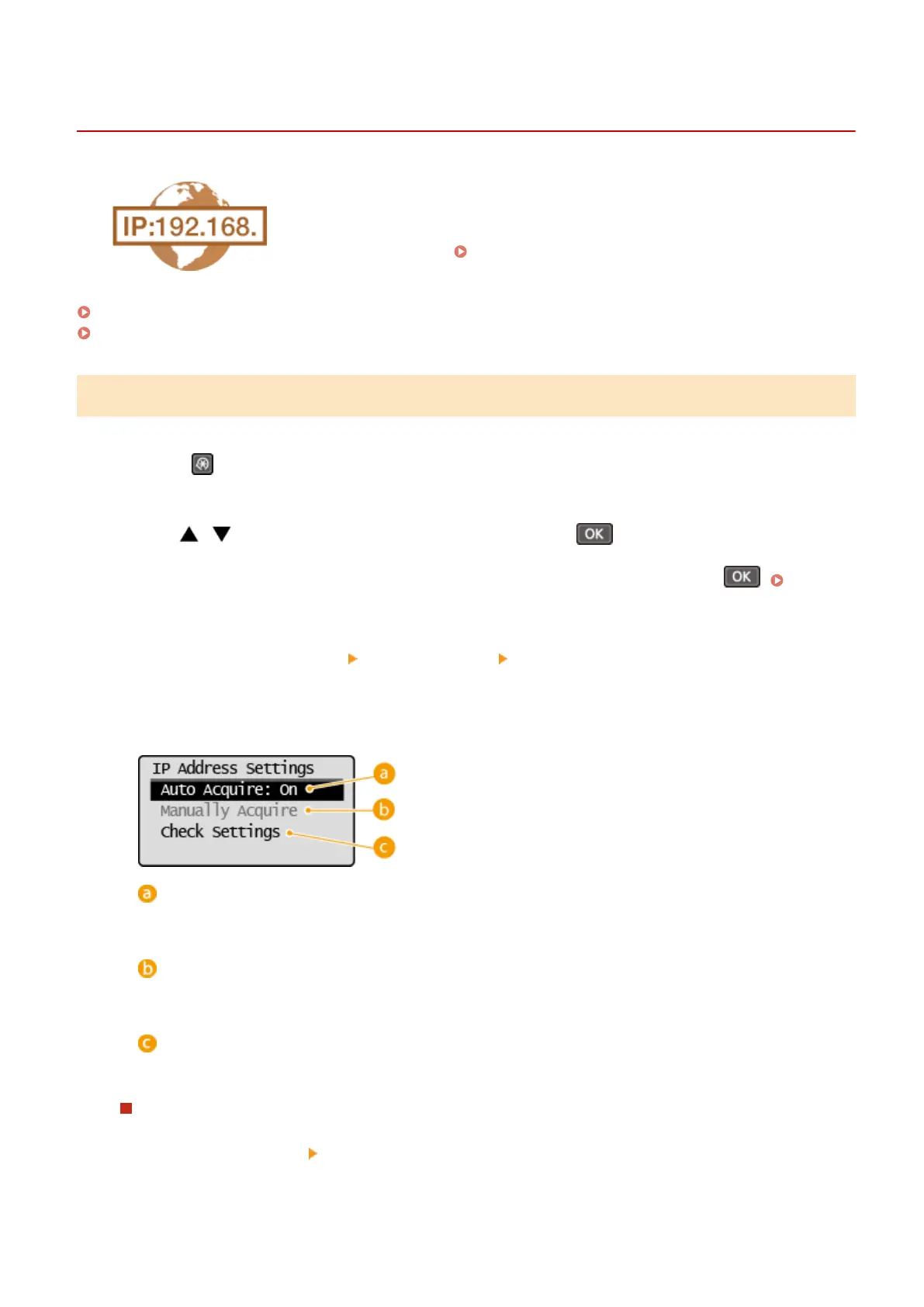
Congure IP address settings.
<Auto Acquire>
Select to automatically assign an IP address via a protocol such as DHCP. When <Auto Acquire: On> is
displayed, automatic addressing is enabled.
<Manually Acquire>
Select to congure the IP address settings by manually entering an IP address. In order to select this
option, <Auto Acquire> must be set to <Off>.
<Check Settings>
Select when you want to view the current IP address settings.
Automatically assigning an IP address
1
Select <Auto Acquire> <Select Protocol>.
Network
181












 To Next Page