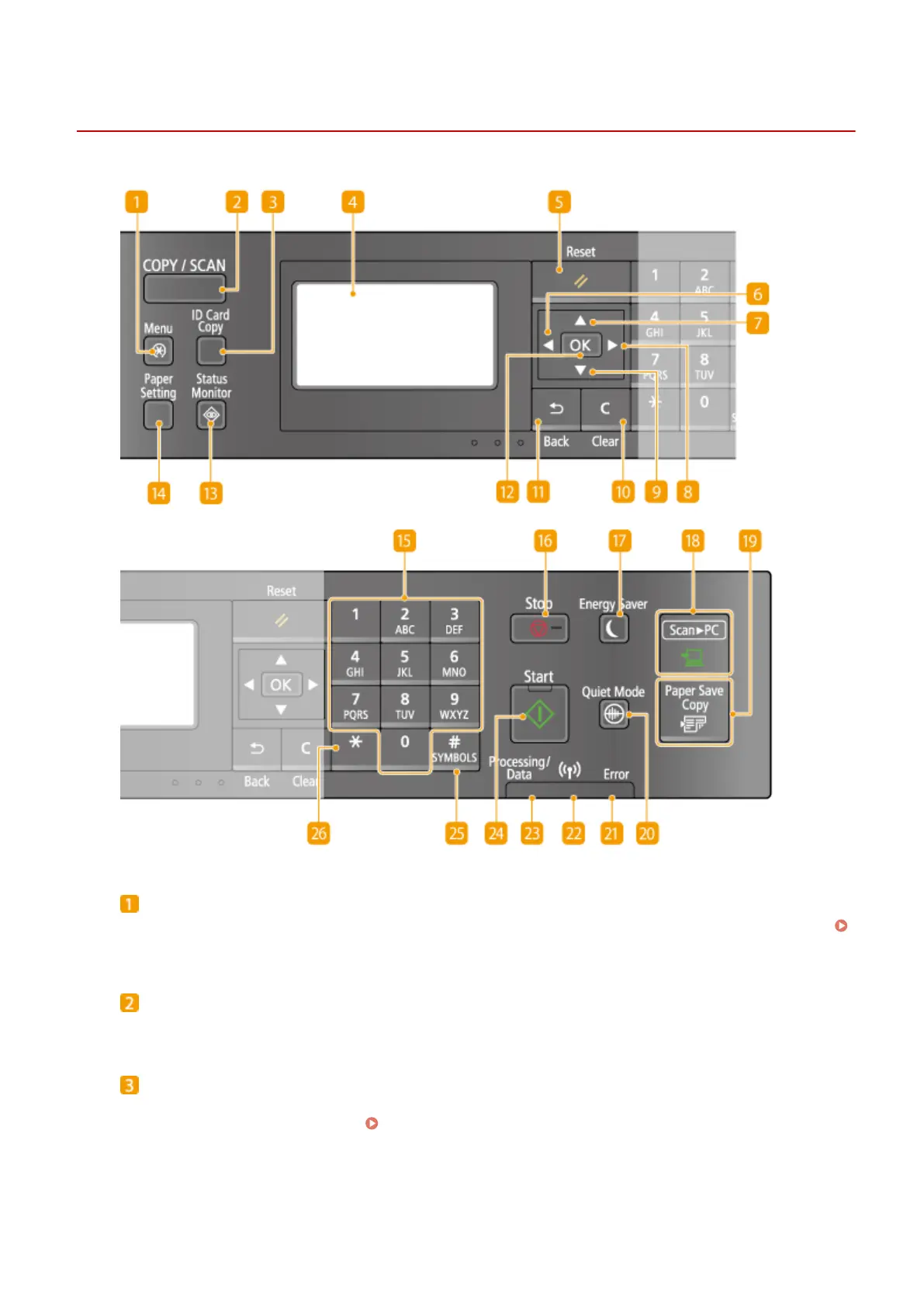
Operation Panel
19Y4-00F
[Menu] key
Press to start specifying many of the settings for the machine, such as <Timer Settings> or <Preferences>.
Setting Menu List(P. 278)
[COPY/SCAN] key
Press to switch the mode to copy or scan.
[ID Card Copy] key
Press to enter a mode for copying the front and back sides of a driver's license or other ID card onto the
same side of a page at actual size.
Copying Both Sides of an ID Card onto One Page(P. 74)
Basic Operations
22












 To Next Page