Selecting Document Type
19Y4-028
You can specify the document type to ensure optimal image quality. There are
different settings for photo documents, documents that have charts or graphs, and
documents that have design drawings with ne lines.
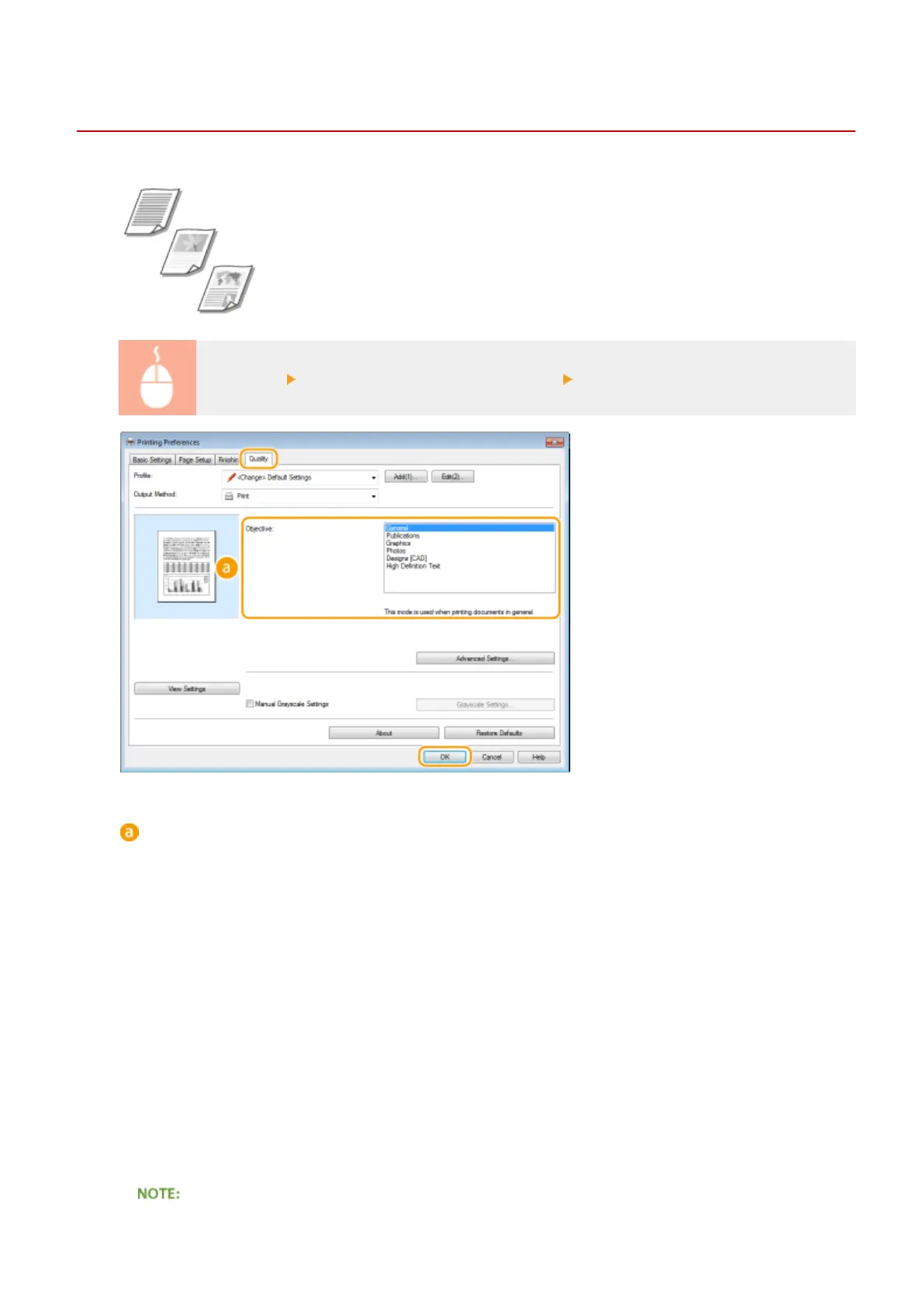
[Quality] tab Select the document type in [Objective] [OK]
[Objective]
Select an option that suits the document type or purpose of printing. For example, select [General] for
general use, or select [Photos] when you want to print photo images in optimal print quality.
[General]
A versatile option that is suitable when printing most documents.
[Publications]
Suitable when printing documents that have a mix of photo images, charts, and graphs.
[Graphics]
Suitable when printing documents that have charts or graphs.
[Photos]
Suitable when printing photo images.
[Designs [CAD]]
Suitable when printing design drawings that have many ne lines.
[High Denition Text]
Suitable when printing documents that have small characters.
Using the Machine as a Printer
107












 To Next Page