Combining and Printing Multiple Documents
19Y4-02A
By using Canon PageComposer, you can combine multiple documents into one print
job and print the job with specied print settings. This function, for example, enables
you to combine documents made with different applications and print all of the
pages in the same paper size.
1
Open a document in an application and display the print dialog box.
● How to display the print dialog box differs for each application. For more information, see the instruction
manual for the application you are using.
2
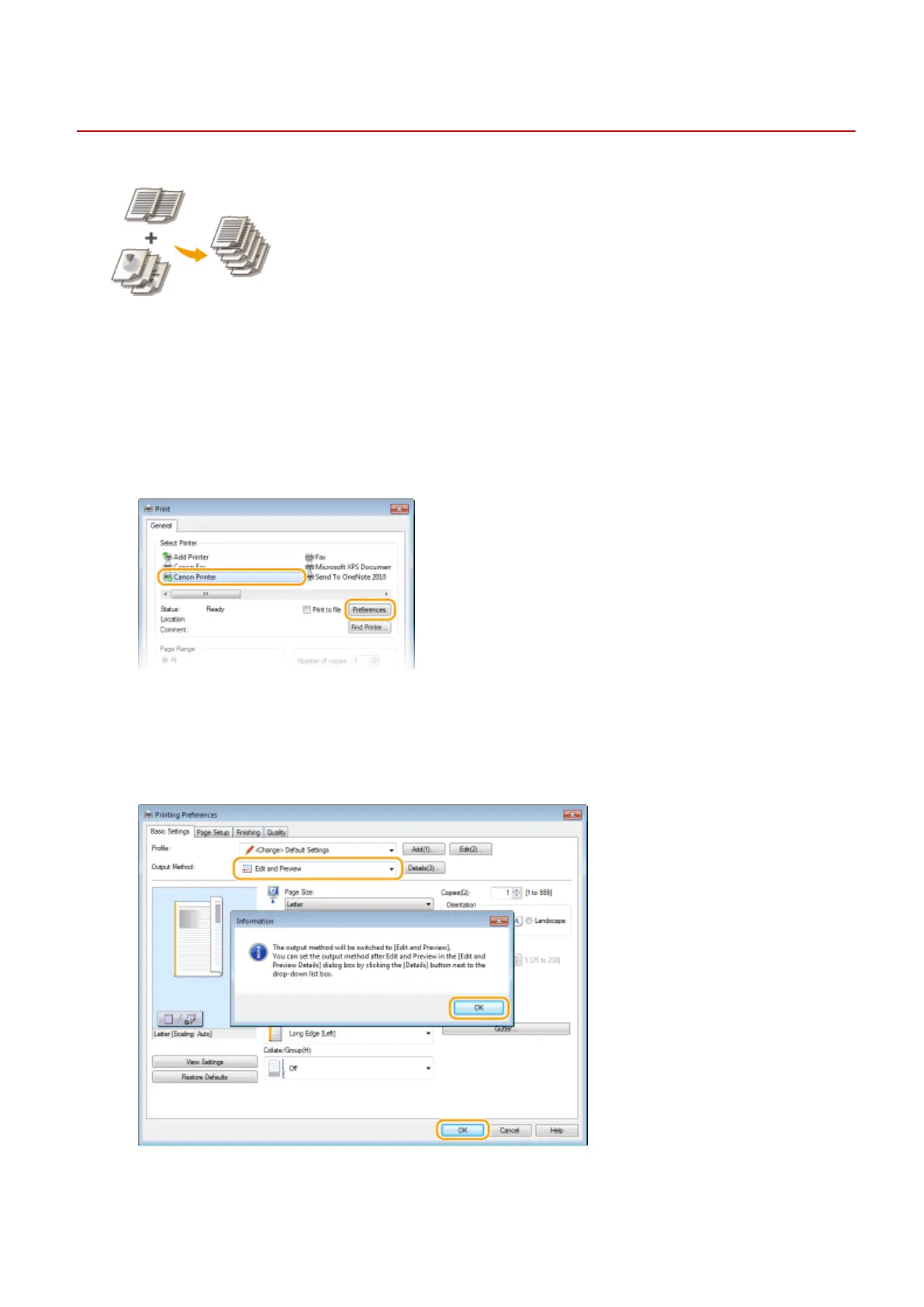
Select the printer driver for this machine, and click [Preferences] or [Properties].
3
Select [Edit and Preview] in [Output Method].
● Click [OK] on the [Information] pop-up screen.
● Click [OK] at the bottom of the screen.
4
Click [Print] or [OK].
Using the Machine as a Printer
111












 To Next Page