Collating Copies by Page
19Y4-01J
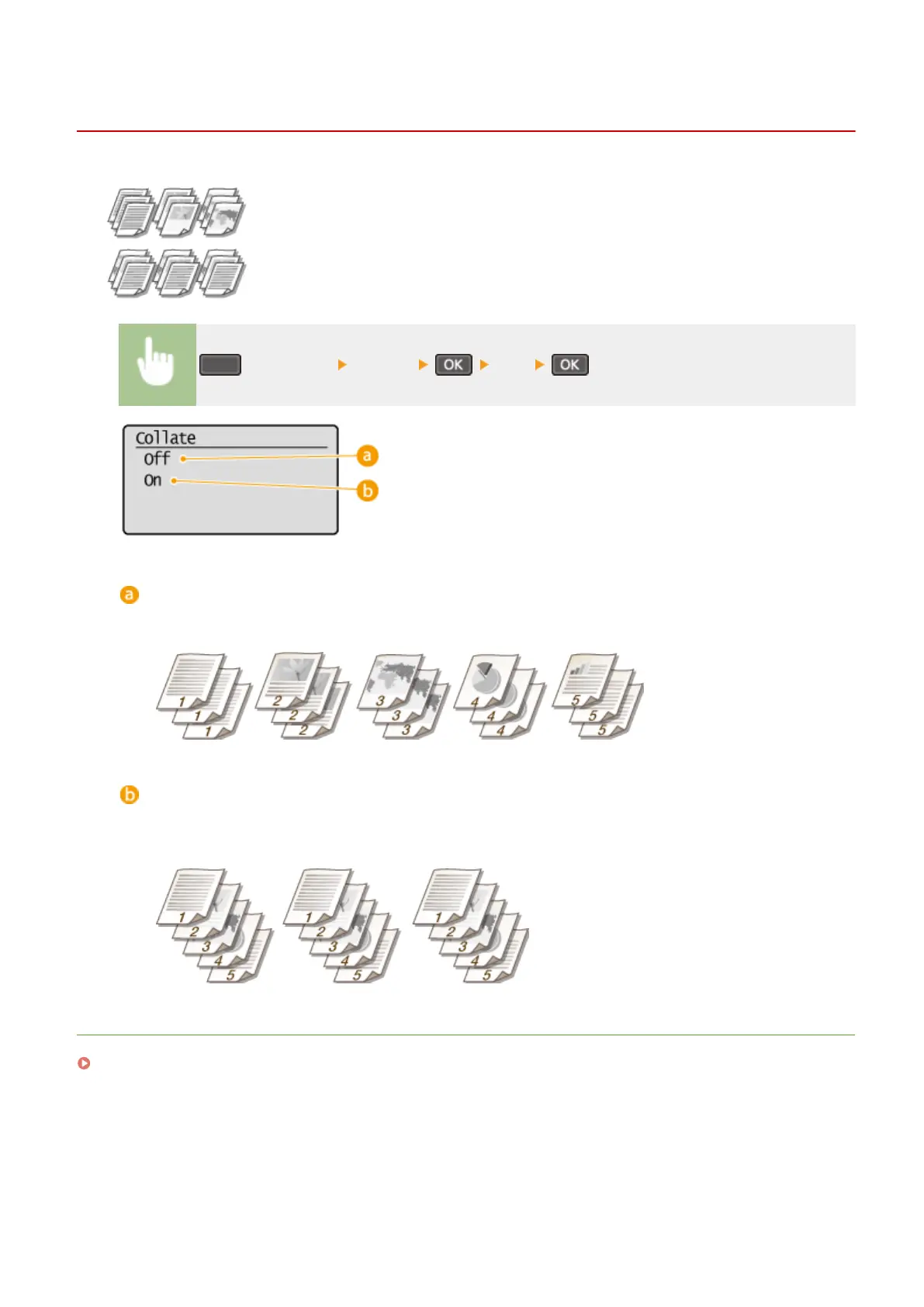
When preparing multiple copies of multi-page documents, set <Collate> to <On> to
collate copies in sequential page order. This function is useful when preparing handouts
for meetings or presentations.
(COPY/SCAN) <Collate> <On>
<Off>
The copies are grouped by page and not collated. For example, if you are making three copies of a ve-page
document, the printouts will be arranged in the following page order: 1, 1, 1, 2, 2, 2, 3, 3, 3, 4, 4, 4, 5, 5, 5.
<On>
The copies are grouped into complete sets in sequential page order. For example, if you are making three
copies of a ve-page document, the printouts will be arranged in the following page order: 1, 2, 3, 4, 5, 1, 2, 3,
4, 5, 1, 2, 3, 4, 5.
LINKS
Basic Copy Operations(P. 58)
Copying
75












 To Next Page