Printing Watermarks
19Y4-027
You can print watermarks such as "COPY" or "CONFIDENTIAL" over the document.
You can create new watermarks or use pre-registered watermarks.
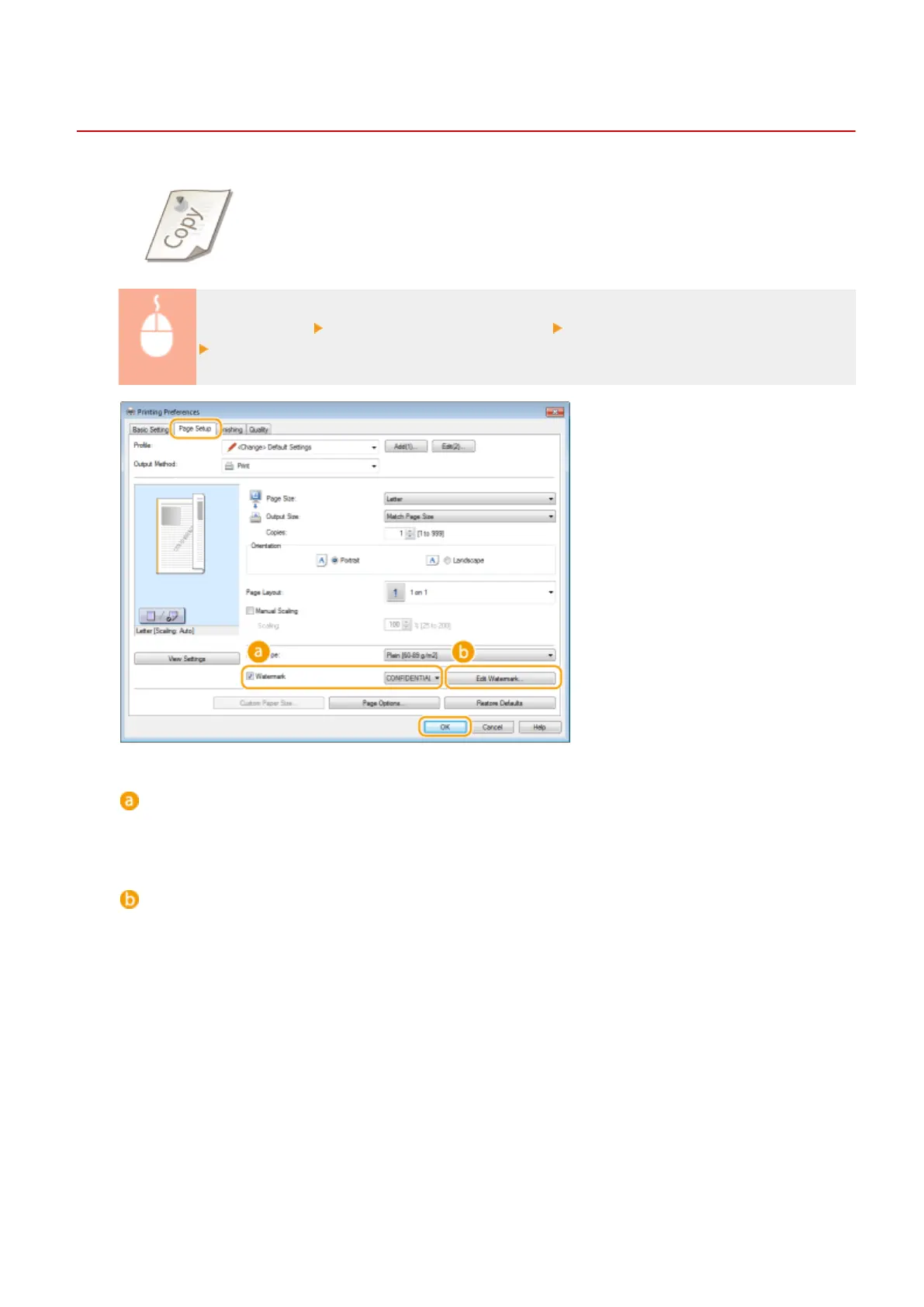
[Page Setup] tab Select the [Watermark] check box Select a watermark from the drop-down list
[OK]
[Watermark]
Select the [Watermark] check box to display the list of the watermarks in the drop-down list. Select a
watermark from the menu.
[Edit Watermark]
Displays the screen to create or edit watermarks.
Using the Machine as a Printer
105












 To Next Page