Using the Operation Panel
19Y4-00J
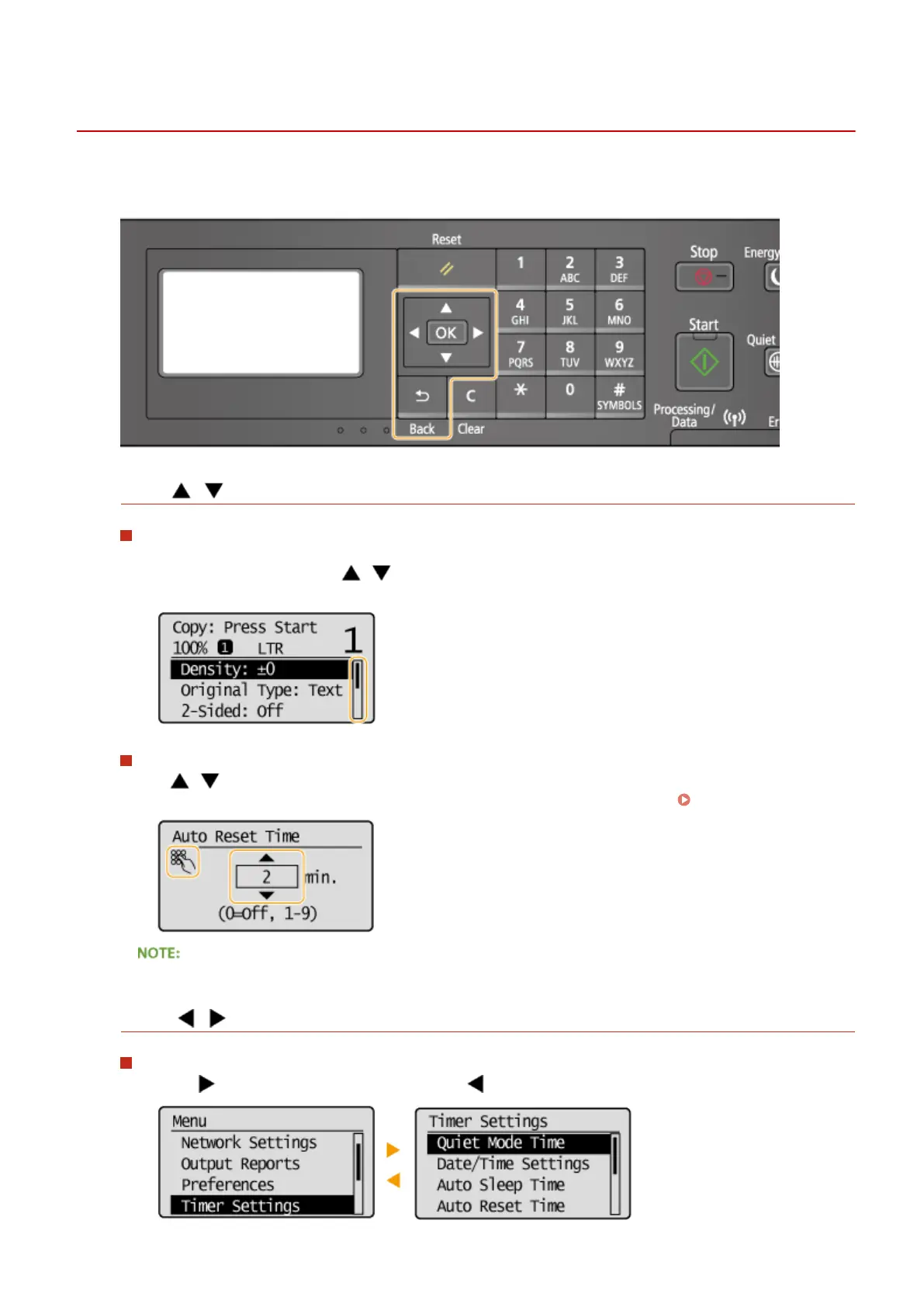
Use the keys shown below to specify settings and adjust values.
Using /
Scrolling the screen
The scroll bar is displayed on the right side of the screen when not all of the information ts on one screen. If
the scroll bar is displayed, use / to scroll up or down. The text and background colors of an item are
inverted when it is selected.
Changing a setting value
Use / when entering numbers. You can also enter the value directly using the numeric keys when the
numeric key icon is displayed in the top-left corner of the screen, as shown below.
Entering Text(P. 31)
The numbers in parentheses beneath the value input eld indicate the range of possible values.
Using /
Proceeding to next screen/Returning to previous screen
Press to proceed to the next screen. Press to return to the previous screen.
Basic Operations
29












 To Next Page