Before Replacing the Toner Cartridge
19Y4-06L
Perform the following before replacing the toner cartridge. The message may no longer appear, or print quality may
be improved. Review cautions for handling the toner cartridge before starting. Maintenance and Inspections(P. 8)
Consumables(P. 9)
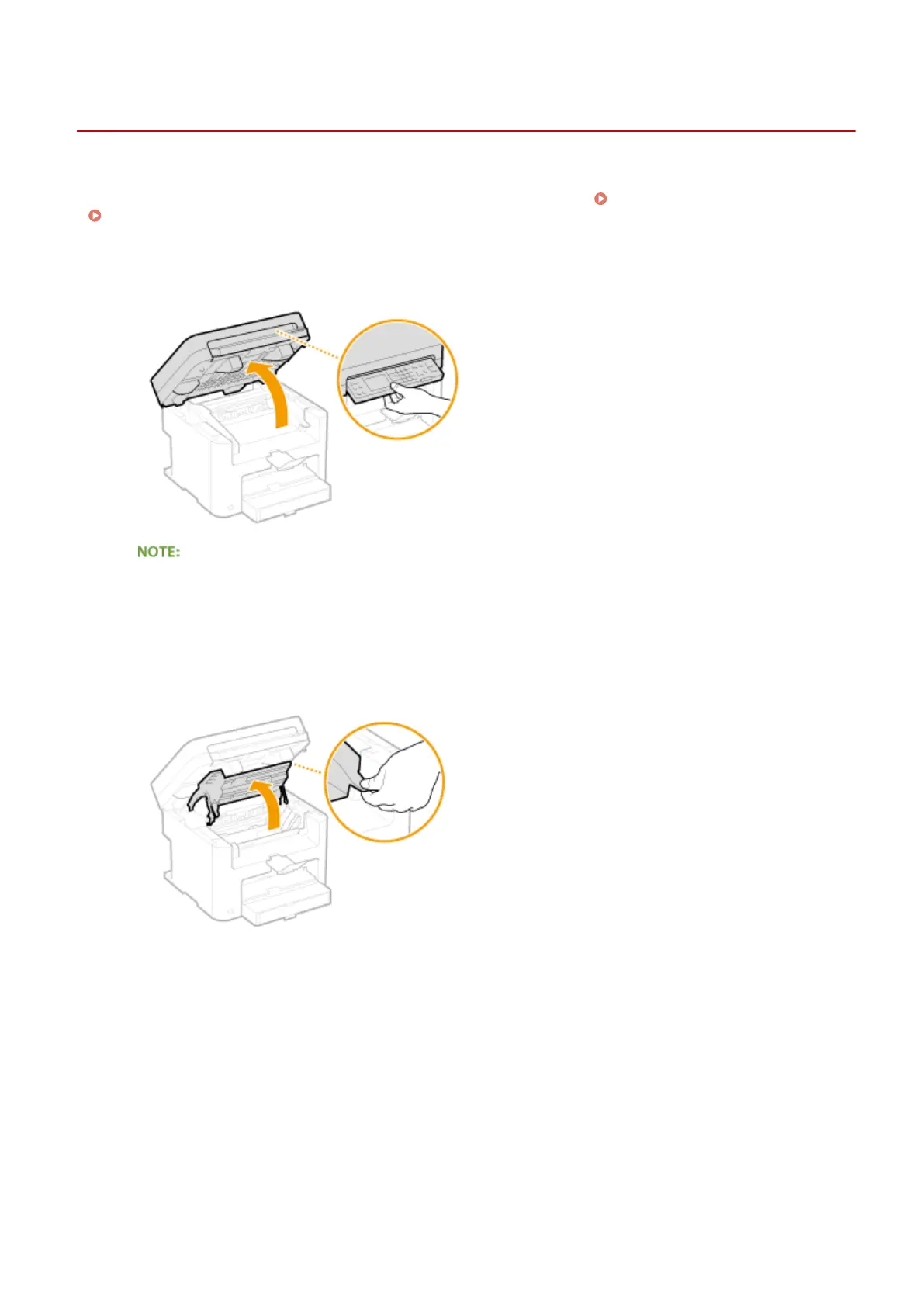
1
Lift the operation panel.
If you cannot lift the operation panel
Make sure the platen glass cover is completely closed. If a thick original such as a book is placed on the
platen glass, remove the original. Forcing the operation panel up may cause damage.
2
Open the toner cover by the grip at the front right of the toner cover.
3
Pull the toner cartridge out of the machine.
Maintenance
377












 To Next Page