Placing Documents
19Y4-00L
Place documents on the platen glass. For information about the types of documents that can be placed on the platen
glass, and information about the scannable area of a document, see Document Type(P. 406) or Scan
Area(P. 407) .
Use documents that are completely dry
When placing documents, make sure that any glue, ink, or correction uid on the documents has completely
dried.
1
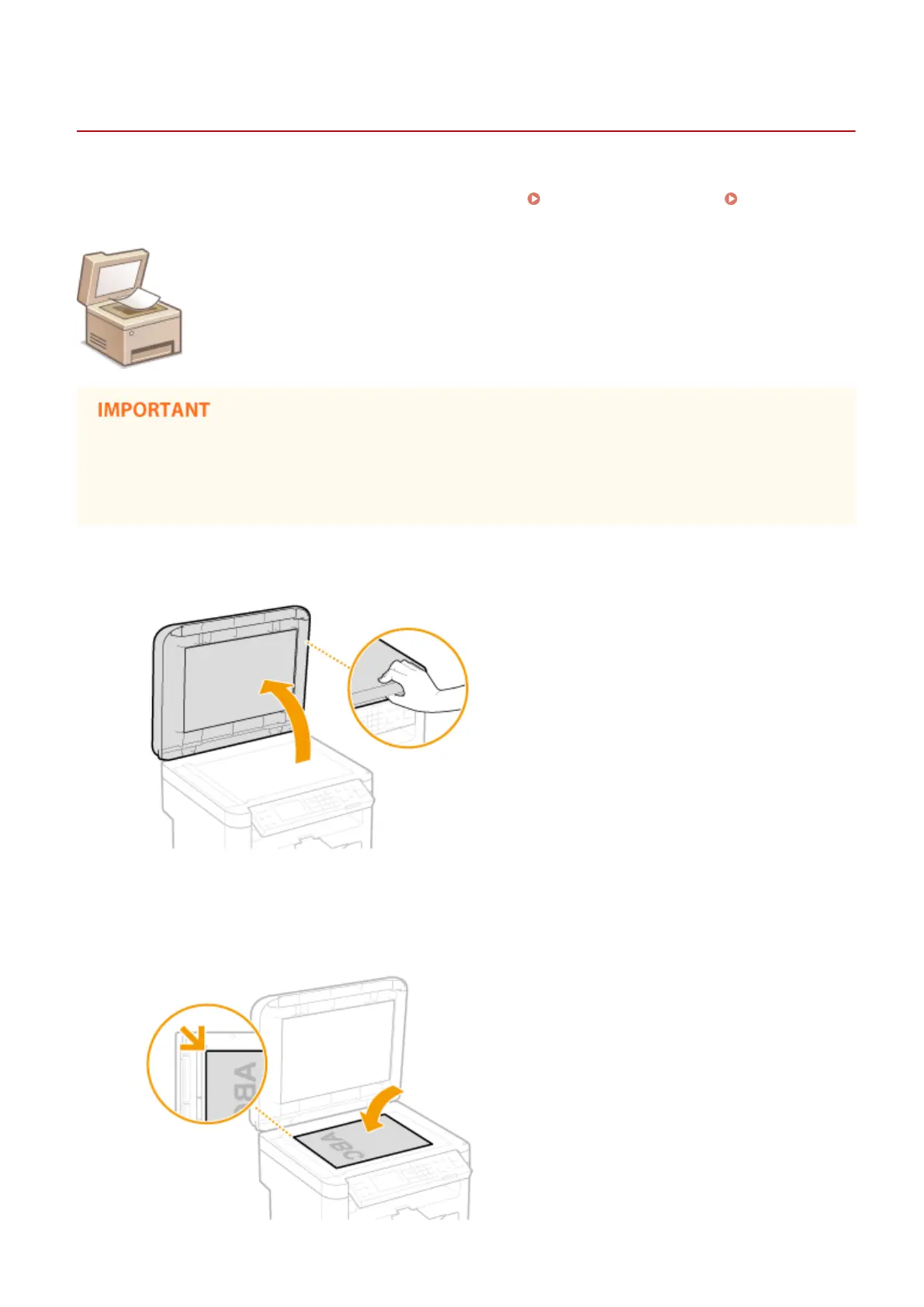
Open the platen glass cover.
2
Place the document face down on the platen glass.
● Align the corner of the document with the top-left corner of the platen glass.
Basic Operations
34












 To Next Page