2
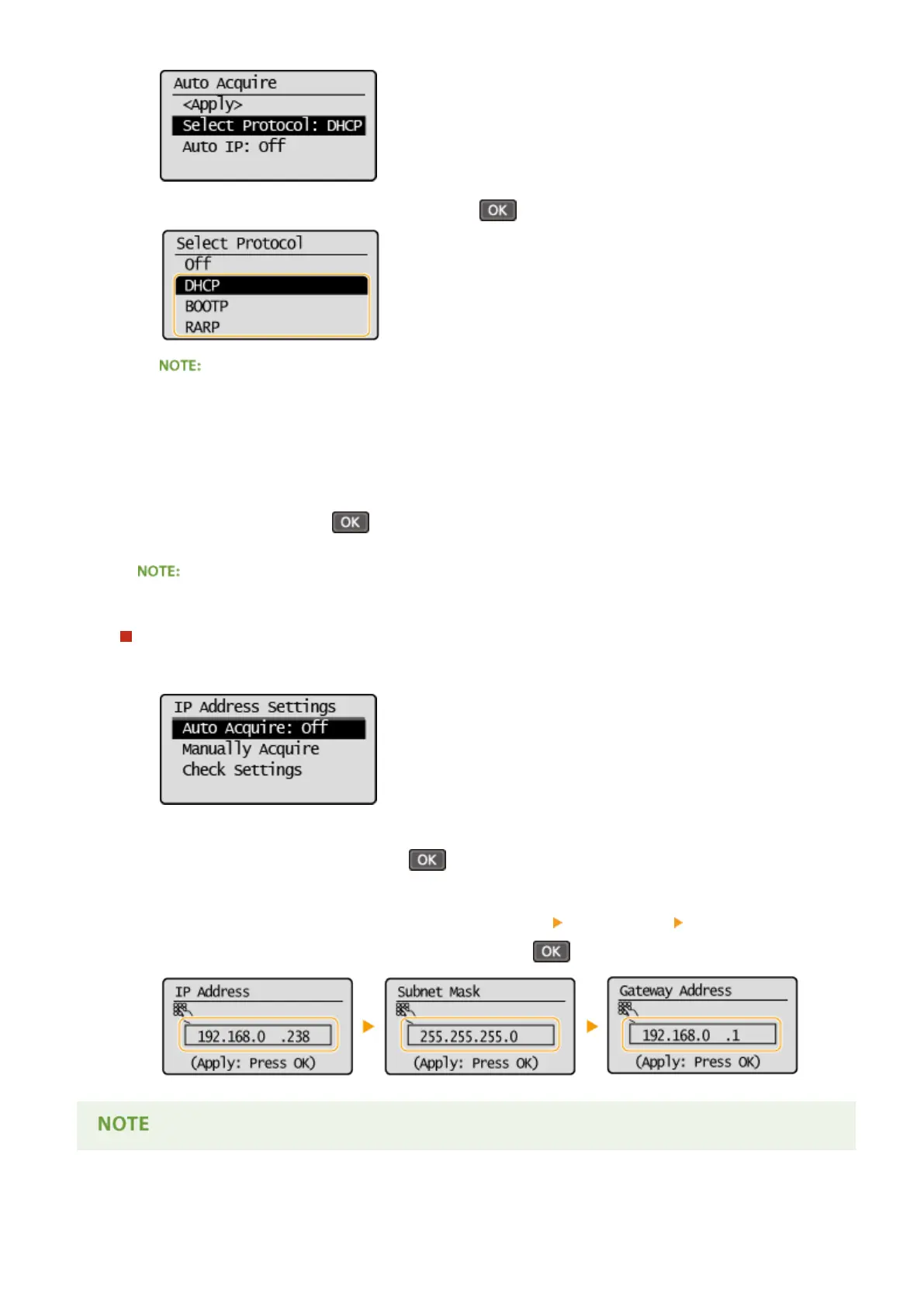
Select <DHCP>, <BOOTP>, or <RARP>, and press .
If you do not want to use DHCP/BOOTP/RARP to assign an IP address
Select <Off>. If you select <DHCP>, <BOOTP>, or <RARP> when these services are unavailable, the
machine will waste time and communications resources searching the network for these services.
3
Check that <Auto IP> is set to <On>.
● If <Off> is selected, change the setting to <On>.
4
Select <Apply>, and press .
IP addresses assigned via DHCP/BOOTP/RARP override the address obtained via Auto IP.
Manually entering an IP address
1
Check that <Auto Acquire> is set to <Off>.
● If <On> is displayed, select <Auto Acquire>, and set both <Select Protocol> and <Auto IP> to <Off>.
2
Select <Manually Acquire>, and press .
3
Specify the IP address, subnet mask, and gateway address (or default gateway).
● Specify the settings in the following order: <IP Address> <Subnet Mask> <Gateway Address>.
● Enter each setting using the numeric keys, and press on each screen.
Network
182












 To Next Page