Setting Menu List(P. 278)
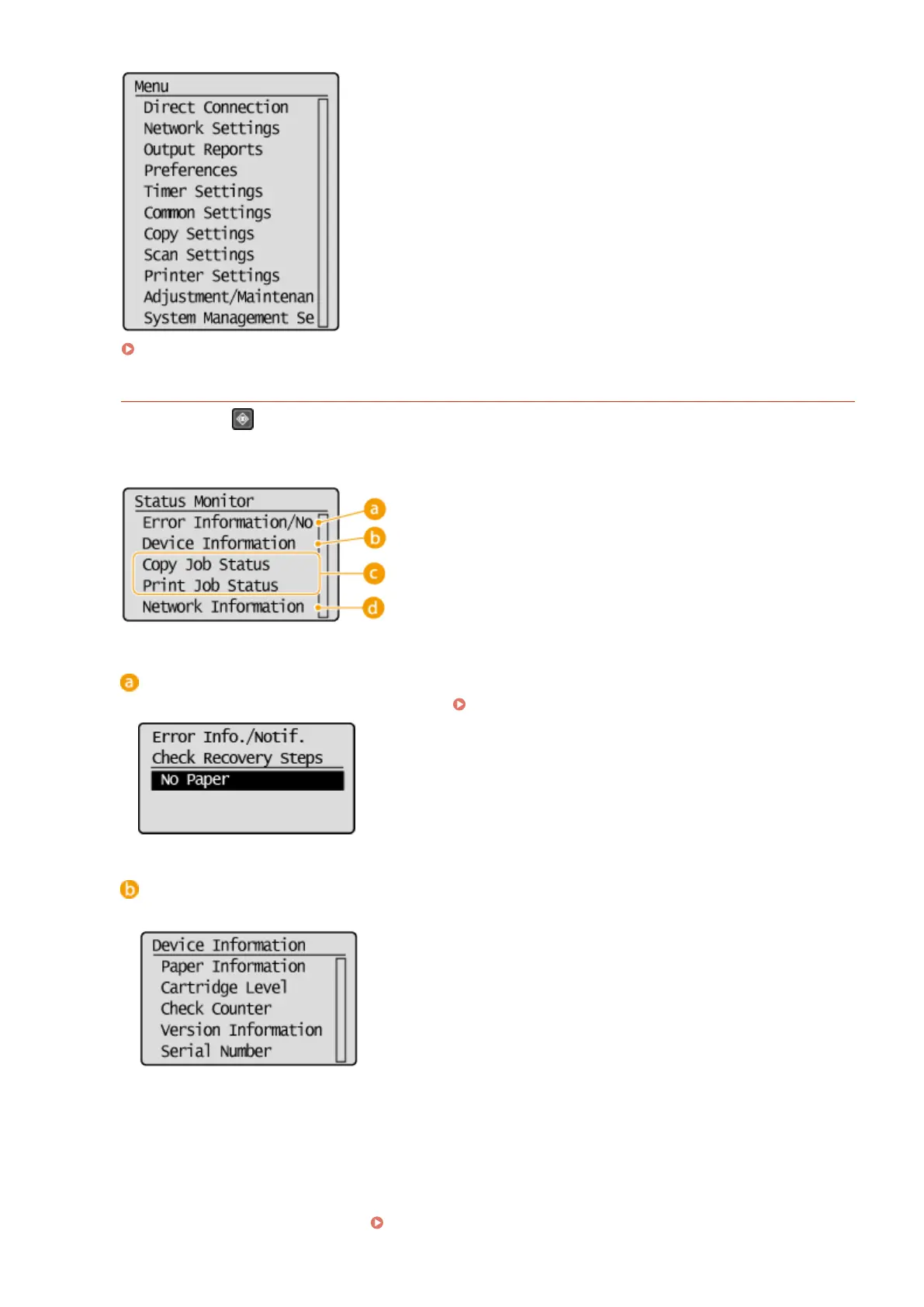
<Status Monitor> Screen
When you press , a screen is displayed that enables you to check the status of documents that are being
printed or copied, as well as the status of the machine (amount remaining in the toner cartridge, etc.) and the
network setting information such as the IP address of the machine.
<Error Information/Notication>
Displays the details of any errors that occurred.
When an Error Message Appears(P. 339)
<Device Information>
Displays the status of the machine, such as the paper size or the amount remaining in the toner cartridges.
<Paper Information>
Displays the paper size specied in each paper source.
<Cartridge Level>
Displays the amount remaining in the toner cartridges. Other internal parts may reach the end of their
lifetime before the toner runs out.
<Check Counter>
Displays the totals for printouts.
Viewing the Counter Value(P. 384)
Basic Operations
27












 To Next Page