1
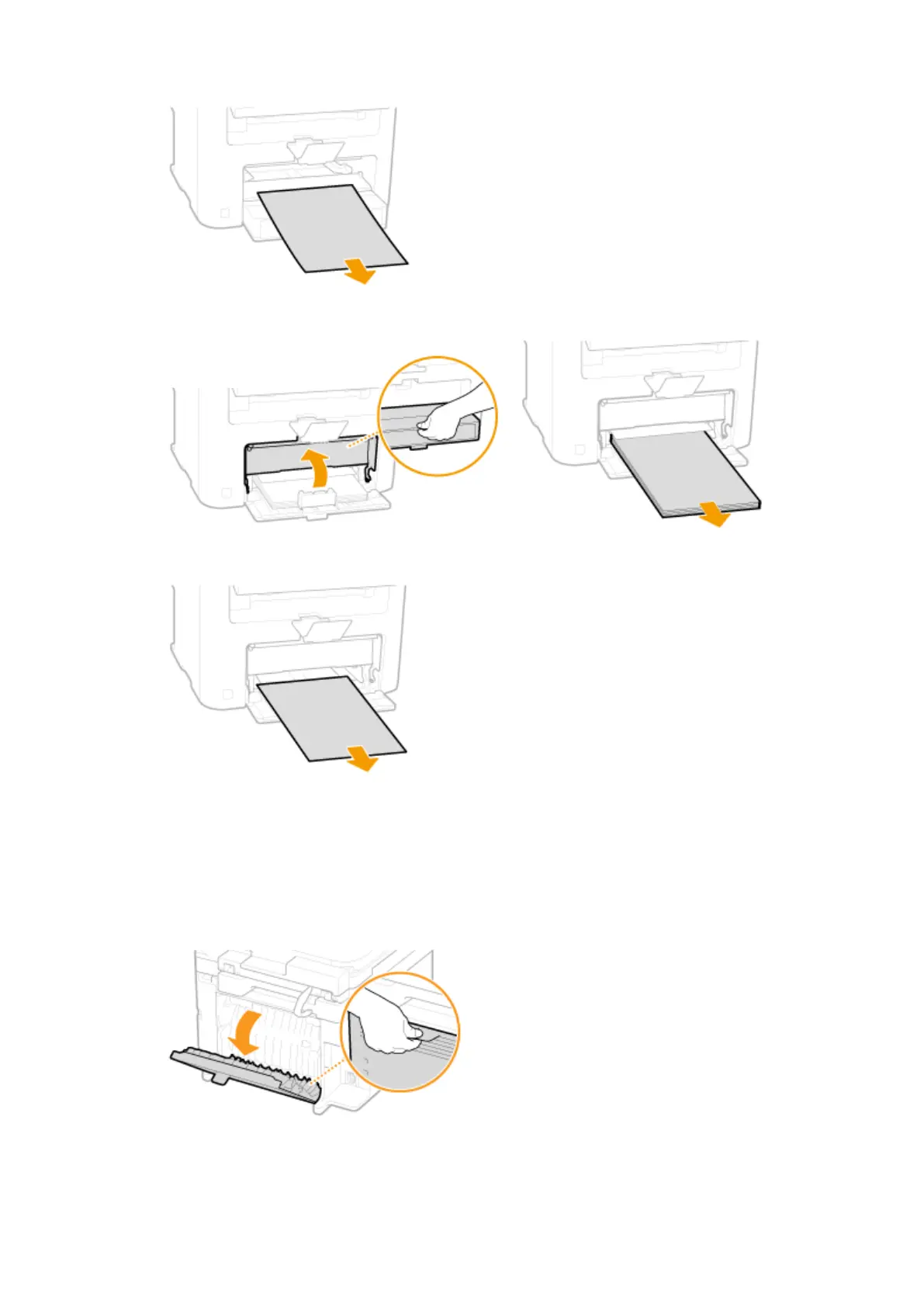
Slowly pull out any paper in the manual feed slot.
2
Open the paper cover and remove any loaded paper.
3
Gently pull out the document.
4
Load paper and close the paper cover.
6
Check whether paper is jammed inside the rear cover.
1
Open the rear cover.
2
Gently pull out the document.
Troubleshooting
337












 To Next Page