5.
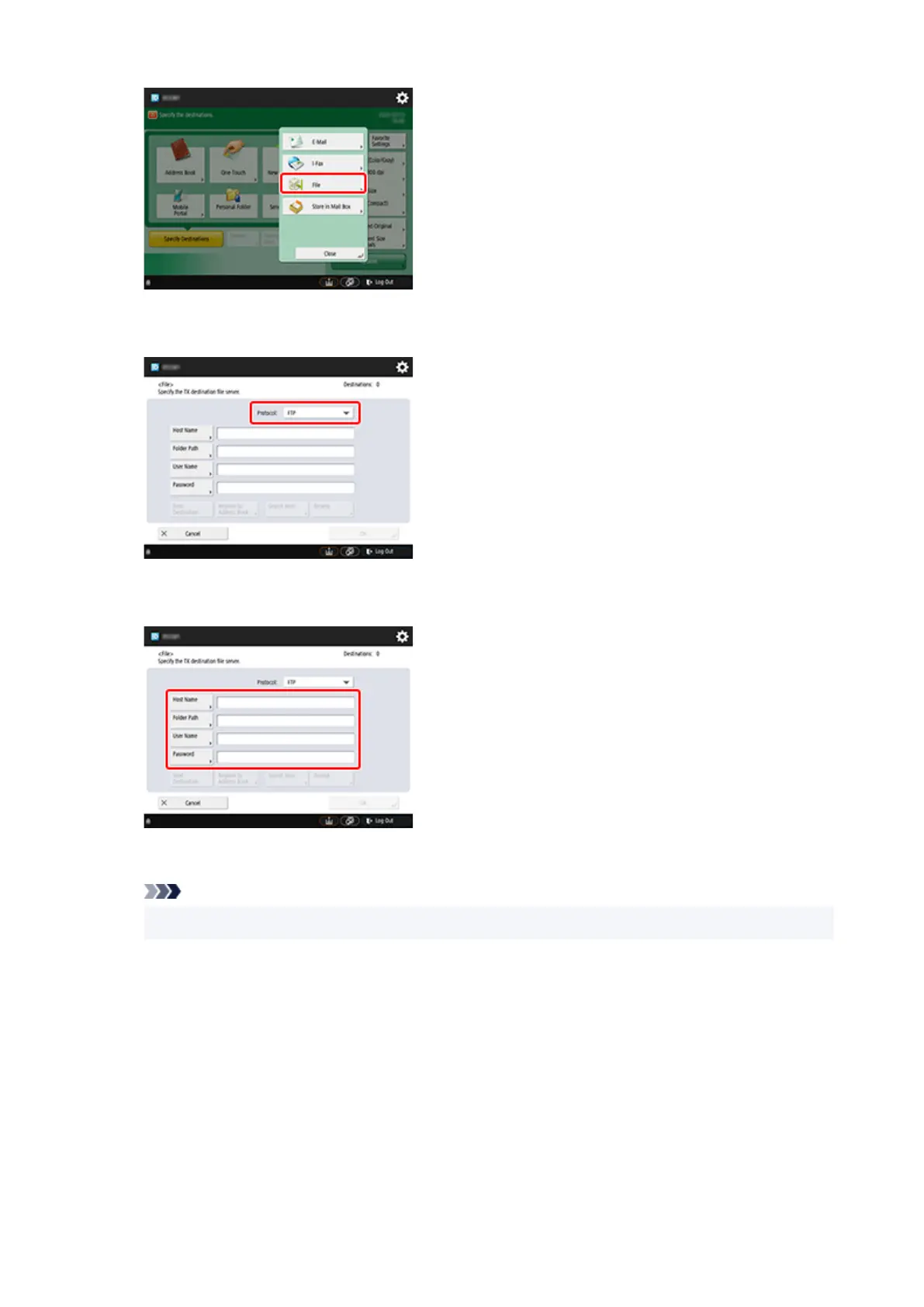
Select FTP from the Protocol drop-down list.
5.
6. Enter setting items.6.
Enter the printer's IP address as the Host Name.
Note
•
We recommend that you set a fixed IP address for your printer.
Enter "./folderN" in Folder Path. ("N" represents the print setting number specified in the Direct print
settings from FTP screen on the printer.) For example, to enter the pathname for Print settings 1,
enter "./folder1". For Print settings 2, enter "./folder2".
Use the same User Name and Password that you set for FTP authentication in the Remote UI.
7.
Select OK.
7.
8.
Select the setting button for file format.
8.
192


 To Next Page
 Loading...