Chapter 3
3-80
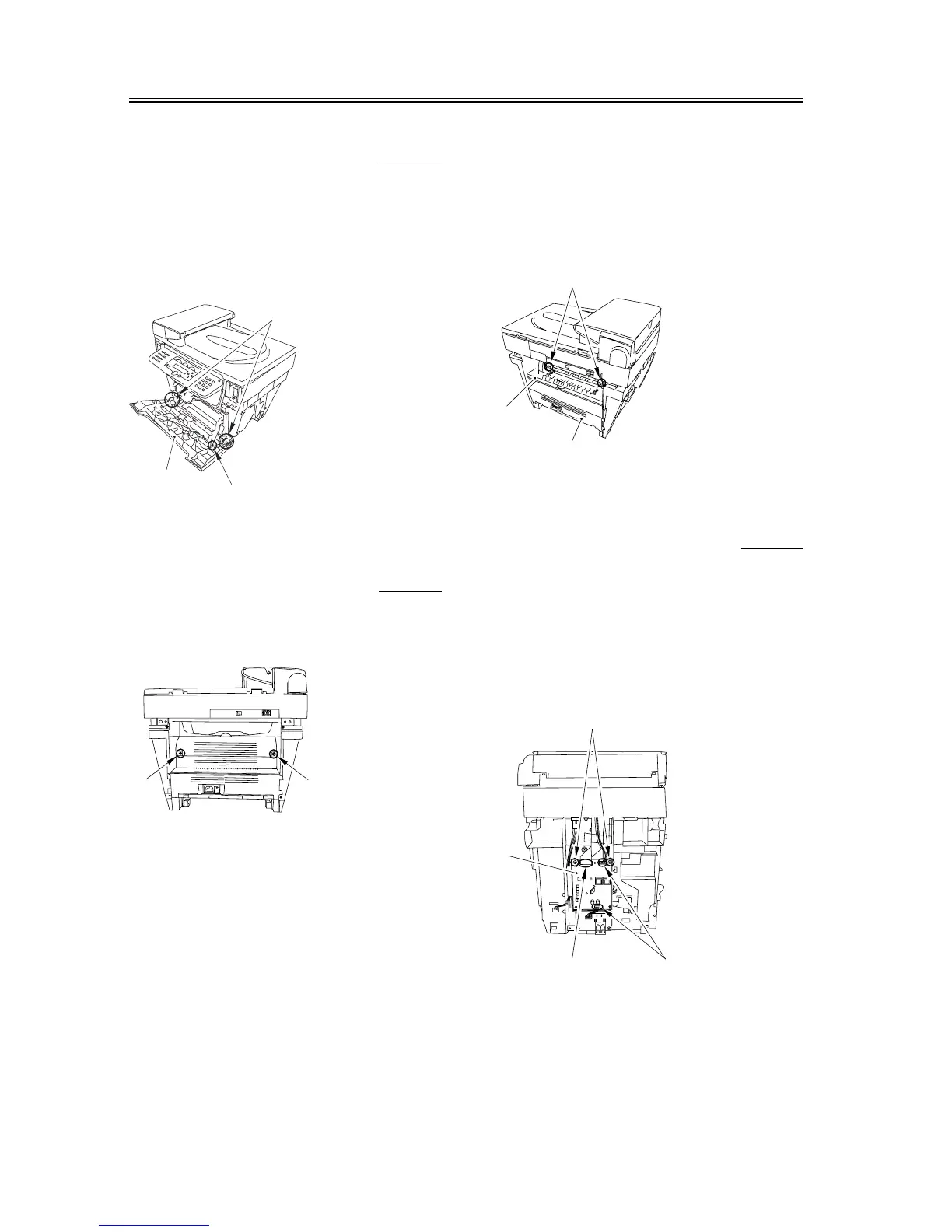
3.5.4.6 Removing the Front
Cover
0002-7120
1) Remove the arm claws [1] to disengage the
connection.
2) Remove the shafts on both sides [2] and remove the
front cover [3].
F-3-343
3.5.4.7 Removing the Rear
Cover
0002-7123
1) Remove two screws [1].
F-3-344
2) Opening the face-up cover [1], and then lower the
fixing pressure release levers [2] on both sides and
release the pressure.
3) Remove the rear cover [3] as you slide it toward the
rear.
F-3-345
3.5.4.8 Removing the NCU
Board
0006-3679
1) Remove the two connectors [1] and the flat cable
[2].
2) Remove the two screws [3] and remove the NCU
board [4].
F-3-346
[1]
[2]
[3]
[1]
[1]
[1]
[3]
[2]
[1][2]
[4]
[3]














 To Next Page