Chapter 3
3-7
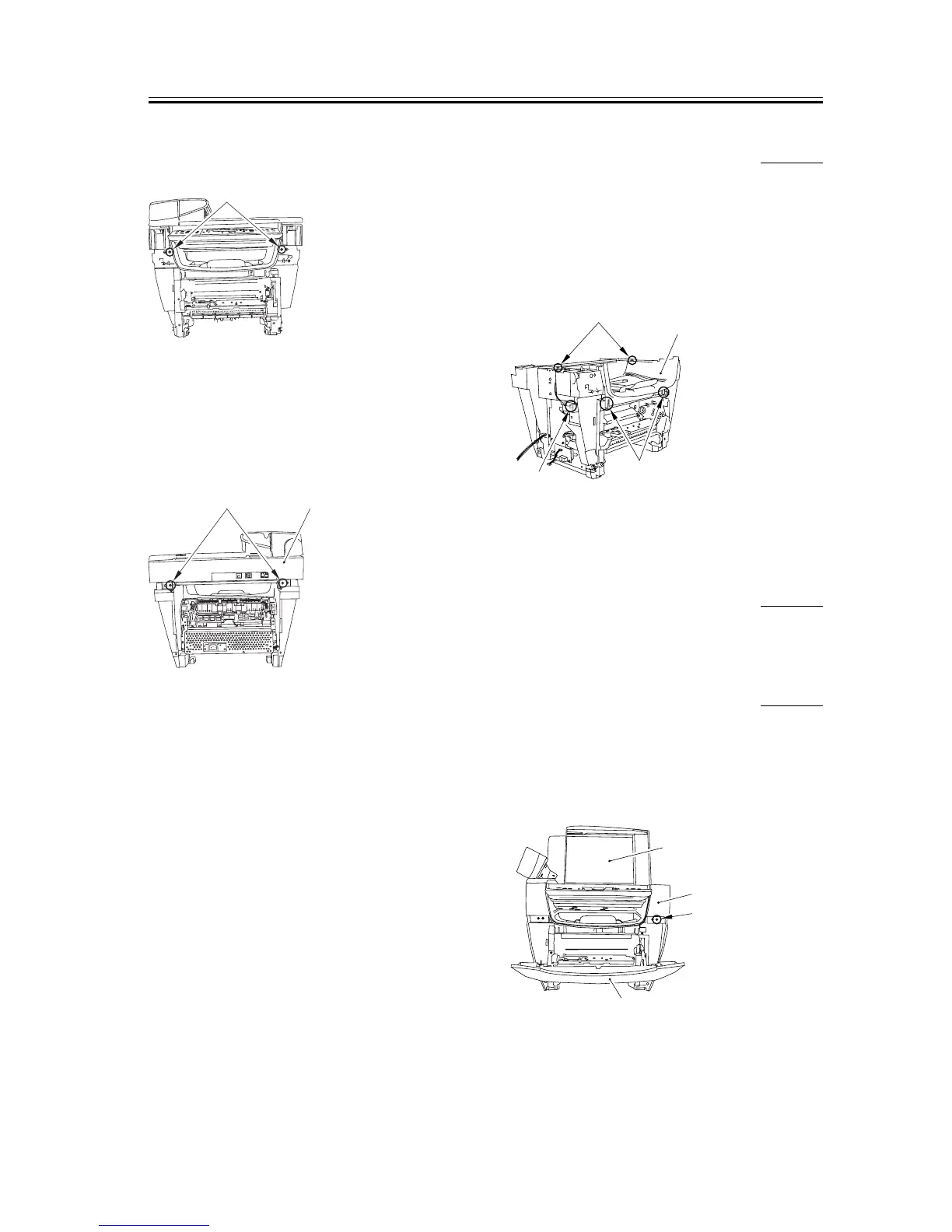
2) Remove the two front screws [1].
F-3-28
3) Remove the two screws on the back [1]. Slide the
scanner unit [2] to the back; then, remove it by
lifting it.
F-3-29
3.1.3.11 Removing the Top
Cover
0005-9814
1) Remove the two screws [1].
2) Remove the connector [2] of the DCNT board.
3) Remove the two claws [3] and remove the top cover
[4].
F-3-30
3.1.4 Right Cover
3.1.4.1 Removing the Cassette 0002-6871
1) Remove the cassette by holding the cassette handle.
3.1.4.2 Removing the Reader
Right Front Cover
0002-6872
1) Open the platen glass cover [1].
2) Open the front cover [2], remove one screw [3], and
remove the reader right front cover [4].
F-3-31
[1]
[2]
[1]
[1]
[2]
[4]
[3]
[1]
[4]
[3]
[2]














 To Next Page