Chapter 3
3-24
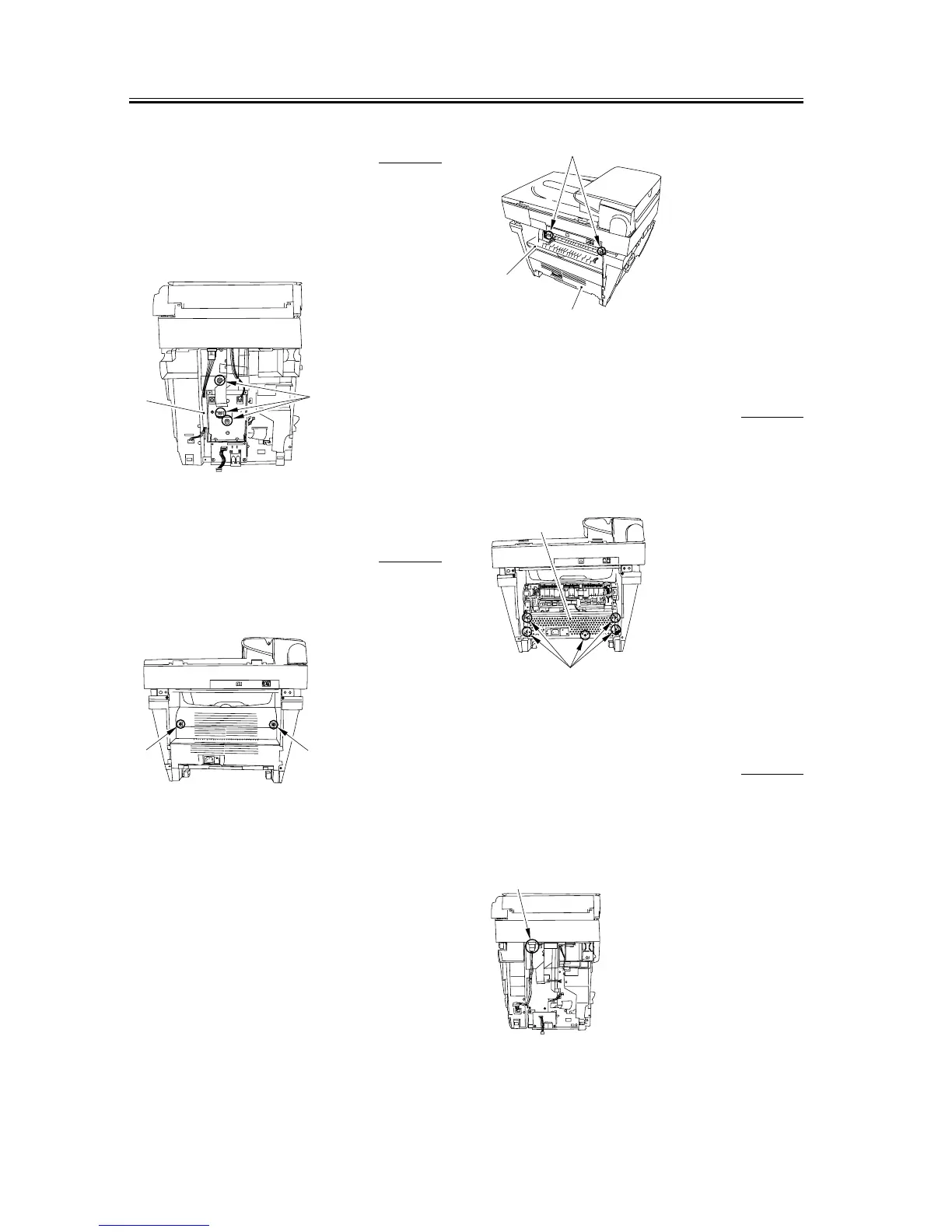
3.1.14.7 Removing the NCU
Case
0005-9914
1) Remove the three screws [1]; then, pull the upper
portion of the NCU case [2] toward you, and lifting
it upward, remove the NUC case.
F-3-98
3.1.14.8 Removing the Rear
Cover
0002-7507
1) Remove two screws [1].
F-3-99
2) Opening the face-up cover [1], and then lower the
fixing pressure release levers [2] on both sides and
release the pressure.
3) Remove the rear cover [3] as you slide it toward the
rear.
F-3-100
3.1.14.9 Removing the Power
Supply Shield Plate
0002-7523
1) Remove the five screws [1] to remove the power
supply shield plate [2].
F-3-101
3.1.14.10 Removing the Power
Supply Assembly
0005-9911
1) Remove the connector [1] and remove the cable
from the cable guide.
F-3-102
[1]
[2]
[1]
[1]
[1]
[3]
[2]
[1]
[2]
[1]














 To Next Page