Chapter 3
3-41
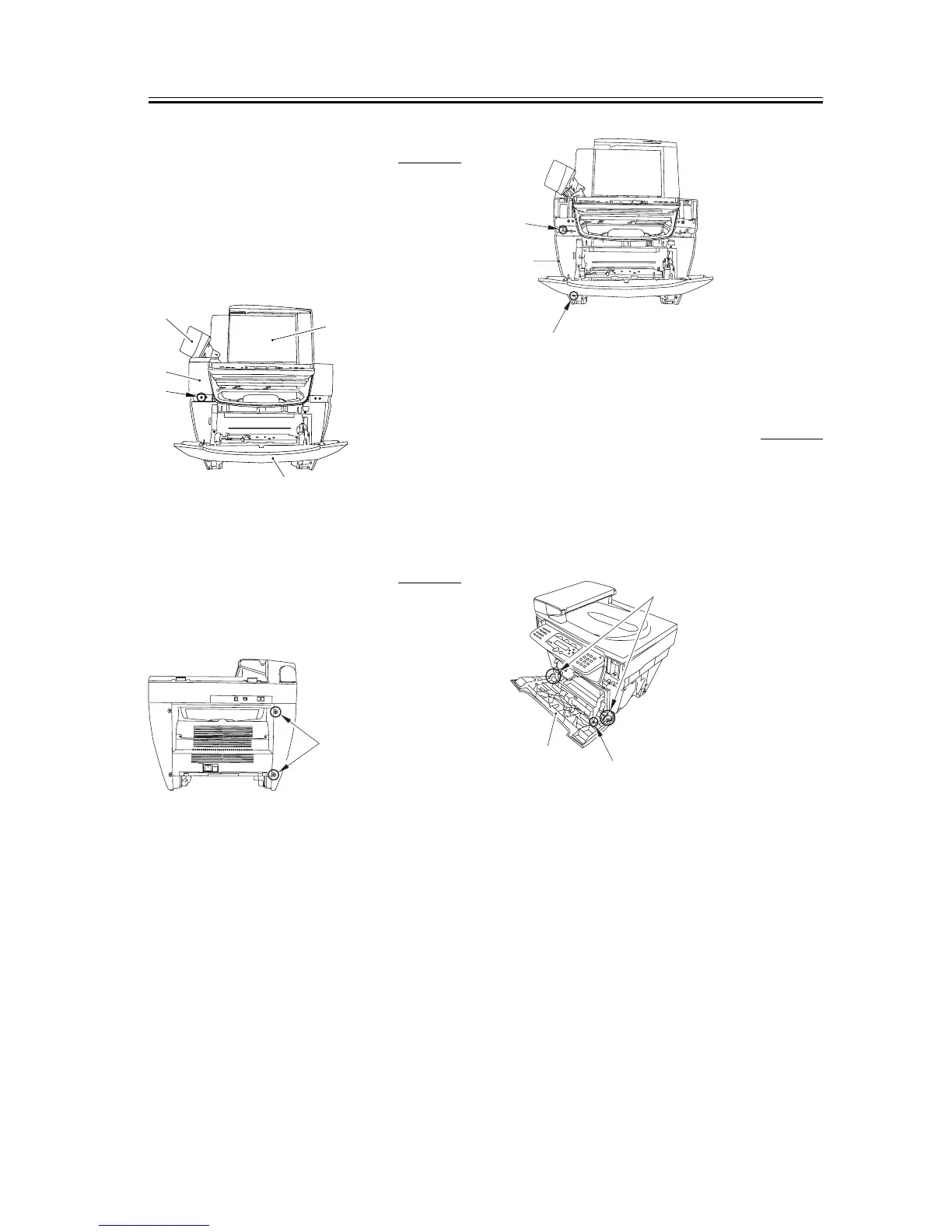
3.1.19.4 Removing the Reader
Left Front Cover
0002-7683
1) Open the platen glass cover [1].
2) Open the front cover [2] and the ADF part [3],
remove one screw [4], and remove the reader left
front cover [5].
F-3-176
3.1.19.5 Removing the Left
Cover
0002-7685
1) Remove the two screws [1] on the back side.
F-3-177
2) Remove the front screw [1] and then remove the
claw [2].
3) Slightly lift up the left side of the unit and remove
the cover as if you were opening the bottom side of
the left cover [3].
F-3-178
3.1.19.6 Removing the Front
Cover
0002-7688
1) Remove the arm claws [1] to disengage the
connection.
2) Remove the shafts on both sides [2] and remove the
front cover [3].
F-3-179
[1]
[5]
[4]
[3]
[2]
[1]
[1]
[3]
[2]
[1]
[2]
[3]














 To Next Page