Chapter 3
3-20
3.1.11.10 Removing the DCNT
Board
0005-9958
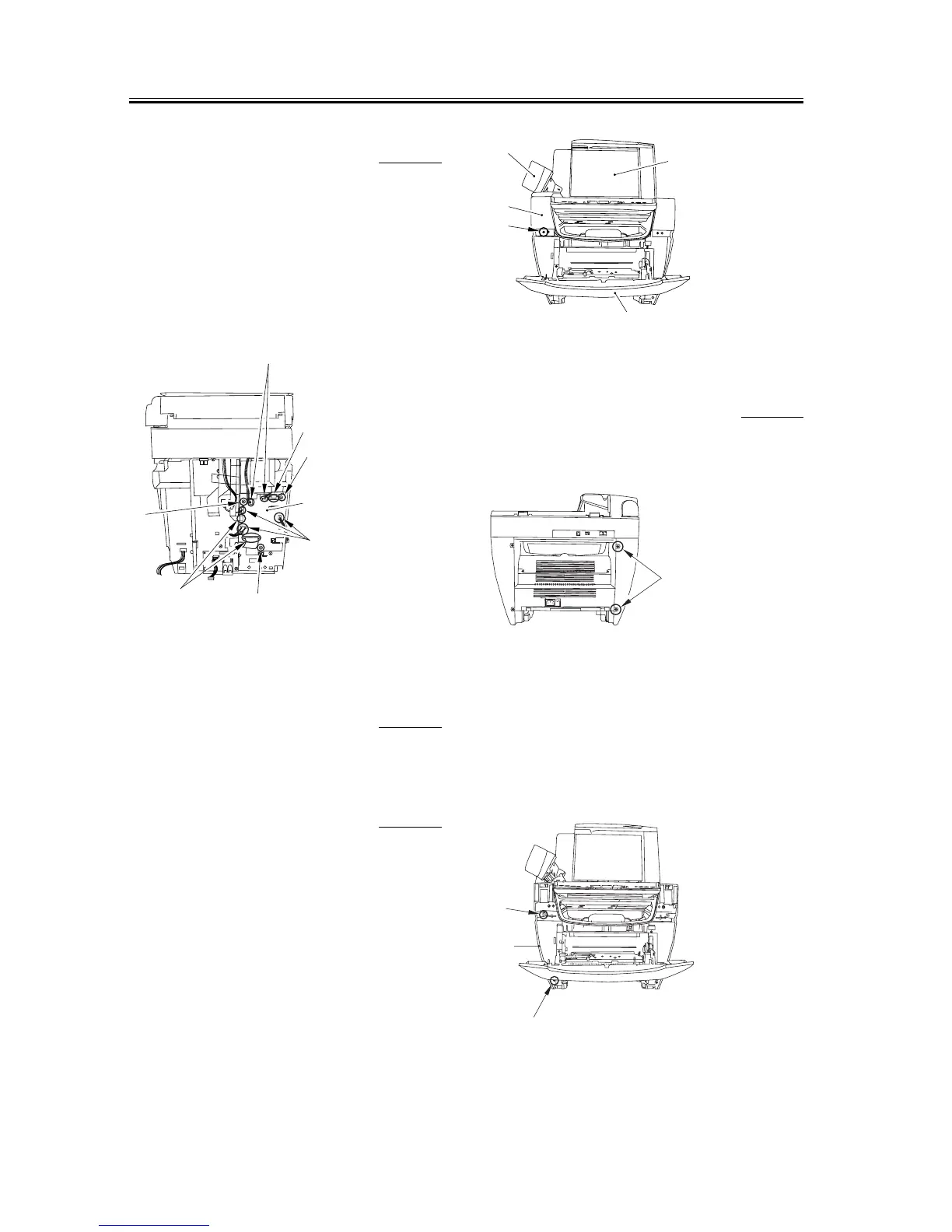
1) Take off the connectors at seven spots (six if the
unit is not equipped with the fax function) [1] as
well as the flat cable at three spots [2].
2) Remove the three screws [3] and, while carefully
watching the sensor flag, removes the DCNT board
[4].
F-3-82
3.1.12 NCU Board
3.1.12.1 Removing the Cassette 0006-2969
1) Remove the cassette by holding the cassette handle.
3.1.12.2 Removing the Reader
Left Front Cover
0006-2971
1) Open the platen glass cover [1].
2) Open the front cover [2] and the ADF part [3],
remove one screw [4], and remove the reader left
front cover [5].
F-3-83
3.1.12.3 Removing the Left
Cover
0006-2972
1) Remove the two screws [1] on the back side.
F-3-84
2) Remove the front screw [1] and then remove the
claw [2].
3) Slightly lift up the left side of the unit and remove
the cover as if you were opening the bottom side of
the left cover [3].
F-3-85
[1]
[1]
[2]
[2]
[3]
[3]
[3]
[4]
[1]
[5]
[4]
[3]
[2]
[1]
[1]
[3]
[2]














 To Next Page