Chapter 3
3-19
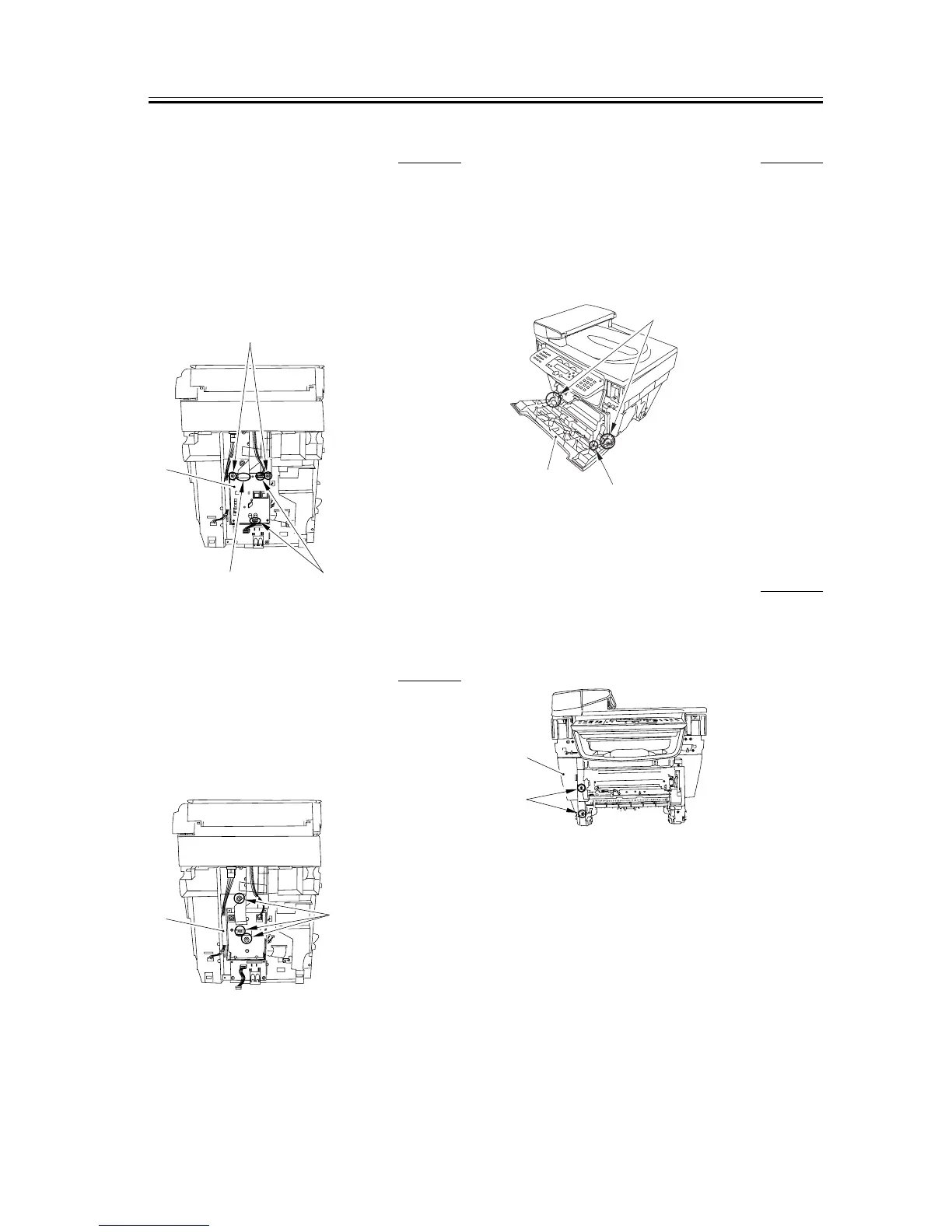
3.1.11.6 Removing the NCU
Board
0005-9953
1) Remove the two connectors [1] and the flat cable
[2].
2) Remove the two screws [3] and remove the NCU
board [4].
F-3-78
3.1.11.7 Removing the NCU
Case
0005-9955
1) Remove the three screws [1]; then, pull the upper
portion of the NCU case [2] toward you, and lifting
it upward, remove the NUC case.
F-3-79
3.1.11.8 Removing the Front
Cover
0005-9950
1) Remove the arm claws [1] to disengage the
connection.
2) Remove the shafts on both sides [2] and remove the
front cover [3].
F-3-80
3.1.11.9 Removing the Left
Front Cover
0005-9957
1) Remove the two screws [1] and then removes the
left front cover [2].
F-3-81
[1][2]
[4]
[3]
[1]
[2]
[1]
[2]
[3]
[1]
[2]














 To Next Page