Chapter 3
3-99
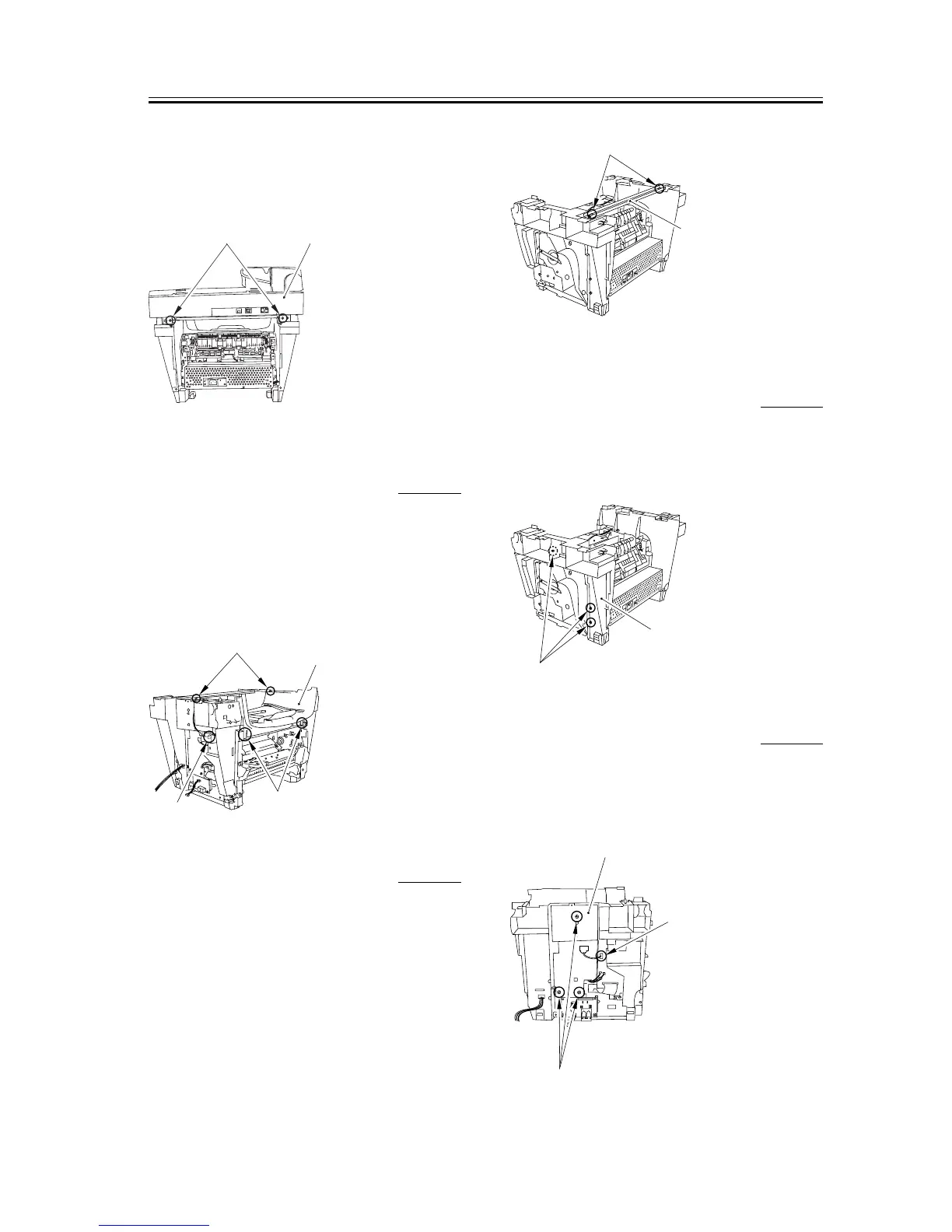
3) Remove the two screws on the back [1]. Slide the
scanner unit [2] to the back; then, remove it by
lifting it.
F-3-425
3.6.1.11 Removing the Top
Cover
0006-3735
1) Remove the two screws [1].
2) Remove the connector [2] of the DCNT board.
3) Remove the two claws [3] and remove the top cover
[4].
F-3-426
3.6.1.12 Removing the Stay 0002-7468
1) Remove the two screws [1] and then removes the
stay [2].
F-3-427
3.6.1.13 Removing the Right
Frame
0002-7469
1) Remove the three screws [1] and then removes the
right frame [2].
F-3-428
3.6.1.14 Removing the Plate 0006-3729
1) Remove the connector [1] of the DCNT board.
2) Remove the three screws [2] and then removes the
plate [3].
F-3-429
[2]
[1]
[1]
[2]
[4]
[3]
[1]
[2]
[1]
[2
]
[1]
[2]
[3]














 To Next Page