Chapter 3
3-39
3.1.18.9 Removing the NCU
Case
0006-3052
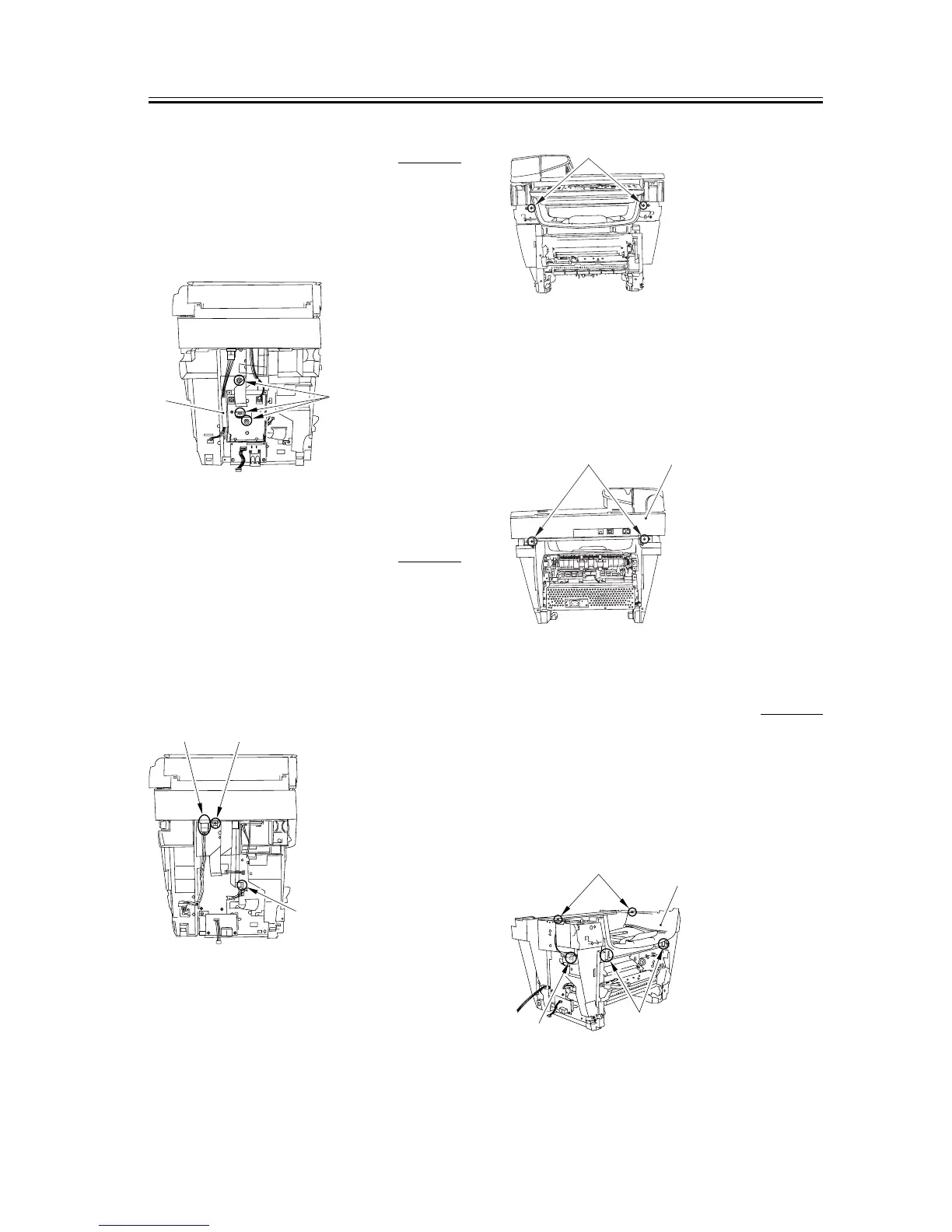
1) Remove the three screws [1]; then, pull the upper
portion of the NCU case [2] toward you, and lifting
it upward, remove the NUC case.
F-3-167
3.1.18.10 Removing the
Scanner Unit
0006-3054
1) Remove the screw [1] and remove the connector [2]
as well as the flat cable [3] on the DCNT board.
Remove the tape holding the cable in advance.
Prepare a new tape (Part No: AZ7-0008) of a suitable
length before you attach the cable again.
F-3-168
2) Remove the two front screws [1].
F-3-169
3) Remove the two screws on the back [1]. Slide the
scanner unit [2] to the back; then, remove it by
lifting it.
F-3-170
3.1.18.11 Removing the Top
Cover
0006-3055
1) Remove the two screws [1].
2) Remove the connector [2] of the DCNT board.
3) Remove the two claws [3] and remove the top cover
[4].
F-3-171
[1]
[2]
[2] [1]
[3]
[1]
[2]
[1]
[1]
[2]
[4]
[3]














 To Next Page