Chapter 3
3-36
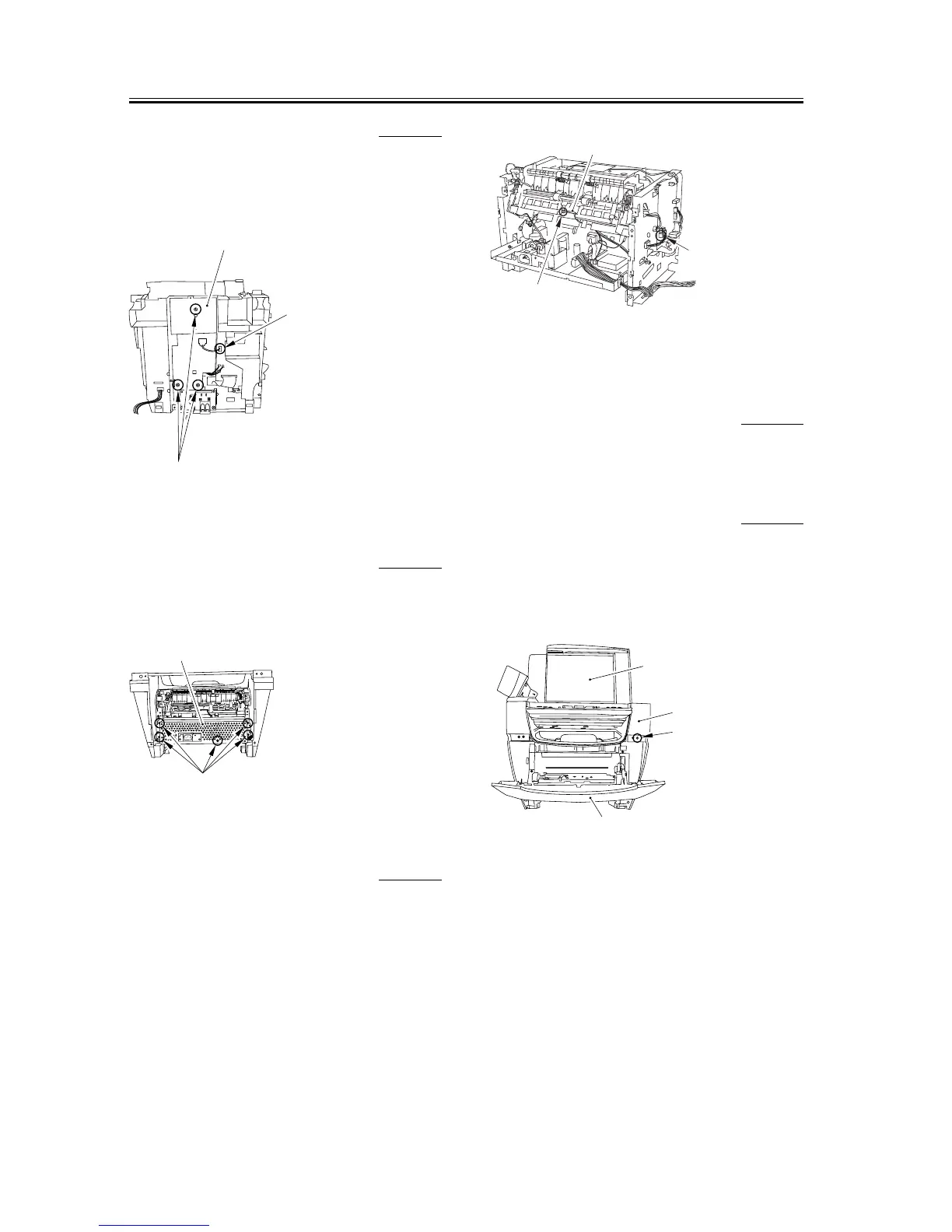
3.1.17.11 Removing the Plate 0006-3047
1) Remove the connector [1] of the DCNT board.
2) Remove the three screws [2] and then removes the
plate [3].
F-3-154
3.1.17.12 Removing the Power
Supply Shield Plate
0003-7541
1) Remove the five screws [1] to remove the power
supply shield plate [2].
F-3-155
3.1.17.13 Removing the Paper
Delivery Sensor
0006-3050
1) Remove the connector [1] on the DCNT board and
take the cable off the cable guide.
2) Remove the screw [2] and remove the paper
delivery sensor [3].
F-3-156
3.1.18 Paper Full Sensor
3.1.18.1 Removing the Cassette 0002-7674
1) Remove the cassette by holding the cassette handle.
3.1.18.2 Removing the Reader
Right Front Cover
0002-7677
1) Open the platen glass cover [1].
2) Open the front cover [2], remove one screw [3], and
remove the reader right front cover [4].
F-3-157
[1]
[2]
[3]
[1]
[2]
[2]
[1]
[3]
[1]
[4]
[3]
[2]














 To Next Page