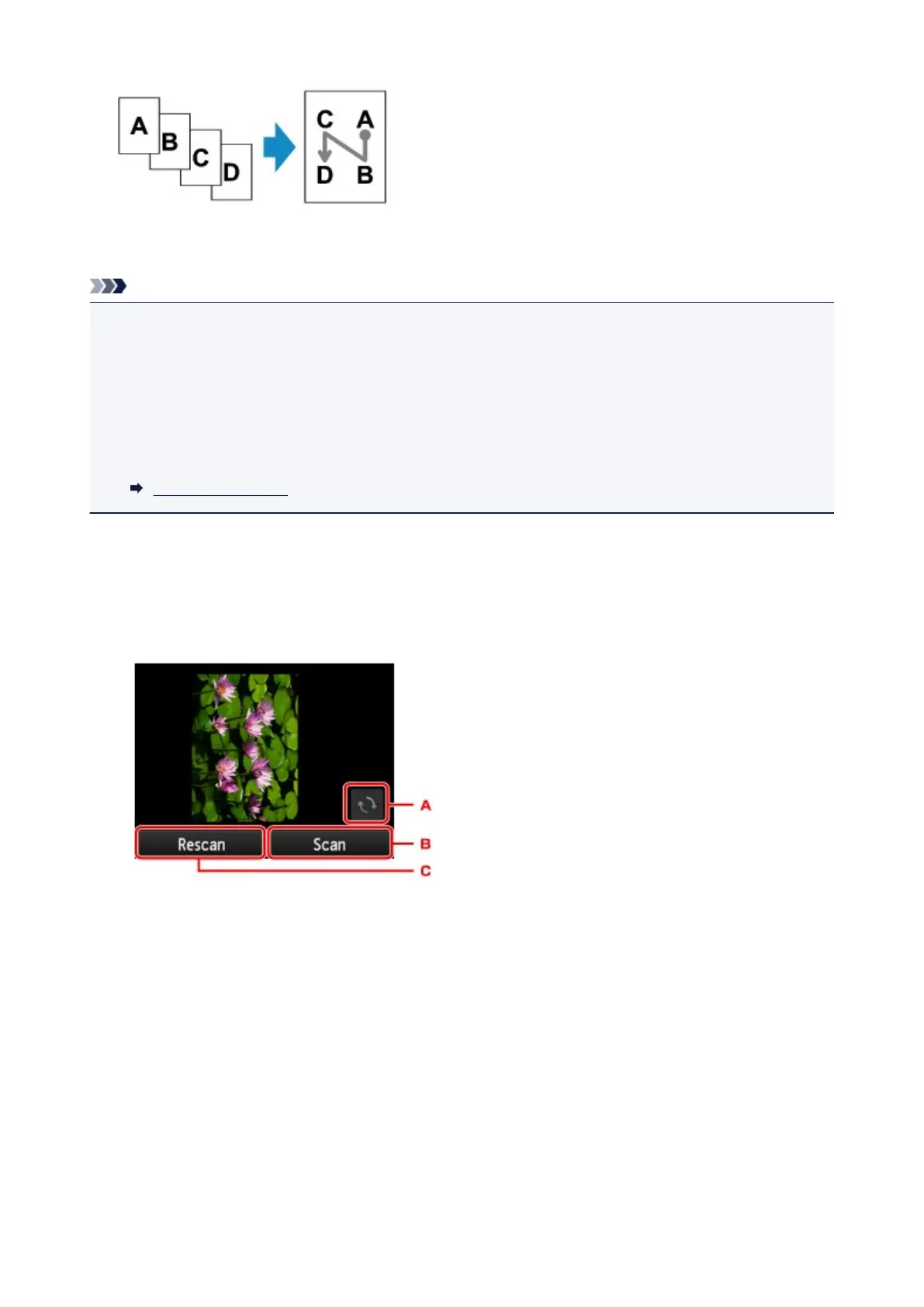
After selecting the order, you can select whether you use the preview screen. If you tap ON, the preview
screen is displayed so that you can check the orientation.
Note
• This function can be used in combination with Two-sided copy.
If you use this function in combination, you can copy eight original pages on one sheet of paper. In this
case, four original pages are copied on each side of paper.
If you use this function in combination, select the two-sided copy setting for ADF duplex scan and 2-
sidedPrintSetting and select the stapling side of print paper on the Print settings screen.
For more on two-sided copy function:
Two-Sided Copying
When Loading the Original on the platen glass:
• Before scanning:
When the preview function is activated, the printer starts pre-scanning before scanning the original.
When pre-scanning is finished, the screen below (preview screen) appears on the touch screen.
A. Tap to rotate the original by 180 degrees.
B. Tap to start scanning the original.
C. Tap to rescan the original.
• After scanning:
The screen below appears after scanning each sheet of original.
657









 To Next Page