E. Redial
Tap to send faxes with redialing.
Resending Faxes (Redialing Busy Number)
F. On hook dial
Tap to send faxes with the on hook dial function.
Using On Hook Dial Function
G.
Directory
You can select a registered fax/telephone number.
Sending Fax to Registered Recipient
H.
Current state
The current state is displayed.
I.
Send Settings
Setting Items for Sending Faxes
Note
• If you have not set up the printer for sending/receiving faxes yet, the message for setup is
displayed on the touch screen when you tap FAX on the HOME screen for the first time. When
you set up for faxing, follow the procedure according to the instructions on the touch screen.
4.
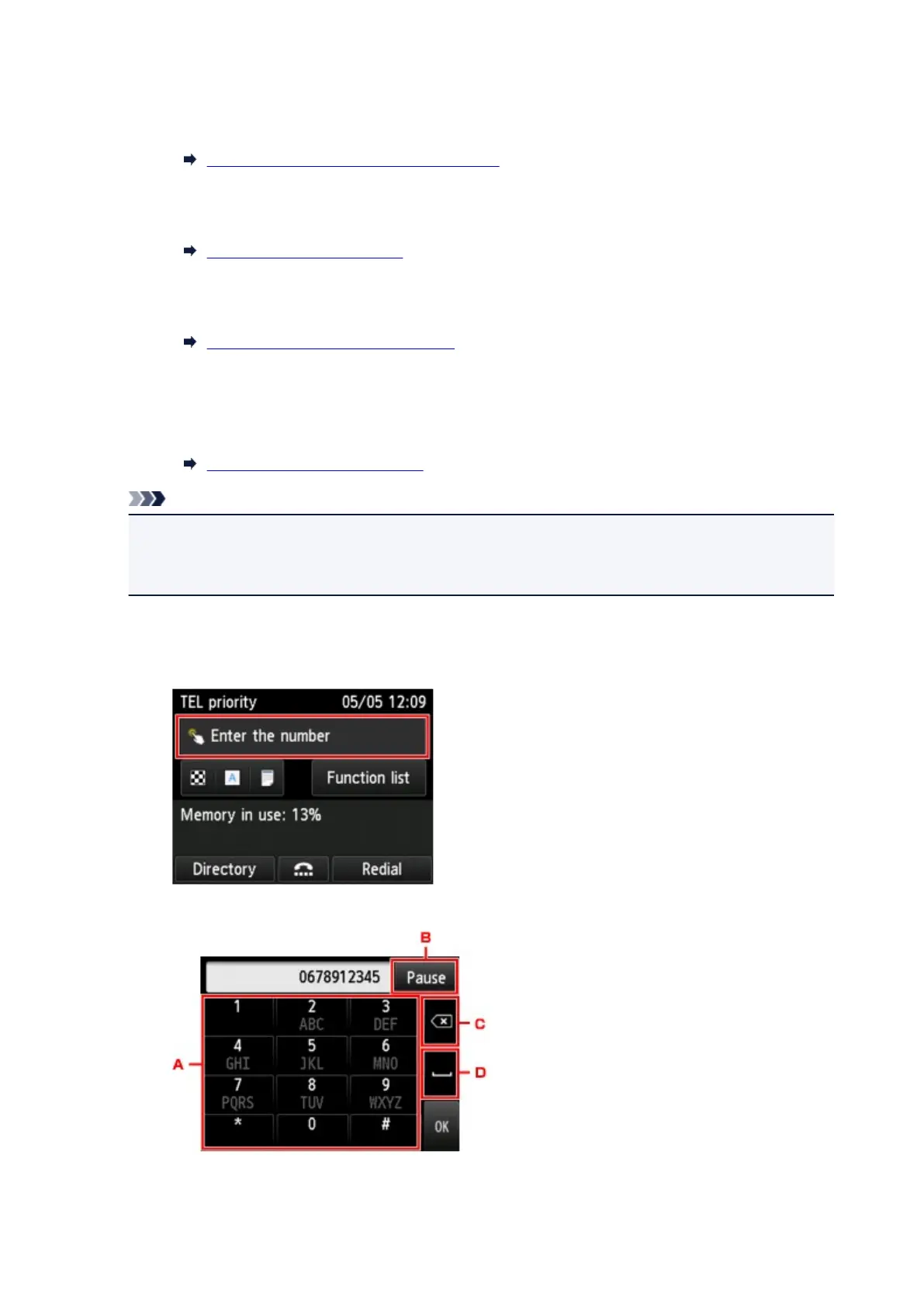
Dial recipient's fax/telephone number.
1. Tap entry field of fax/telephone numbers.
2.
Enter fax/telephone number.
A.
Numeric keys
941









 To Next Page