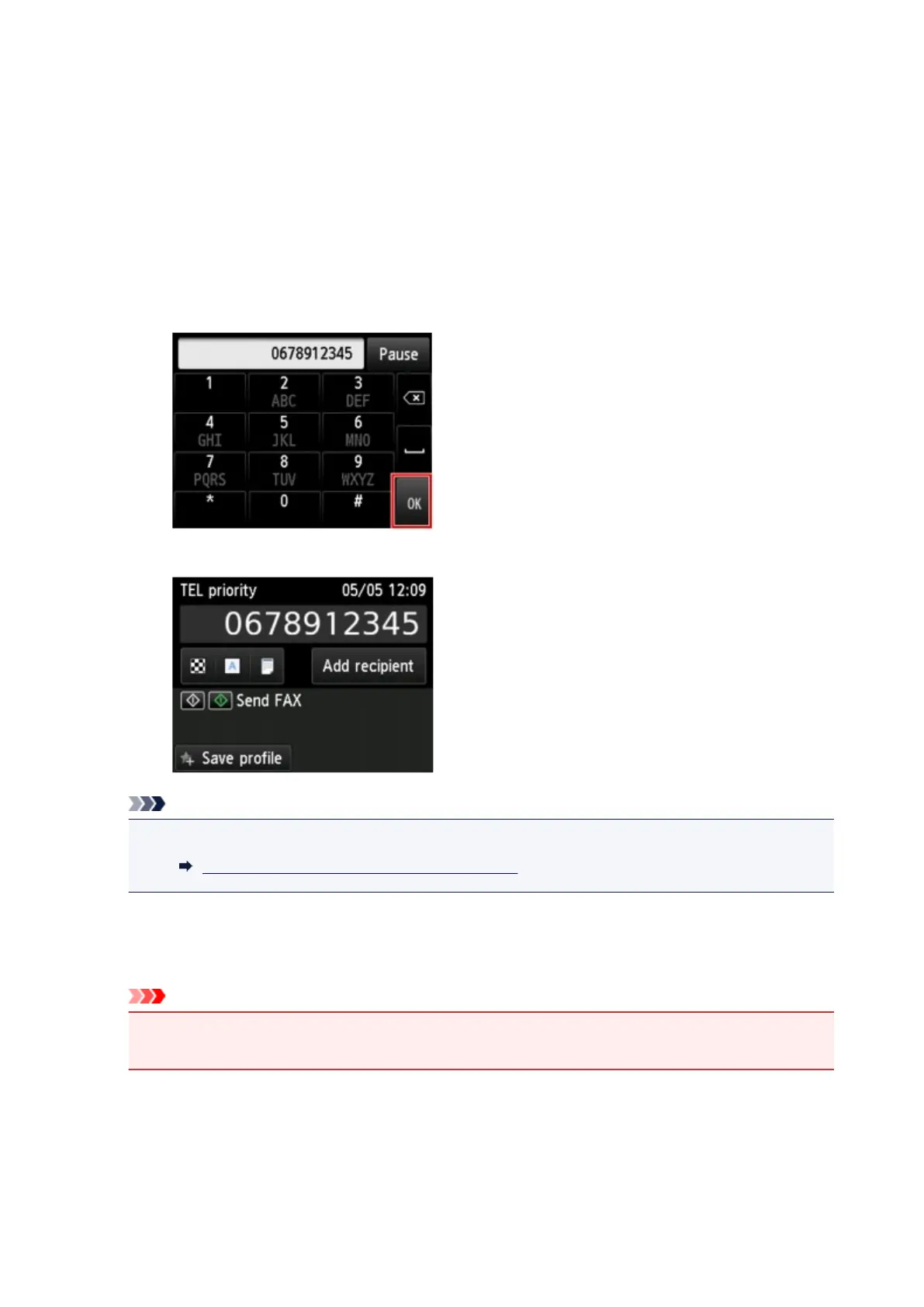
Enters the number.
B. Pause
Enters a pause "P".
C. Delete
Deletes the entered number.
D.
Blank space
Enters a blank space.
3.
Tap OK.
The touch screen returns to the Fax standby screen.
Note
• By tapping Save profile, you can register the current print settings as a custom setting.
Registering Favorite Settings (Custom profiles)
5. Press Color button for color transmission, or Black button for black & white transmission.
The printer starts scanning the document.
Important
•
Color transmission is available only when the recipient's fax device supports color faxing.
•
Do not open the document cover until scanning is completed.
6. Start sending.
•
If you load the document in the ADF:
The printer scans the document automatically and starts sending the fax.
942



 To Next Page