Select a fax/telephone number or name from the incoming call logs, the screen to register the
recipient's fax/telephone number and name is displayed. Go to next step.
Note
•
This registration method may not be available depending on the country or region of purchase.
10. Enter recipient's name.
If you select From incoming call log as a registration method, the recipient's name may be already
entered. If you do not change the name, go to next step.
1.
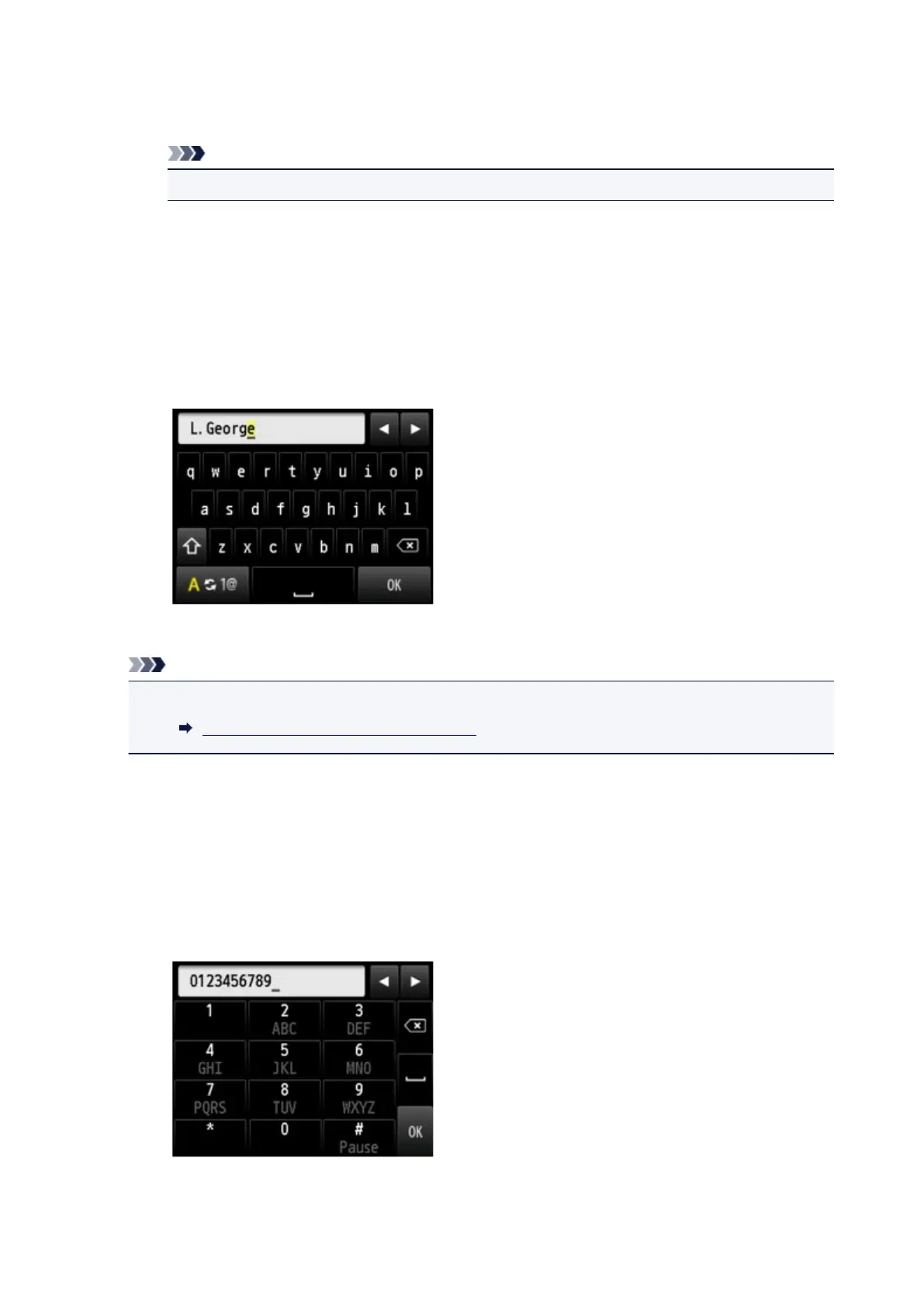
Tap entry field of name.
The screen to enter the character is displayed.
2.
Enter recipient's name.
3. Tap OK.
Note
• You can enter the name up to 16 characters, including spaces.
Entering Numbers, Letters, and Symbols
11.
Enter recipient's fax/telephone number.
If you select a fax/telephone number on From outgoing call log or From incoming call log, the fax/
telephone number is already entered. If you do not change the fax/telephone number, go to next step.
1.
Tap entry field of fax/telephone numbers.
The screen to enter the number is displayed.
2.
Enter recipient's fax/telephone number.
3.
Tap OK.
965









 To Next Page