Troubleshooting
TruVu™ VAVB3-E2 CARRIER CORPORATION ©2022
Installation and Start-up Guide All rights reserved
102
Troubleshooting inputs and outputs
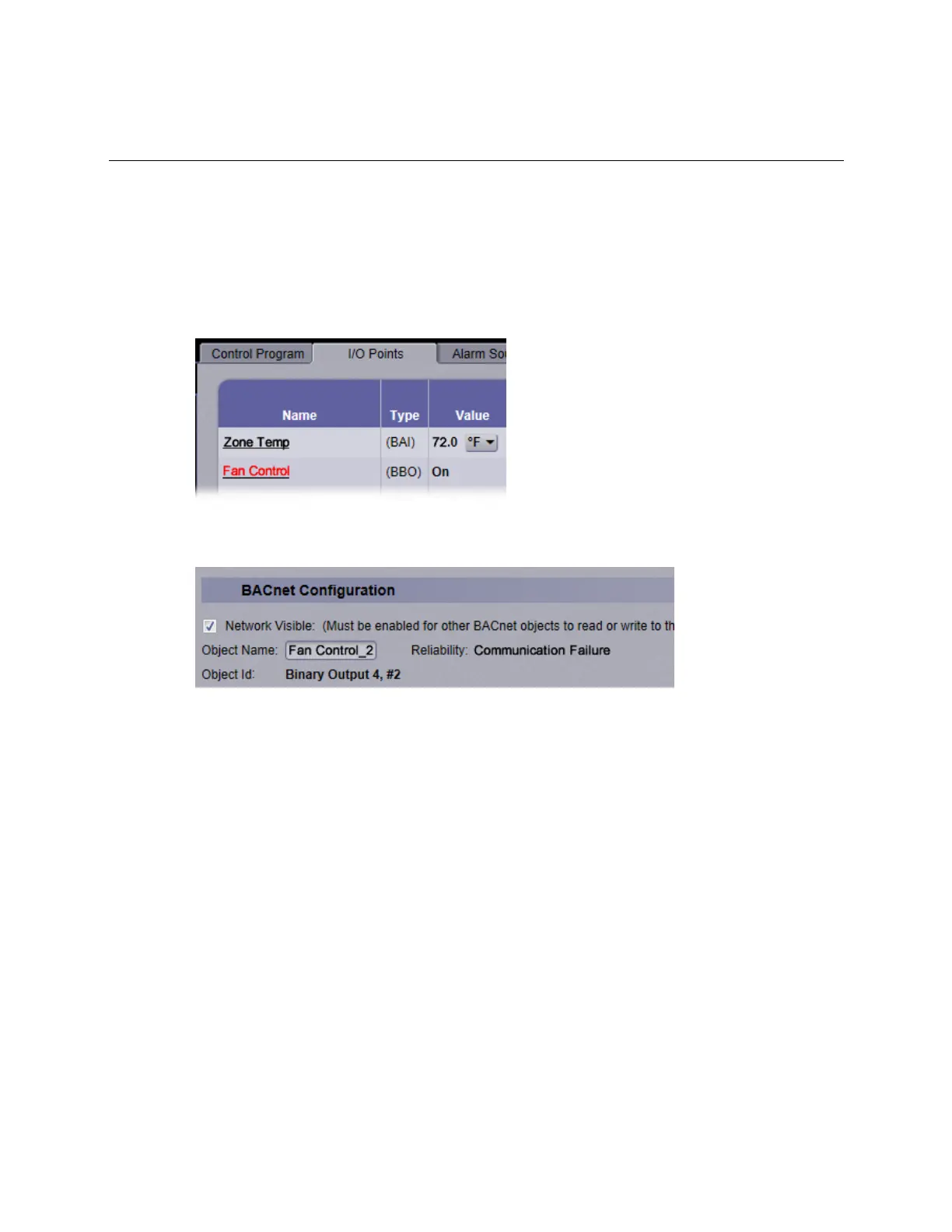
The i-Vu® interface shows if you have I/O errors resulting from a misconfigured microblock.
To check for errors:
1 In the i-Vu® navigation tree, select the equipment controlled by the TV-VAVB3-E2.
2 On the Properties page, select the I/O Points tab.
3 Click the Name of any input or output whose name is red (indicates an error) to open its dialog box.
4 On the Details tab, scroll down to see the Reliability field under BACnet Configuration.
5 Anything other than No Fault Detected indicates an error. See the table below to determine the error and
possible actions to take.











 To Next Page