Appendix A: TV-VAVB3-E2 Points/Properties
TruVu™ VAVB3-E2 CARRIER CORPORATION ©2022
Installation and Start-up Guide All rights reserved
125
Test and Balance – Use the following command buttons when commissioning a zone, balancing the system,
replacing the zone controller, or troubleshooting. If Automatic Control is not selected within 4 hours, the controller
will resume normal control.
Zero Flow – Closes the damper, takes a number of flow samples, then sets the zero calibration.
Damper Full Open – Opens damper fully and enables the Damper Full Open calibration fields.
Cool Max Airflow – Forces the damper to its maximum cooling position. Calibration fields apply only if the primary
use of this damper is cooling.
Occupied Min Airflow – Forces the damper to its maximum cooling position. Calibration fields apply only if the
primary use of this damper is cooling.
Automatic Control – Returns the damper to its normal control routines. This must be activated when you finish
using any of the other Test and Balance commands.
Close Damper – Forces the damper to its full closed position.
Heat Max Airflow – Forces the damper to its maximum heating position. Calibration fields apply only if the primary
use of the damper is heating.
Sensor Binder / Zone Temp / Zone Humidity / ZS Zone CO2
Ctrl+click on the name of these properties to access the microblock popup Properties
page > Details tab. See below for instructions on configuring your ZS or wireless sensors.
See the microblock Help for more detailed explanations.
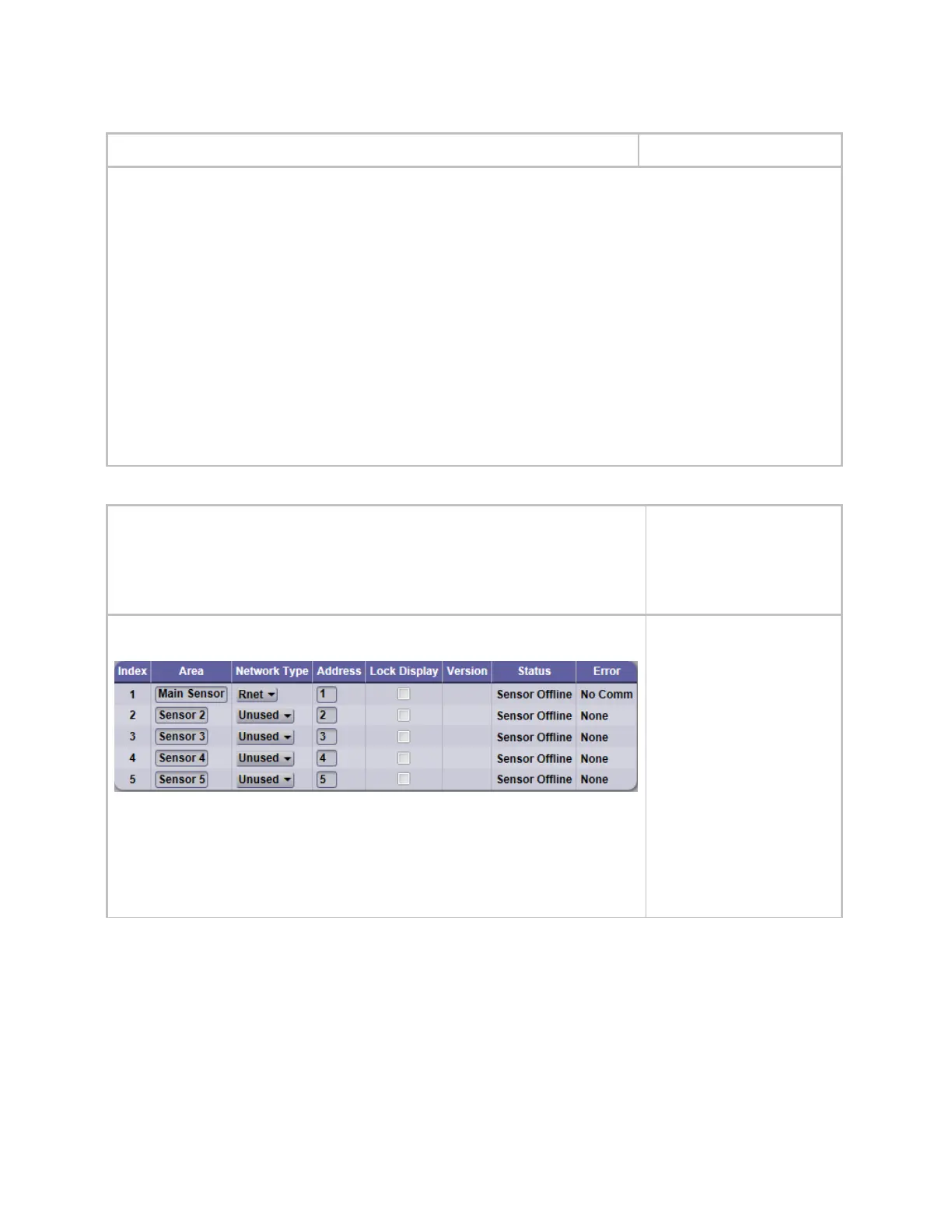
Sensor Binder - Use the Associated Sensors table to configure the Rnet to use additional
ZS or wireless sensors.
• Network Type - Set to Rnet
• Address - Enter the DIP switch settings that are on the additional ZS sensors (up to 5
total) or RnetID assigned to each wireless sensor in SensorBuilder
• Lock Display - Check to make the sensor display-only











 To Next Page