Appendix A: TV-VAVB3-E2 Points/Properties
TruVu™ VAVB3-E2 CARRIER CORPORATION ©2022
Installation and Start-up Guide All rights reserved
127
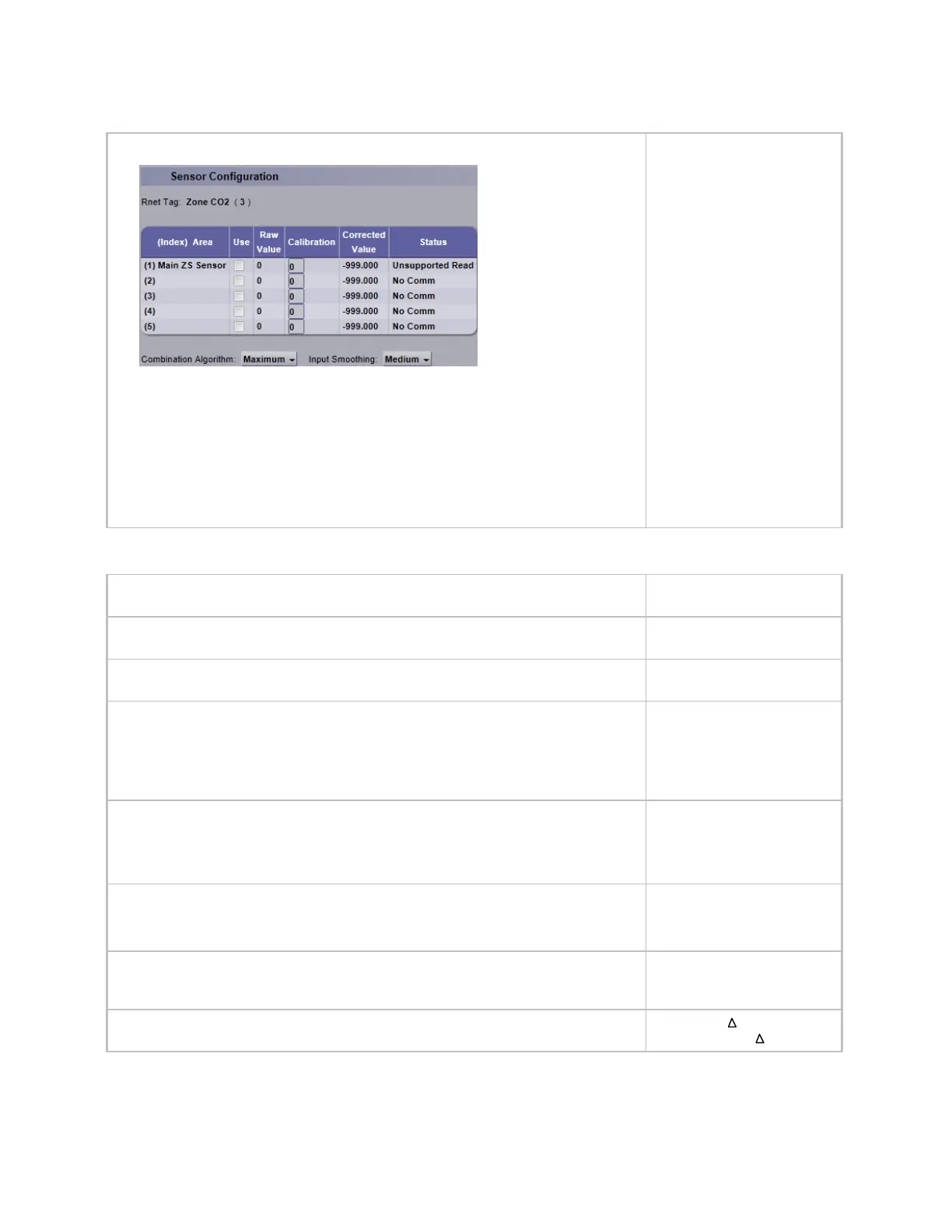
ZS Zone CO2 - Configure additional ZS CO
2
sensors used on the TV-VAVB3-E2.
• Use - Check to include ZS sensors' value in the Combined Algorithm (Maximum is
the default).
• Raw Value -Displays sensed CO
2
for each ZS CO
2
sensor's address
• Calibration - If needed, enter value to adjust the Corrected Value from the Raw
Value, in order to calibrate an individual ZS sensor's sensed value.
• Combination Algorithm - Use Average, Maximum, or Minimum ZS CO
2
to calculate
the Corrected Value for CO
2
control.
(Index) Area - (1) Main ZS
Sensor
Use - unchecked
Calibration - 0
Combination Algorithm -
Maximum
Input Smoothing -
Medium
Show on Sensors -
Calculated Value
Display Resolution - 1
COV Increment - 10
WS Battery Strength % — Displays charge strength indicated on the wireless space
temperature sensor. If there are multiple wireless sensors, it displays the lowest value.
WS Signal Strength % — Displays radio signal strength of the wireless space temperature
sensor. If there are multiple wireless sensors, it displays the lowest value.
Rnet Sensed Occupancy – Displays occupancy status detected by wireless infrared
motion sensor.
ZS model to show on graphic – Select the ZS model, from the drop-down list, that you
want to display on the graphic.
ZS Pro model
None
ZS Pro model
ZS Base model
ZS Plus model
WS model to show on graphic – Select the wireless model, from the drop-down list, that
you want to display on the graphic.
WS Plus model
WS Base model
WS Plus model
WS Pro model
Net Space Temp to show on graphic — Select the type of sensor to display on graphic.
Equipment Touch
Network Temp
Equipment Touch
System Space Temperature – The current value of the controlling space temperature
received over the network from another source. -999 indicates no value has been
received and it will not be used.
-50 to 150°F
(-45.5 to 65.5°C)
System Setpoint Adjustment – The space temperature setpoint adjustment value
received over the network.
-5 to 5 °F
(-2.7 to 2.7 °C)











 To Next Page