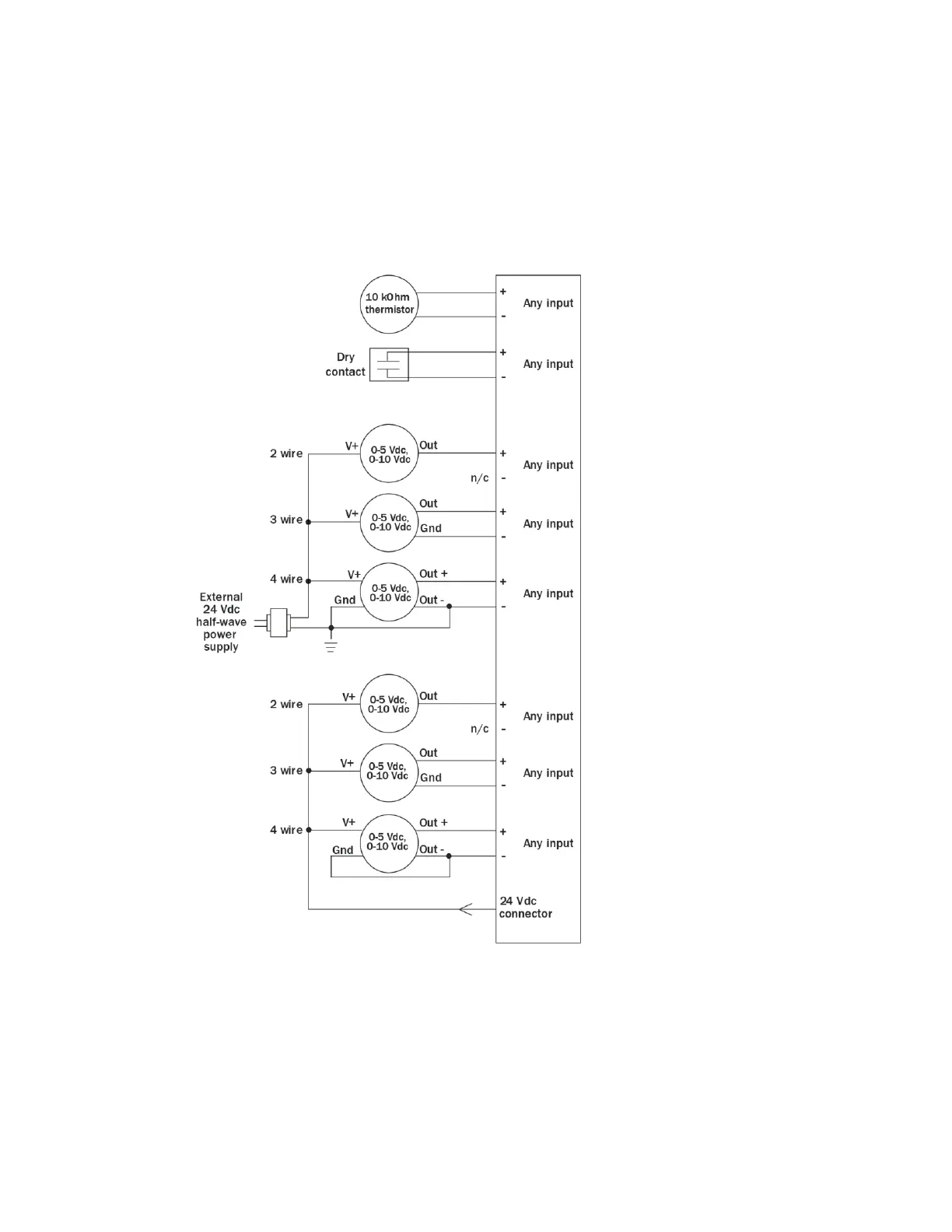
Wiring inputs and outputs
TruVu™ VAVB3-E2 CARRIER CORPORATION ©2022
Installation and Start-up Guide All rights reserved
28
1 Verify that the TV-VAVB3-E2's power and communications connections work properly.
2 Turn off the TV-VAVB3-E2's power.
3 Connect the input wiring to the screw terminals on the TV-VAVB3-E2.
NOTE Connect the shield wire to the – terminal with the ground wire. Do not connect the shield wire at the
other end of the cable as this will cause a ground loop error.











 To Next Page