126 SECTION 55 - ELECTRICAL SYSTEM
4.9 MAINTENANCE
Two different kinds of maintenance will be available:
Z light maintenance;
Z heavy maintenance.
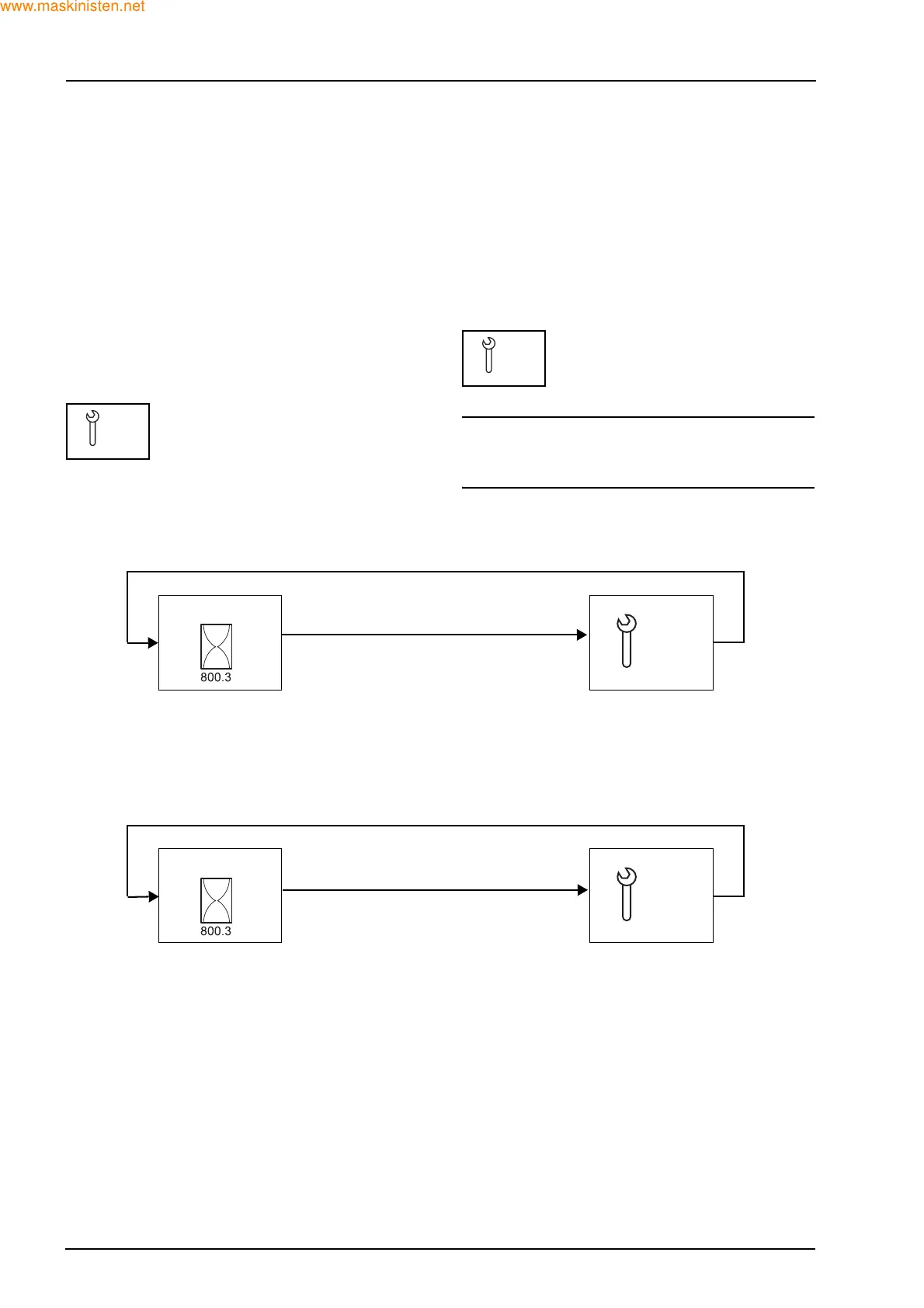
LIGHT MAINTENANCE
From 2 hours before the set value, display on the
display the “light maintenance symbol” at every key
on for one second after cranking; after this, the last
selected icon will be visualized on the display. The
hours shown will be the hours when light mainte-
nance is required, not the standard hours displayed
by the hourmeter.
Amber-coloured lighting
HEAVY MAINTENANCE
From 10 hours before the set value, display on the
display the “heavy maintenance symbol” at every
key on and should last for one second after crank-
ing. After cranking after this, the last selected icon
will be visualized on the display. The hours shown
will be the hours when light maintenance is required,
not the standard hours displayed by the hourmeter.
Amber-coloured lighting
NOTE: the symbols will show up as follows once the
set value is reached, and the customer clears the
feature with a key cycle.
DISPLAY FUNCTION
LIGHT
500
HEAVY
1000
When the hourmeter reaches the light service interval
3 seconds
3 seconds
GREEN AMBER
Audible alarm for 1 second when displaying either service interval for the first time
When the hourmeter reaches the heavy service interval
3 seconds
3 seconds
GREEN
AMBER
Audible alarm for 1 second when displaying either service interval for the first time
Since heavy maintenance contains light maintenance the following will be shown:
500 - Light
1000 - Heavy
1500 - Light
2000 - Heavy
The service indicator message will be cleared with a single key cycle
MAIN SCREEN
LIGHT
500
MAIN SCREEN
HEAVY
1000



 To Next Page