Case Communications 6401 Rugged ADSL Router Manual – Rev 1.5
SECTION 7 - MANAGEMENT Page 7.5
Enable or disable the Inform Interval Timer
The interval between the client sending the
request and the ACS Responding
The web address of the ACS device
Enter Auto Configuration Server -Name
Enter Auto Configuration Server -Name
WAN Interface Used by TR 069 Client
Select the path out from the drop down menu
Display SOAP messages on serial console
Connection Request Authentication
Enable Authentication for the connection request
Connection Request user name
Connection Request Password
7.6 INTERNET TIME
MANAGEMENT > INTERNET TIME
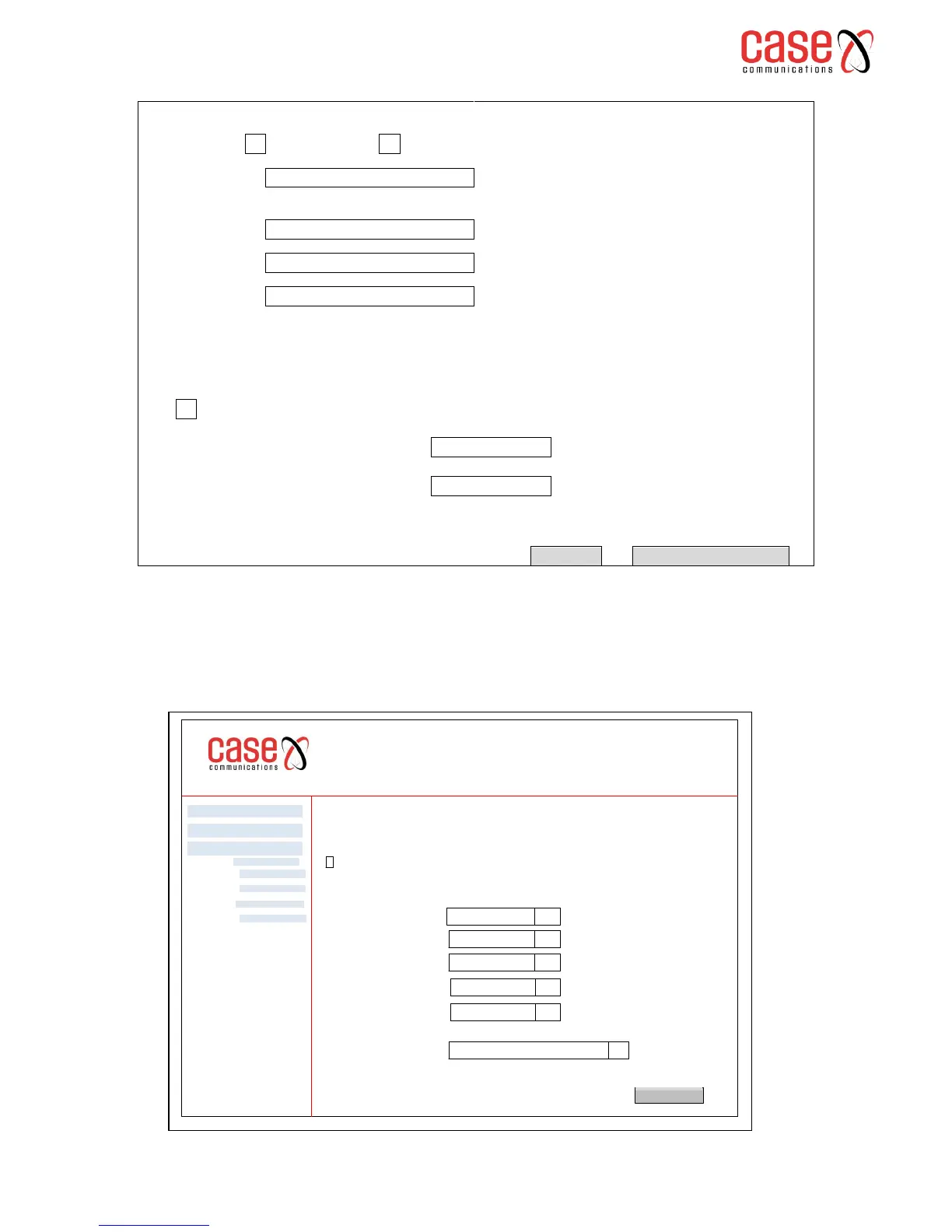
Select this option to allow the 6401 to synchronise with a Network Time Server. Once the option to
synchronise has been selected, an option with 5 drop down menus appears to allow selection of the
NTP Servers.
6401 Rugged Router
Internet Time
This page allows you to the Routers time configuration
Automatically synchronize with Internet time servers
Advanced Setp
Diagnostics
Management
Apply / Save
Settings
System Log
Security Log
TR 069 Client
Time.nist.gov
Internet Time
First NTP time server:
Second NTP time server:
Third NTP time server
Fourth NTP time server
Fifth NTP time server
Time Zone Offset:
q
q
q
q
q
GMT 08:00 Greenwich Mean Time
q
NTP.1tummy.com
NONE
NONE
NONE



 To Next Page